



How to transfer Topdon Phoenix Smart data to PC via a USB Cable?
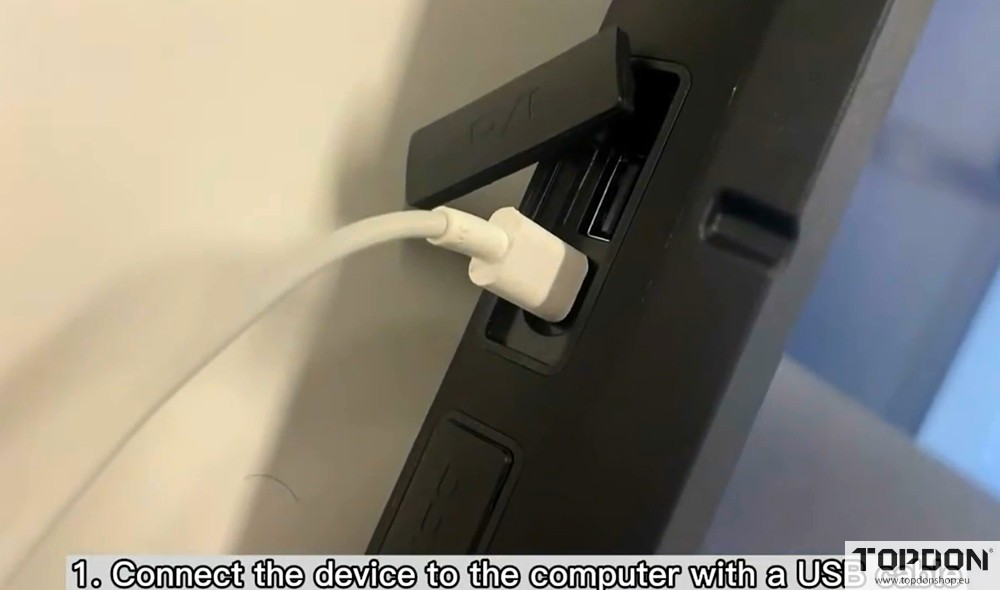
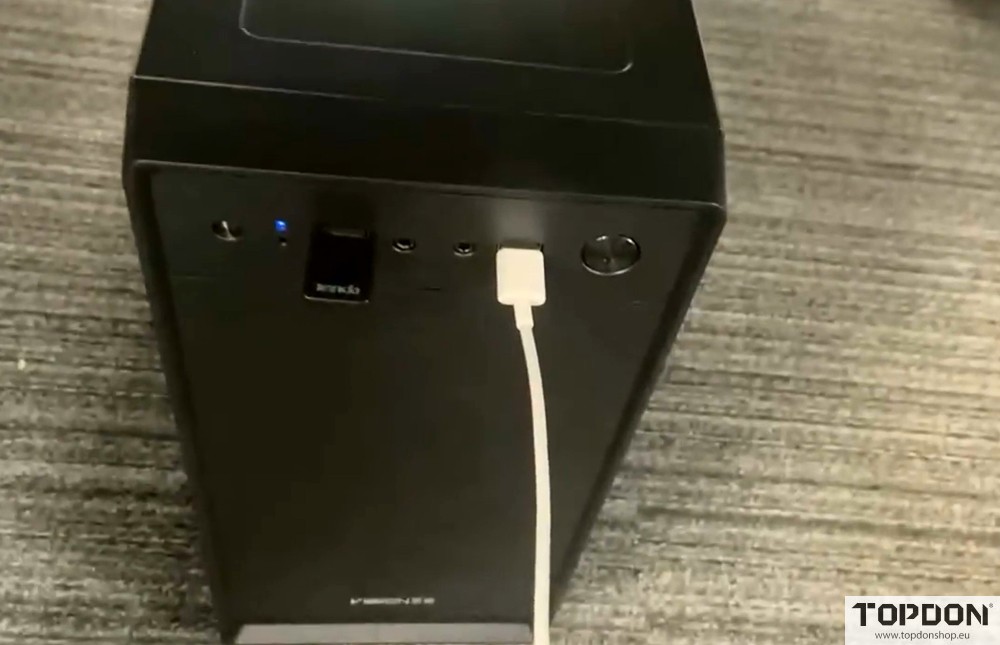
1. Connect the Phoenix Max device to the computer with a USB cable.
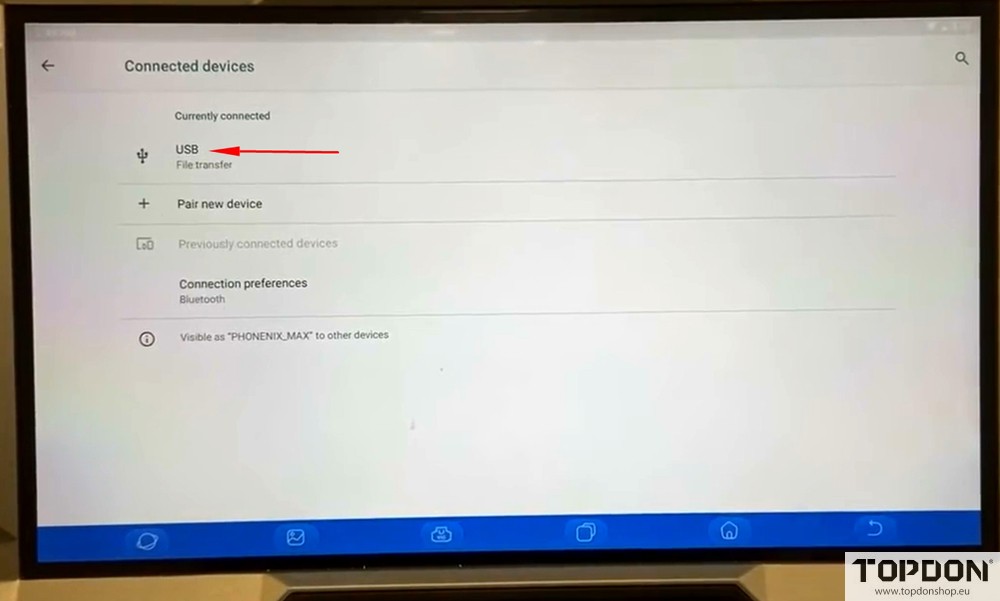
2. Click USB Management in Settings.
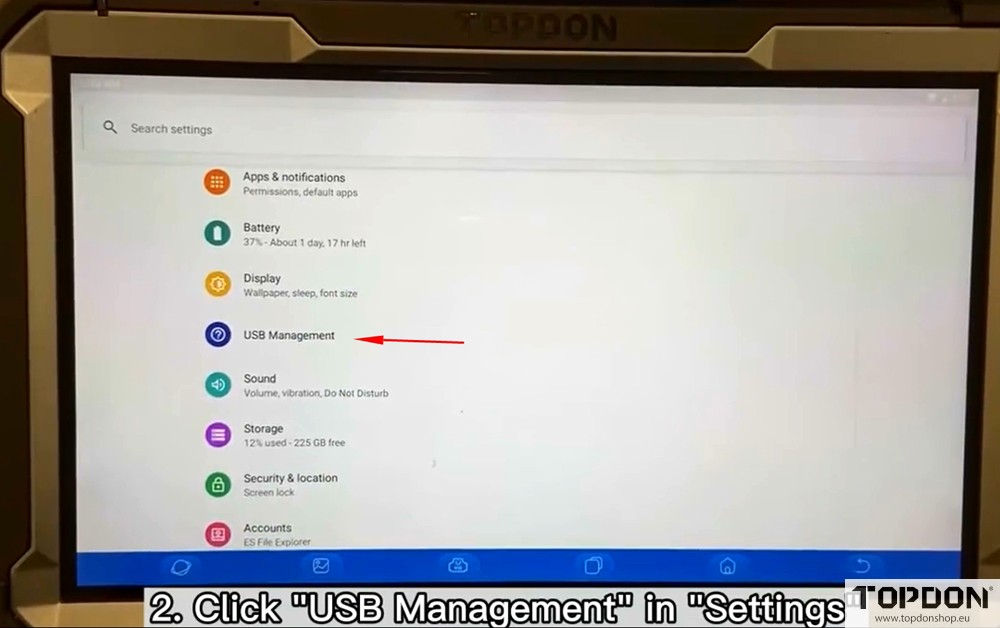
Keep USB Switch at OFF.
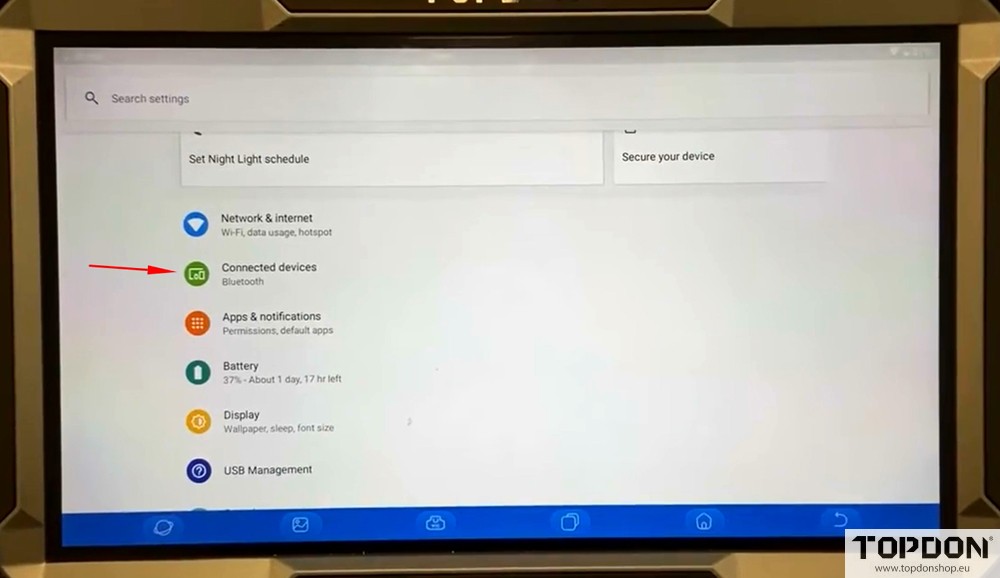
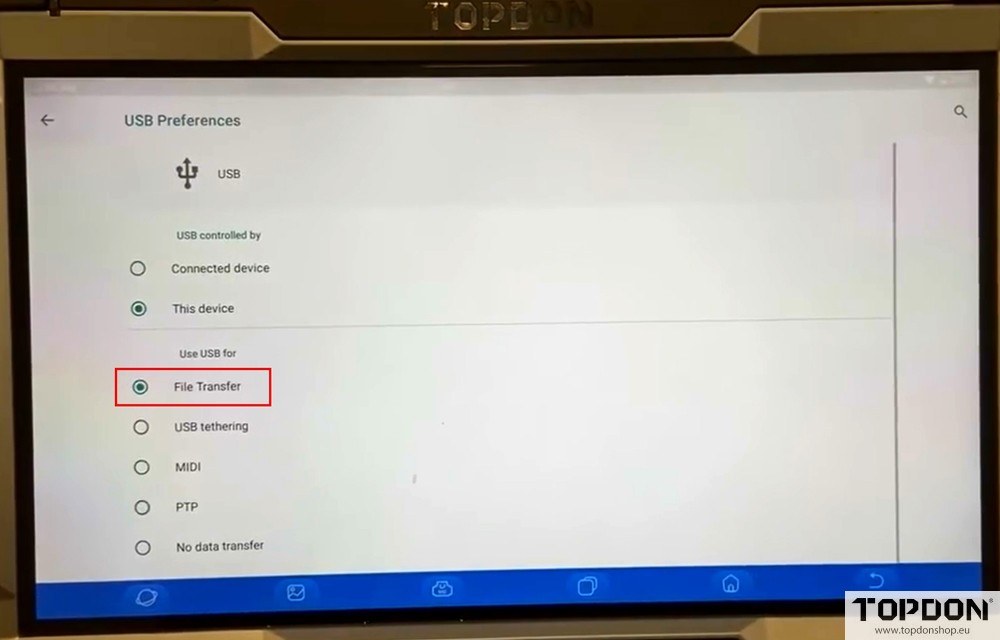
3. Keep the USB preference on File Transfer at Connected Devices.
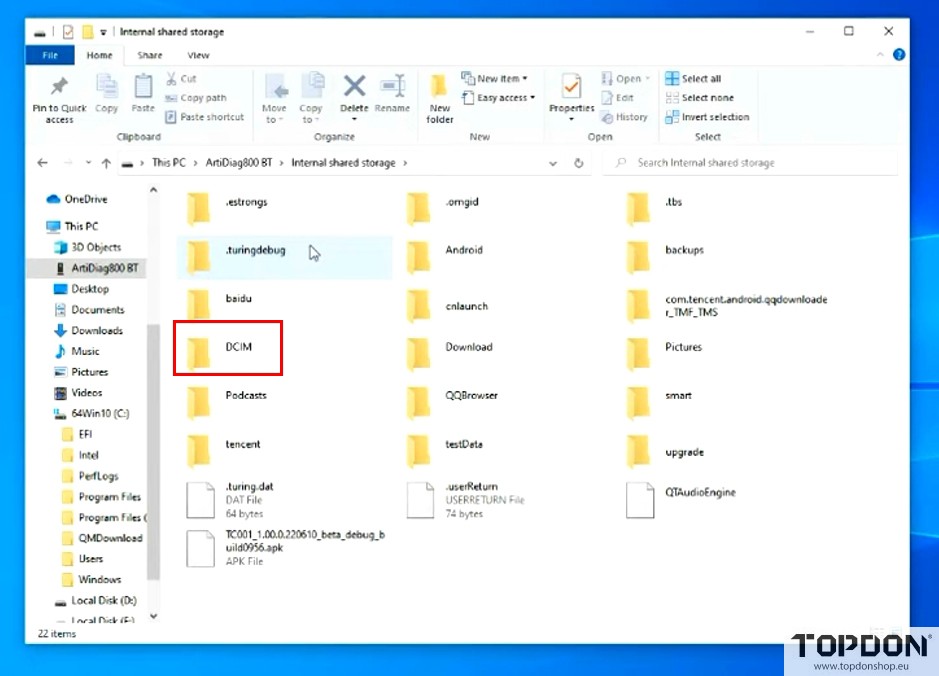
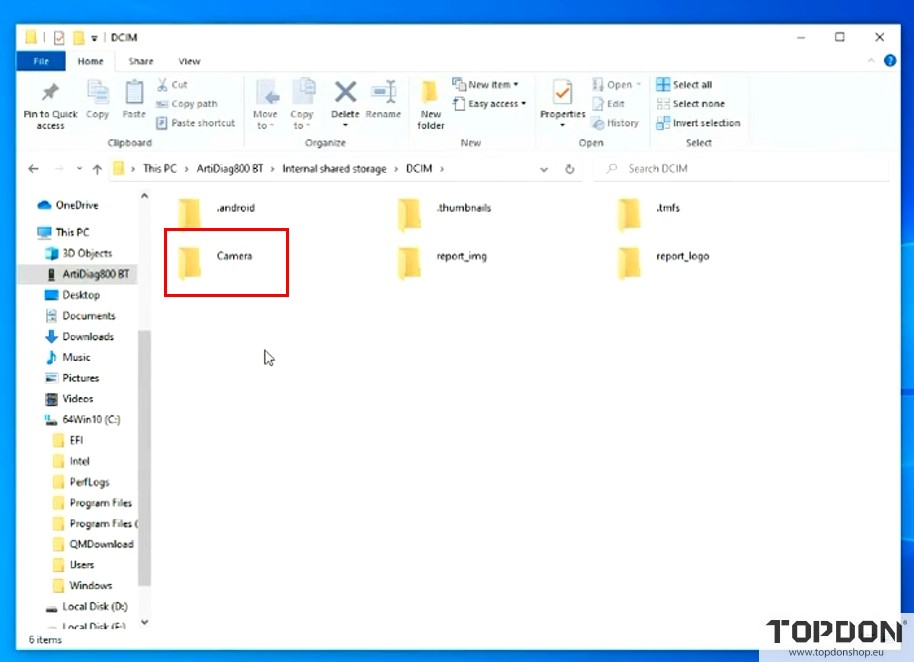
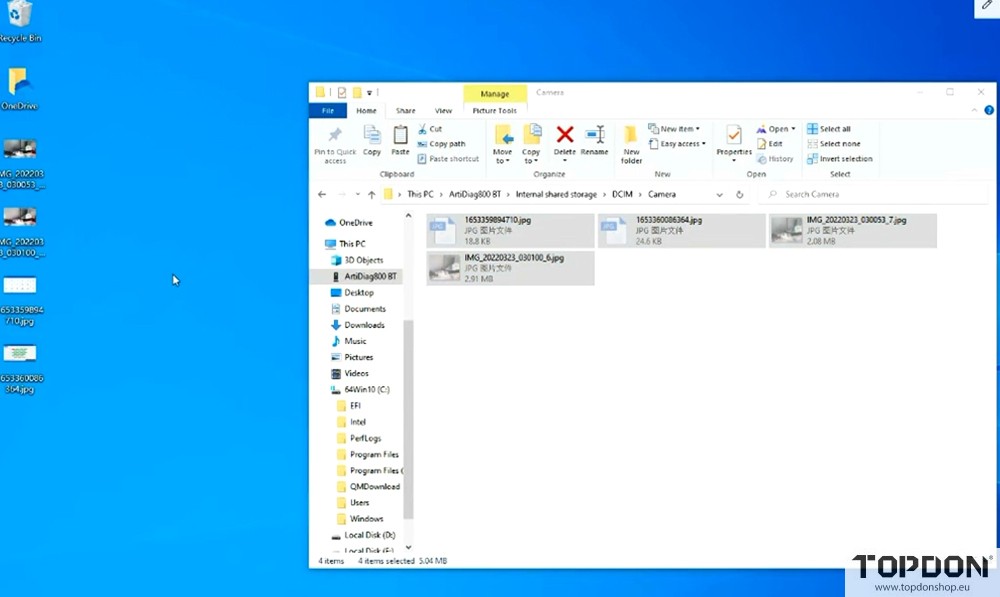
4. Back to the Internal shared storage, click DCIM–Camera, select the needed file to export.
Leave a Reply