



Question:
Just purchased the Topdon artidiag800 bt2 diagnostic scanner so far so good. Only issue so far is connecting to a pc, my pc does not have usb c. I was screen recording for a video and wanted to transfer the video to my pc for editing.
Solution:
Just use a simple USB A to C cable or adapter.
Make sure your settings are correct.
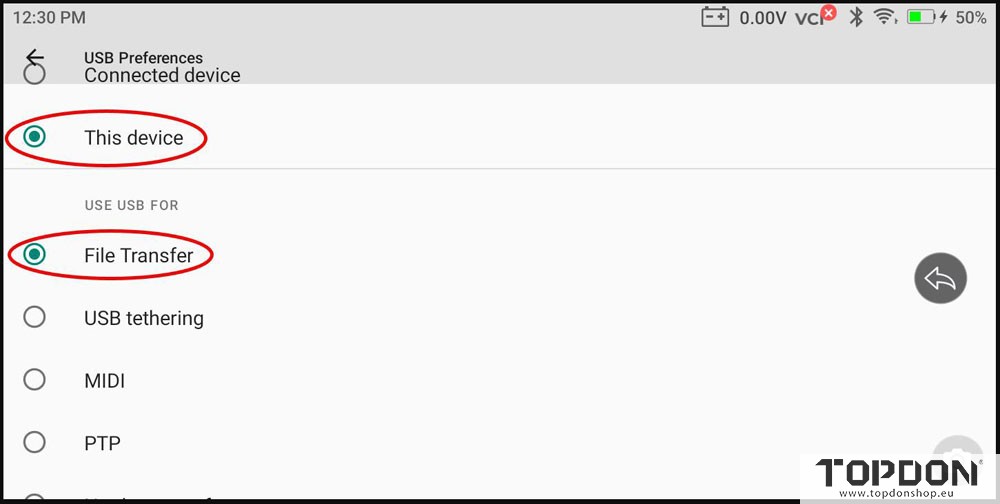
Swipe down from the top of the screen just after you connect your tablet to your PC.
You can email videos to yourself from the TopDon app. Go to History, > Screen Rec. Then pick the video you want and tap the share icon in the upper right and tap Email. Users will usually receive the email with a link to the video in 10 to 15 seconds.