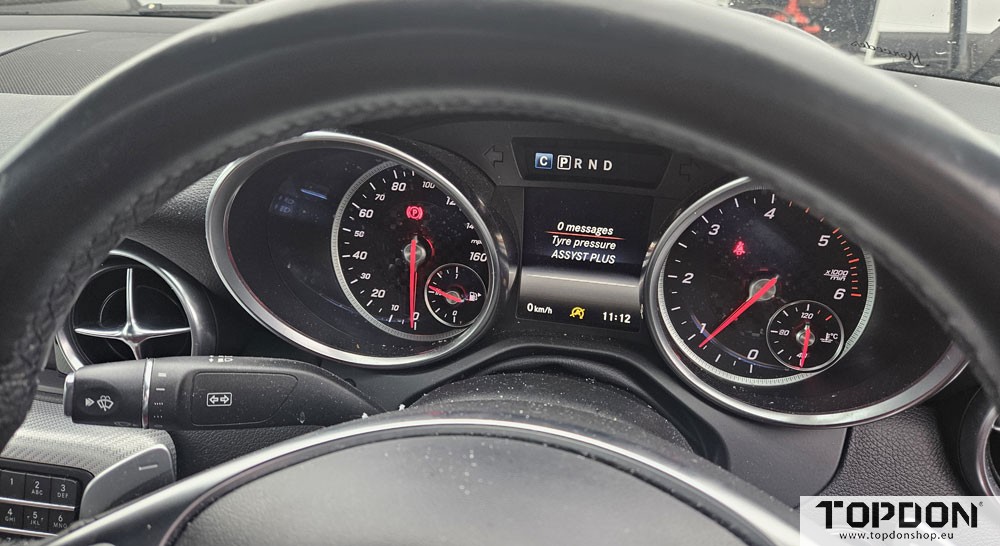




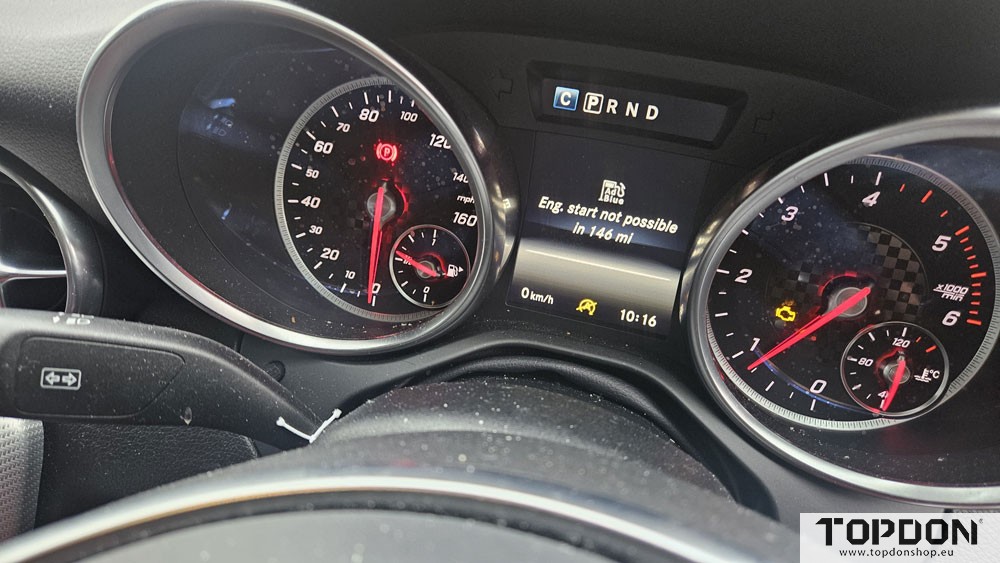
Modern diesel emissions systems are exceptionally sophisticated. While they deliver cleaner exhaust and improved environmental performance, they also introduce a level of diagnostic complexity that workshops face on a daily basis. A prime example of this is the Mercedes-Benz AdBlue / SCR system, where even after a repair has been completed successfully, the vehicle may still fail to clear warning messages or countdown alerts.
Many technicians are all too familiar with this frustrating scenario. The faulty component has been replaced, the wiring and sensors have been verified, and the system has been physically repaired—yet the dashboard continues to display warnings such as “Start Not Possible in XXX Miles,” or the engine management light remains on.
At this point, many aftermarket scan tools simply reach the limit of their capability.
The Problem: Repair Complete, Warning Still Present
Mercedes vehicles are well known for requiring specific post-repair procedures within their SCR systems. These procedures may include:
- SCR system resets
- AdBlue system initialisation
- Learned value resets
- ECU software updates
- Emissions adaptation routines
While many aftermarket diagnostic platforms can read and clear fault codes, they often cannot perform the full sequence of guided routines required by the Mercedes control units. As a result, the vehicle still believes a fault condition exists.
This is not because the repair was incorrect — it is because the vehicle control modules require confirmation through manufacturer software that the repair has been completed and validated.
Without completing these steps properly, the system will simply refuse to extinguish the warnings.
The Importance of Dealer Software
This is where dealer software becomes essential within the modern workshop.
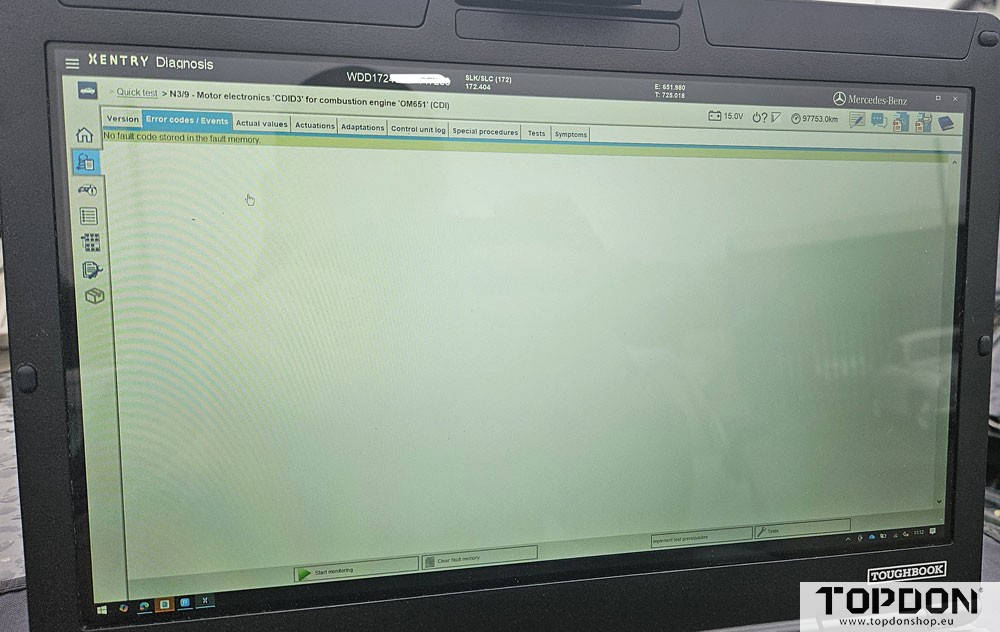
For Mercedes-Benz, the factory diagnostic platform is Xentry, which communicates with the vehicle using manufacturer-specific protocols and guided diagnostic routines.
Using Xentry allows the technician to:
- Run official SCR reset procedures
- Perform AdBlue system adaptations
- Update control unit software if required
- Reset countdown warnings
- Validate the repair through guided tests
These functions go far beyond simple fault code clearing and are often the only way to correctly restore the system following repair.
However, historically this has created a significant barrier for independent workshops.
Dealer software often required dedicated hardware interfaces (VCIs) for each manufacturer. This meant that a workshop wanting to support multiple brands could easily find themselves storing a large collection of expensive interfaces, each designed for only one vehicle group.
This is not only costly, but also inefficient.
The Multi-Manufacturer Solution
This is where the Topdon RLink platform comes into its own.
The RLink Lite provides a multi-manufacturer J2534 and PDU passthrough interface, allowing workshops to access official manufacturer software without needing separate hardware for every brand.
Instead of maintaining multiple VCIs for different manufacturers, a single RLink interface can be used across a wide range of factory platforms.
In the case of Mercedes, the RLink can be paired with Xentry Passthru, enabling full dealer-level diagnostics and programming capabilities directly through the official Mercedes software.
This provides the independent workshop with the same functionality used by the main dealer network — but with significantly more flexibility.
Setting Up the RLink for Mercedes Xentry Passthru
Getting the system ready is straightforward, but there are a few key steps to ensure everything works correctly.
The first step is installing the Topdon RLink Suite software onto the diagnostic laptop or workshop computer. This is the central management platform for the interface and allows technicians to manage firmware updates, drivers, and communication settings.
It is important to ensure the RLink Suite is updated to the latest version, as this guarantees compatibility with the newest manufacturer software releases.
Once installed, the next step is confirming that the Mercedes-Benz driver within the RLink Suite is fully up to date. The suite includes drivers for multiple manufacturers, and keeping these updated ensures stable communication with factory software platforms.
With the drivers installed and updated, the RLink device is then connected via USB or network depending on the configuration, and the system will recognise the interface as a J2534 / PDU passthrough device.
Accessing Mercedes Xentry
The final step involves obtaining official Mercedes software access.
This is an important point to understand: all manufacturer software subscriptions are purchased directly from the vehicle manufacturer. They have no connection to the interface manufacturer.
Topdon provides the hardware interface, but software licensing is entirely controlled by Mercedes-Benz.
To use Xentry Passthru, technicians must purchase access through the official Mercedes portal. This subscription provides legitimate access to the factory diagnostic software, guided tests, and repair routines.
Once the subscription is active, Xentry can simply be configured to use the RLink as the passthrough interface.
At that point, the workshop has full dealer-level communication capability with the vehicle.
Completing the Repair the Right Way
Returning to our Mercedes AdBlue repair scenario, once the system is connected through Xentry using the RLink interface, the technician can perform the required procedures correctly.
The factory software will guide the technician through the exact sequence required for that vehicle, which may include:
- SCR system resets
- AdBlue dosing module initialisation
- ECU software updates
- Adaptation routines
- Validation of emissions system functionality
Once these procedures are completed successfully, the system recognises that the repair has been validated and the warning messages and countdown alerts can finally be cleared.
Modern Diagnostics Require Modern Tools
Today’s vehicles demand far more than basic code readers. The complexity of modern emissions systems means that correct repair procedures often require factory-level interaction with the vehicle’s control units.
For independent workshops looking to remain competitive, access to manufacturer software is becoming increasingly important.
By combining official manufacturer platforms such as Xentry with a flexible passthrough interface like the Topdon RLink, technicians can access dealer-level capabilities without the cost and clutter of maintaining multiple brand-specific interfaces.
And when that stubborn Mercedes AdBlue warning refuses to disappear, having the right tools and the right software makes all the difference.
Because sometimes, clearing the fault isn’t enough — the vehicle needs to know the repair has truly been completed.