




Question:
Has anyone else’s screenshot function been removed from Topdon Phoenix Elite scanner? Where to find screenshort function on Elite. Can’t seem to reactivate it.
Answer:
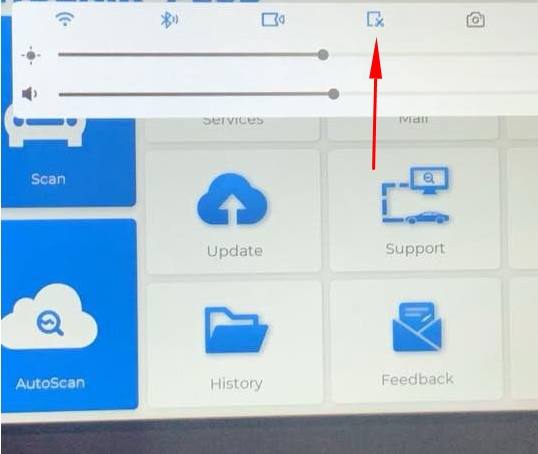
Swipe down on the home screen and select the square icon with scissors.
Then, a floating blue camera icon will appear on the side of the screen.
You can tap the icon to take a screenshot.