Question: How to activate Topdon Rlink J2534 passthru interface and set up rlink j2534 for OEM programming?
Check the instructions here:
The procedure also applies to Rlink X7/Rlink Lite series based on Rlink Suite platform.
Visit https://www.topdon.com/pages/pro-down.html?fuzzy=RLink%20J2534, download Rlink Suite program.
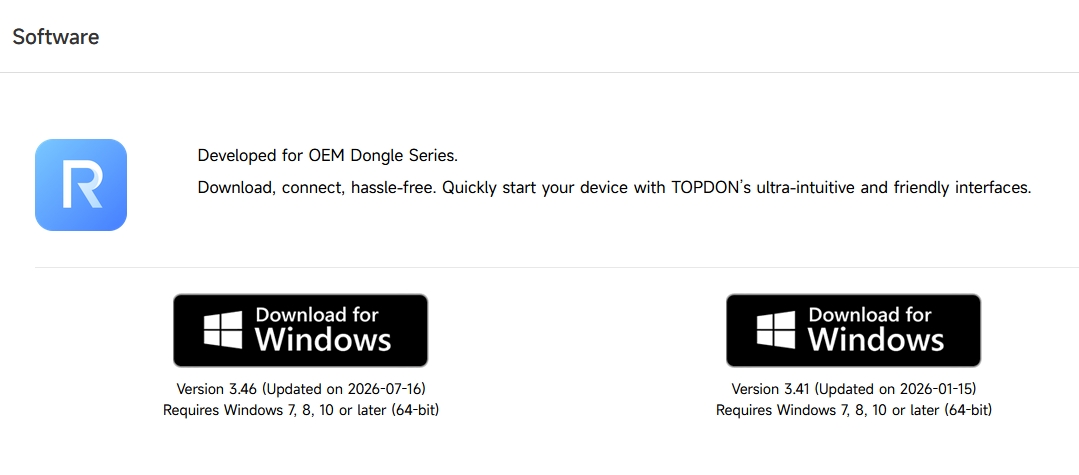
1. Download RLink Platform software package.
2. Double-click the software to install.
Note:
For computers with high security, a prompt requiring administrator rights will appear when opening the driver, simply click Yes.
It is recommended to disable antivirus software during installation. Because RLink Platform is the driver management platform for OEM software. It may be mistakenly removed by antivirus software. This driver will not have any adverse effects on the computer.
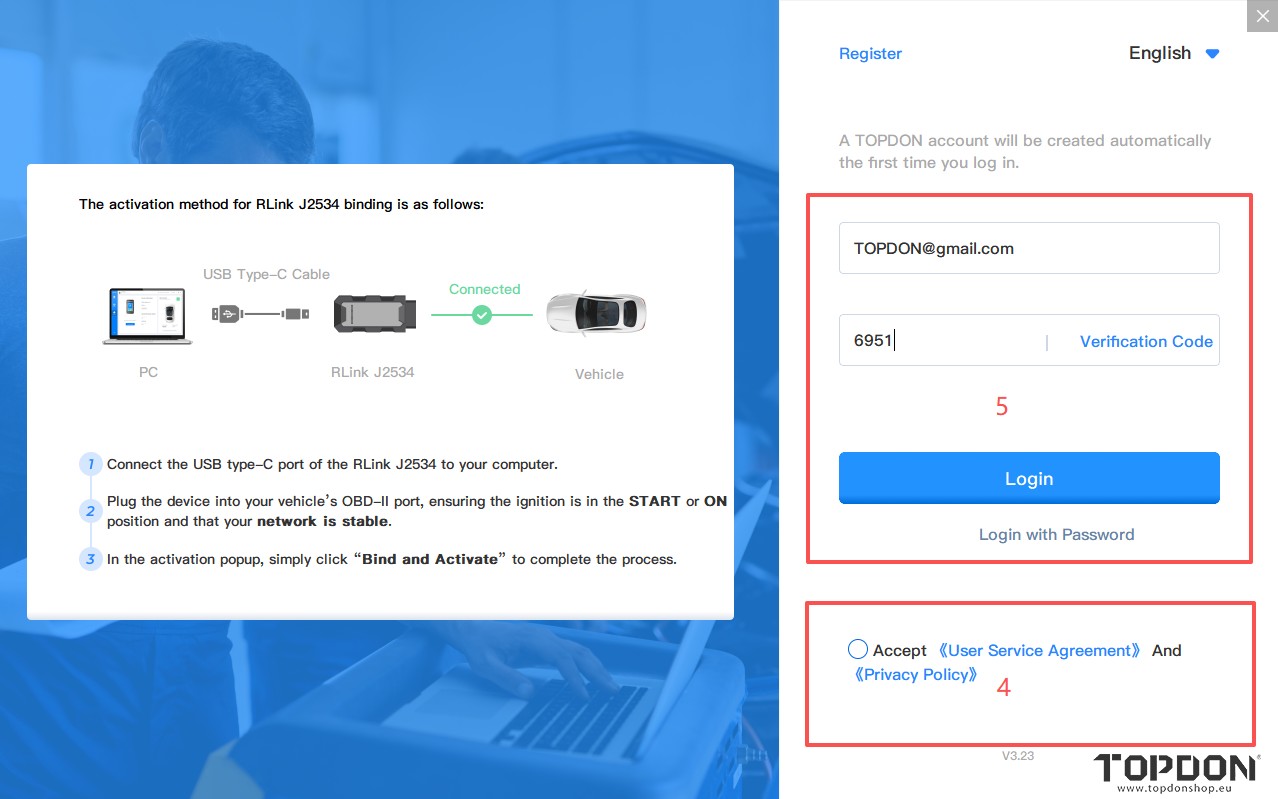
3. Click Login to the Account as shown in the figure below, and the login page will appear.
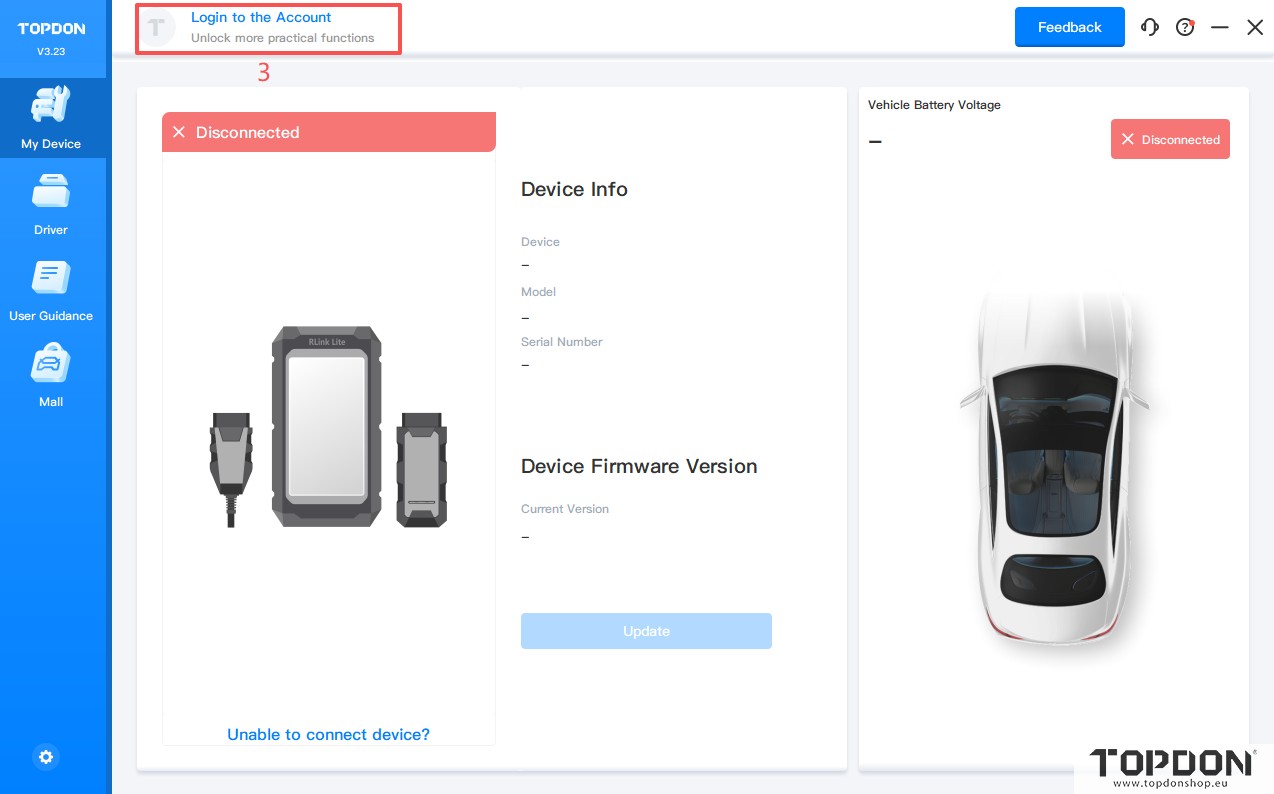
If you have already registered on the RLink, just log in to the account.
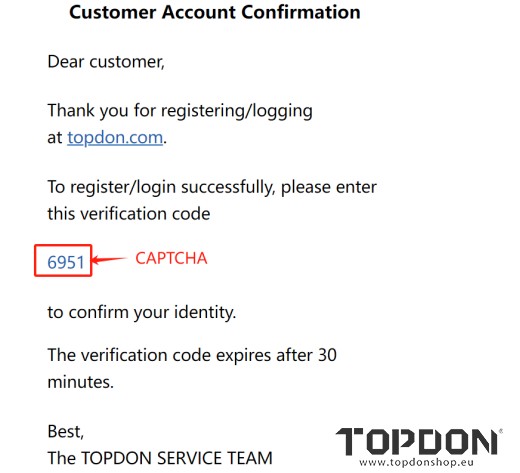
4. Enter your commonly used email address directly to get the verification code and log in.
Note: A TOPDON account will be created automatically the first time you log in.
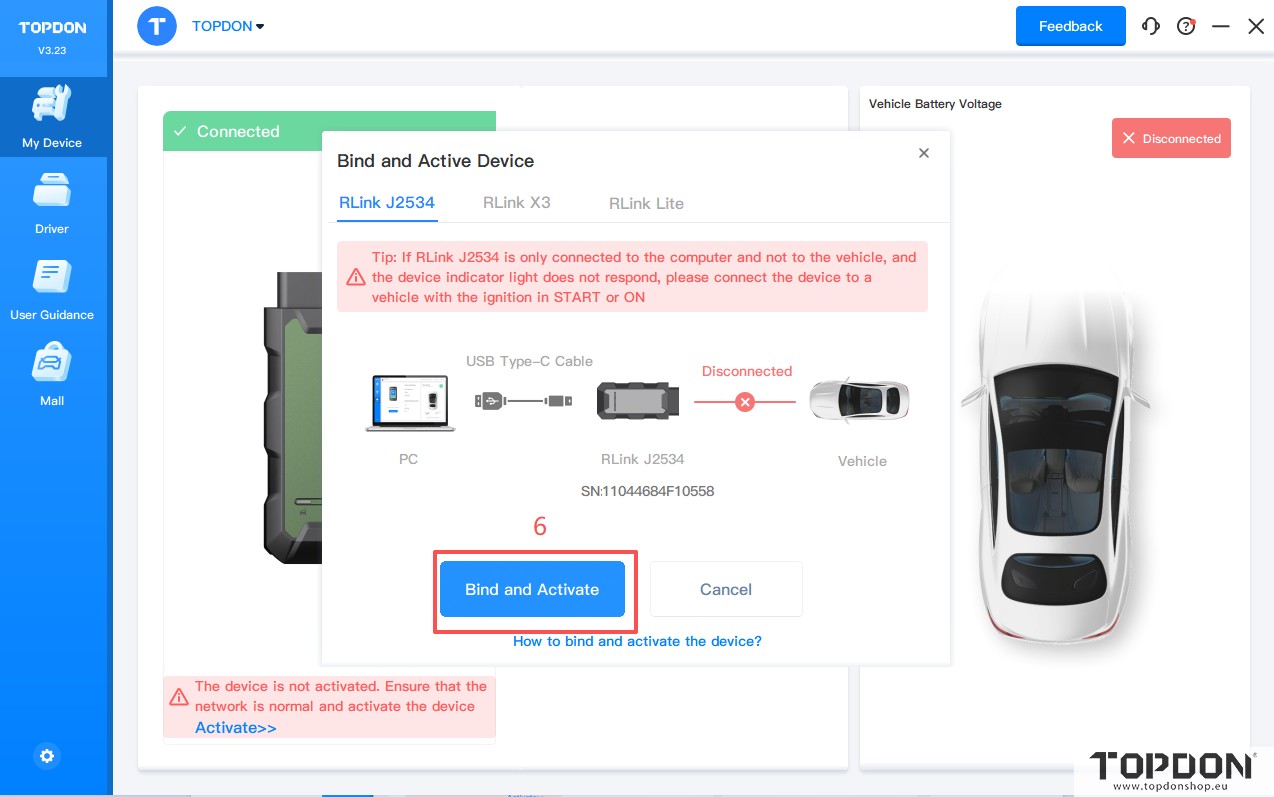
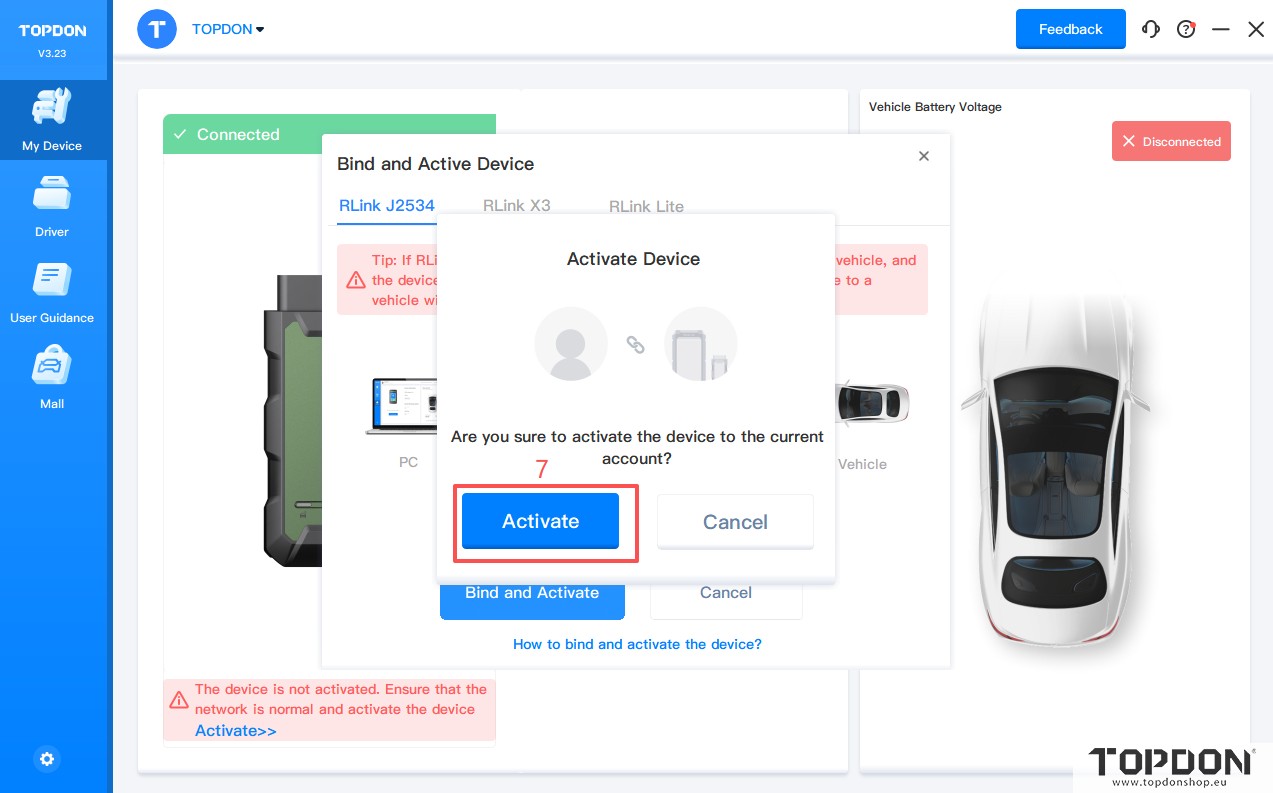
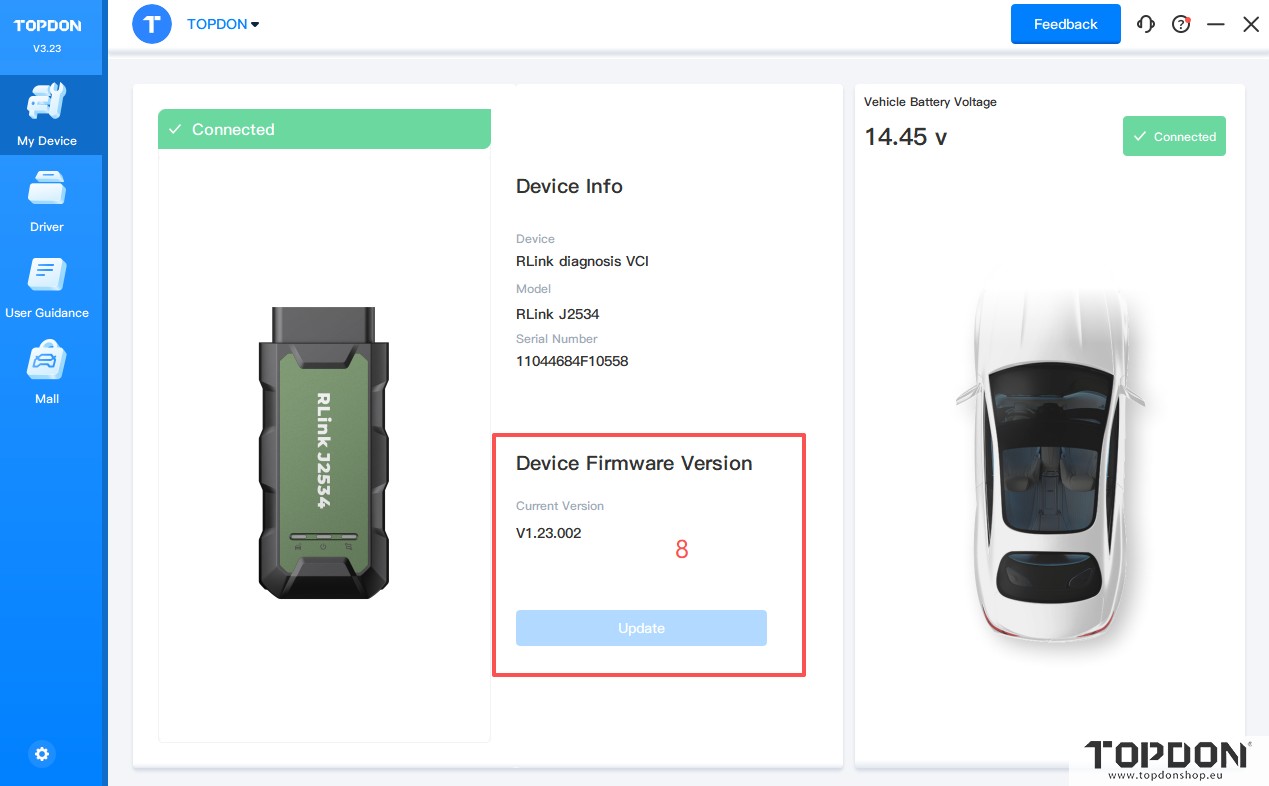
5. Log in to the RLink Platform. Then connect the RLink J2534 device to the computer and the vehicle’s OBD port to bind and activate the device.
6. After the RLink J2534 device is successfully bound to the RLink Platform account, Check if there is a firmware update; if yes, click to update.
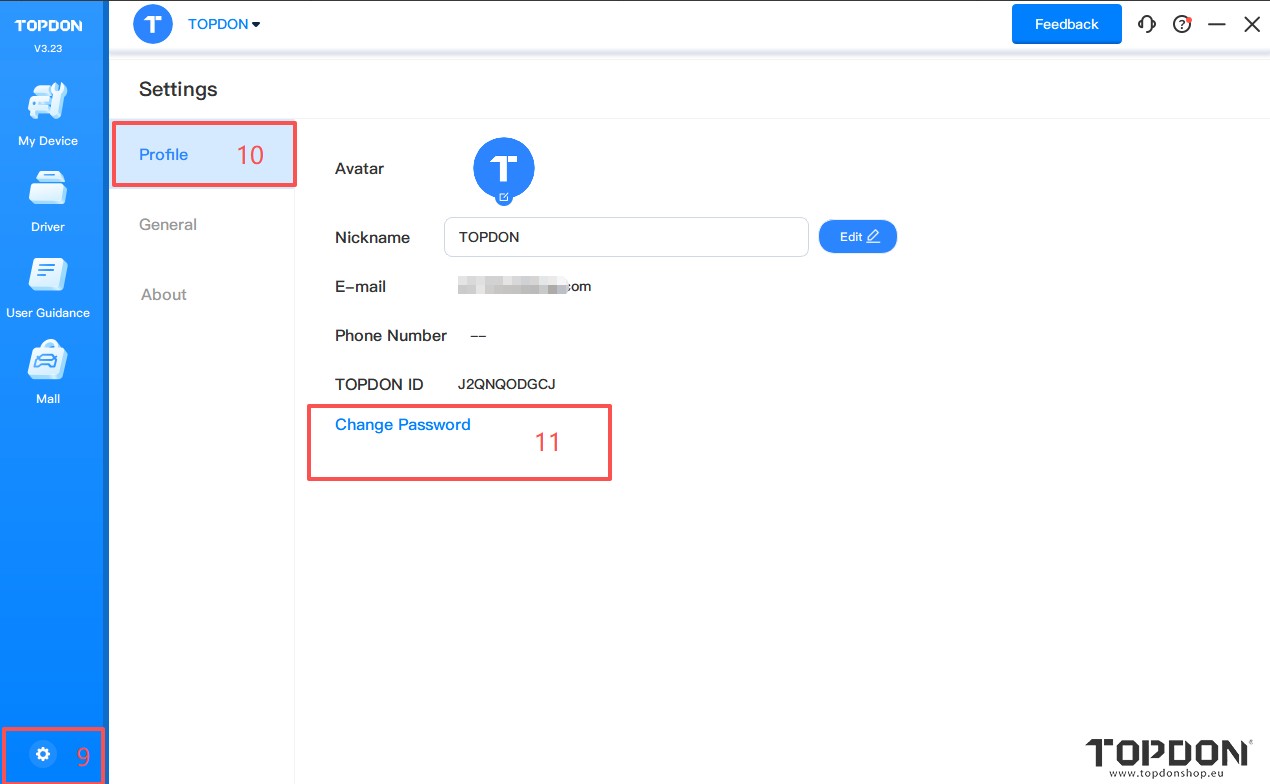
7. After the device is bound, access the settings to add a login password according to your usage needs.
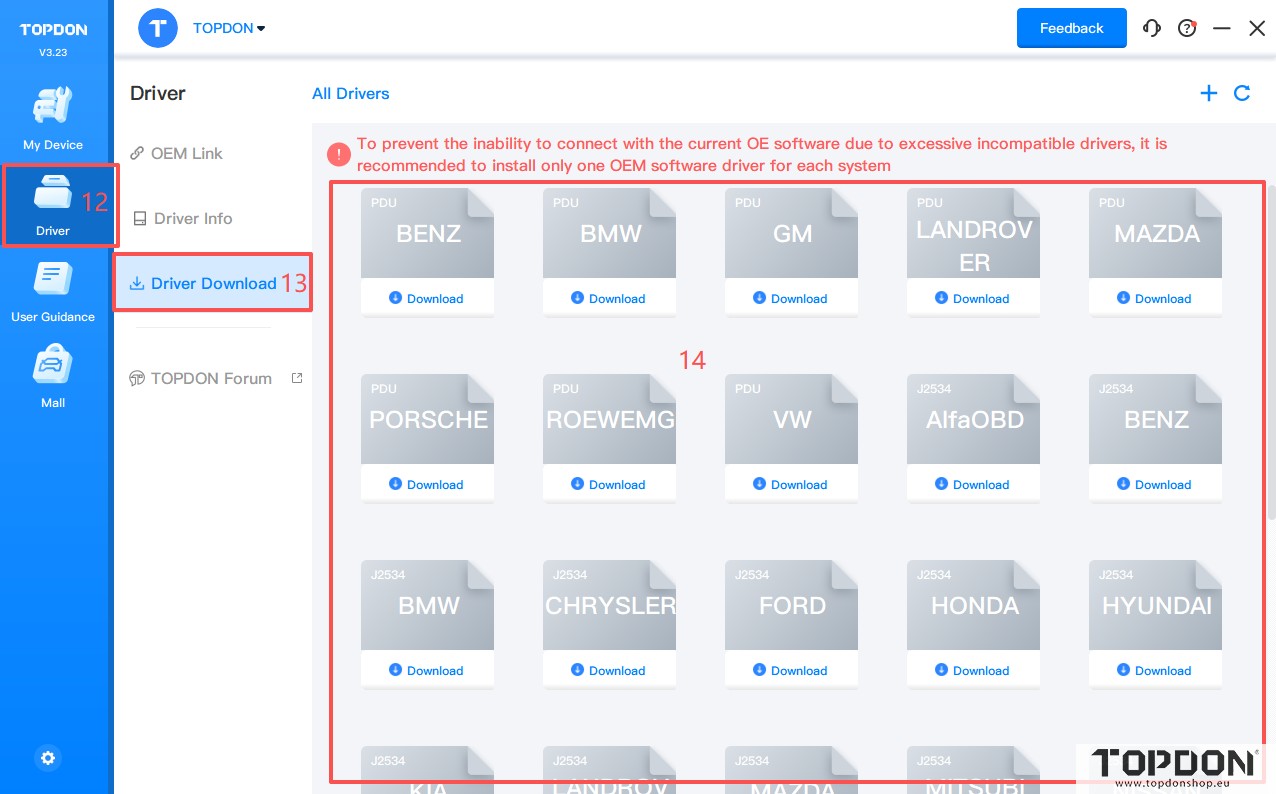
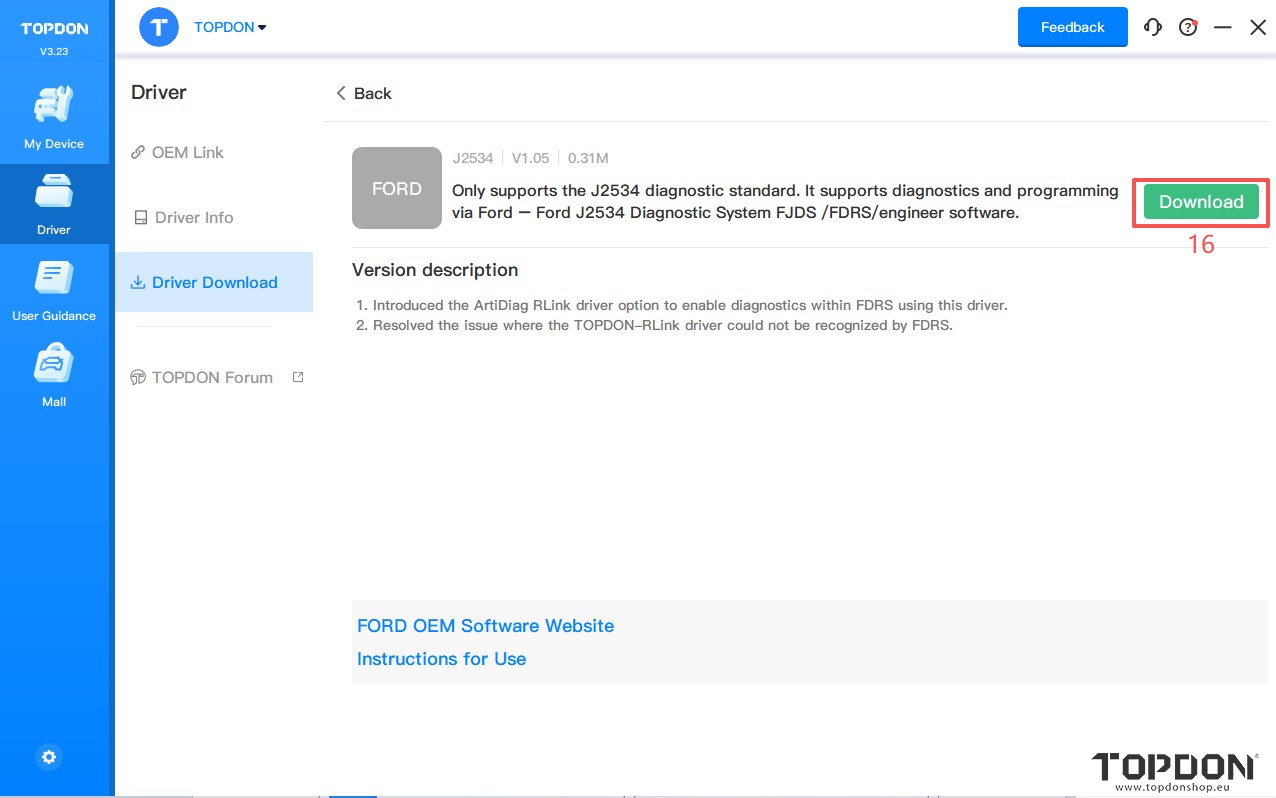
8. Click Driver > Driver Download to download the specific driver for the OEM diagnostic software. To avoid driver incompatibility, do not download drivers that are not related to the OEM software.
NOTE: After the device is activated, download the specific driver for the OEM diagnostic software. Note: To avoid driver incompatibility, do not download drivers that are not related to the OEM software.
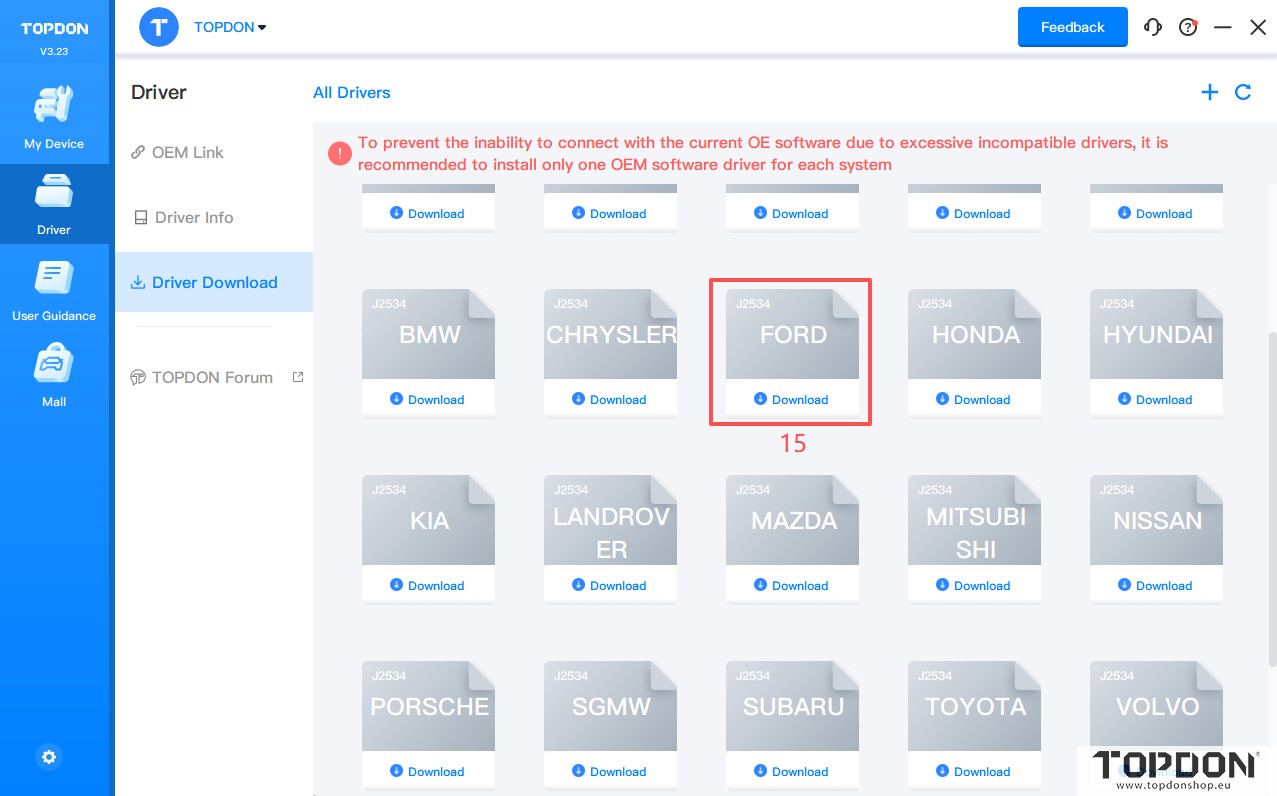
9. For example, if you are using the FORD OEM software, download the FORD driver.
10. Click FORD and click Download to download the driver.
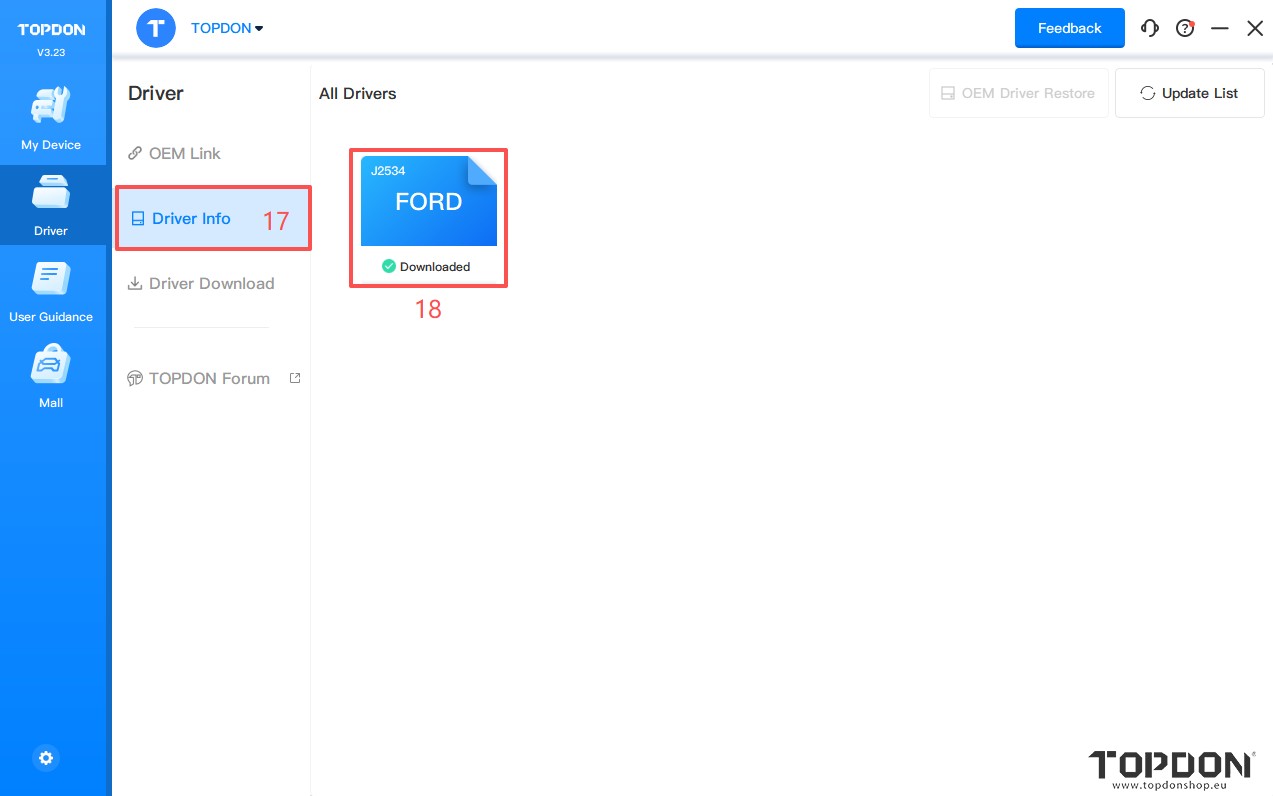
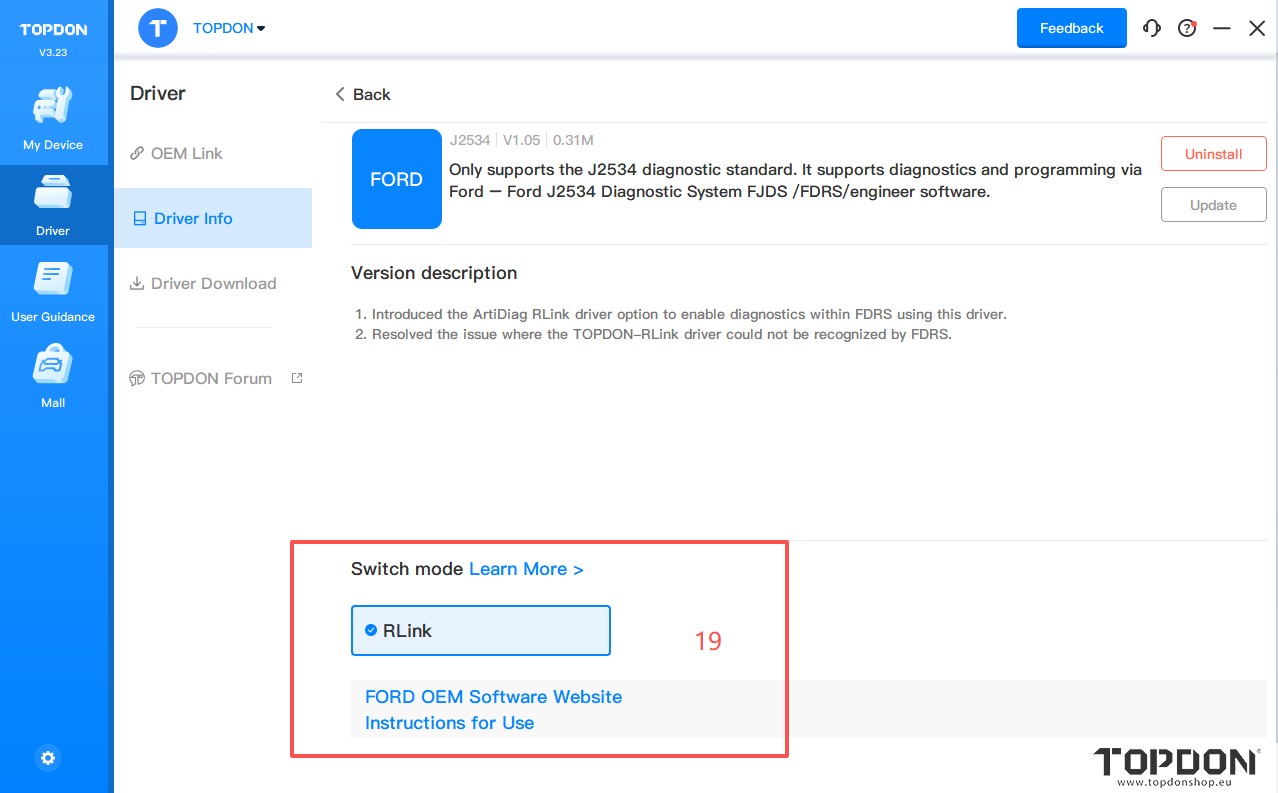
11. Click Driver > Drive Info. Then click FORD to configure the driver mode.
12.
When using RLink J2534 devices, select RLink as the diagnostic interface on the OEM software. If you are connecting to the original VCI or third-party VCI, open the OEM software and select the original VCI or third-party VCI as the diagnostic interface. This driver will not have any impact.
13. After downloading the driver, open FDRS/FJDS for diagnostic programming.
Read also:
http://blog.topdonshop.eu/set-up-topdon-rlink-x7-with-nissan-consult-3-plus-non-r2r-version/
http://blog.topdonshop.eu/how-to-set-up-topdon-rlink-with-volvo-oem-software/
http://blog.topdonshop.eu/how-to-set-up-topdon-rlink-j2534-with-subaru-ssm4/
http://blog.topdonshop.eu/how-to-set-up-topdon-rlink-j2534-with-volvo-oem-software-vida/