


Question:
I have a Topdon Phoenix plus 2 diagnostic do you no if i buy the DoIP lead will it work with the tool for later DoIP land rover?
Here is the clue.
Yes, it will work. Topdon has tested this with the Phoenix Lite 3 which uses the same VCI. Topdon tested it with both the DoIP cable and the cable that is marketed as BMW F Chassis cable.
Also applies to Phoenix Elite, Plus 2, and Phoenix Lite 2.
How to Connect to DOIP Vehicles Using the Topdon Phoenix Plus 2/Lite 3/Lite 2 and Elite series?
Required Cables for DOIP Connection
Two cable configurations can be used:
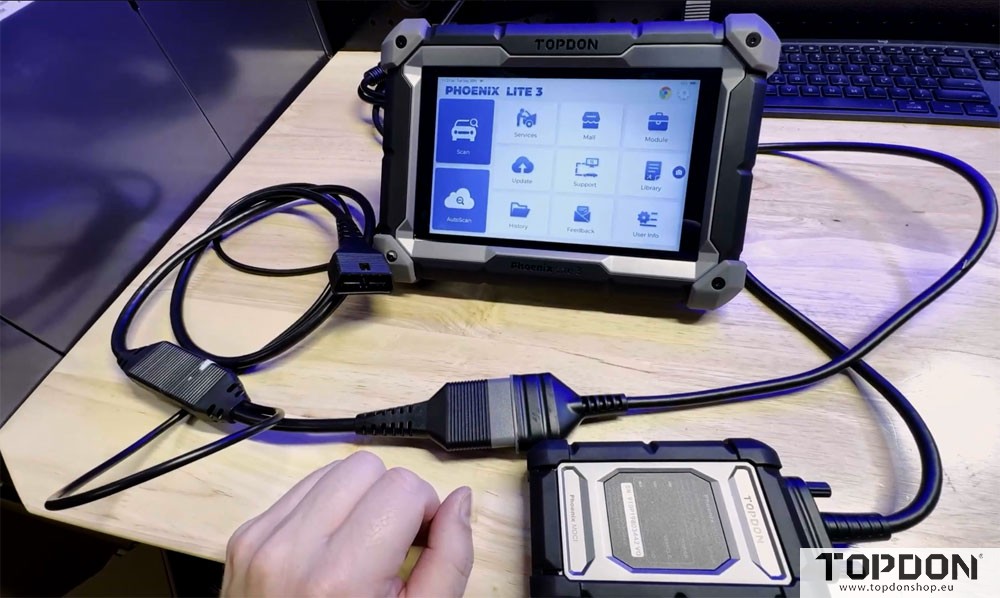
1. Ethernet-Based Setup
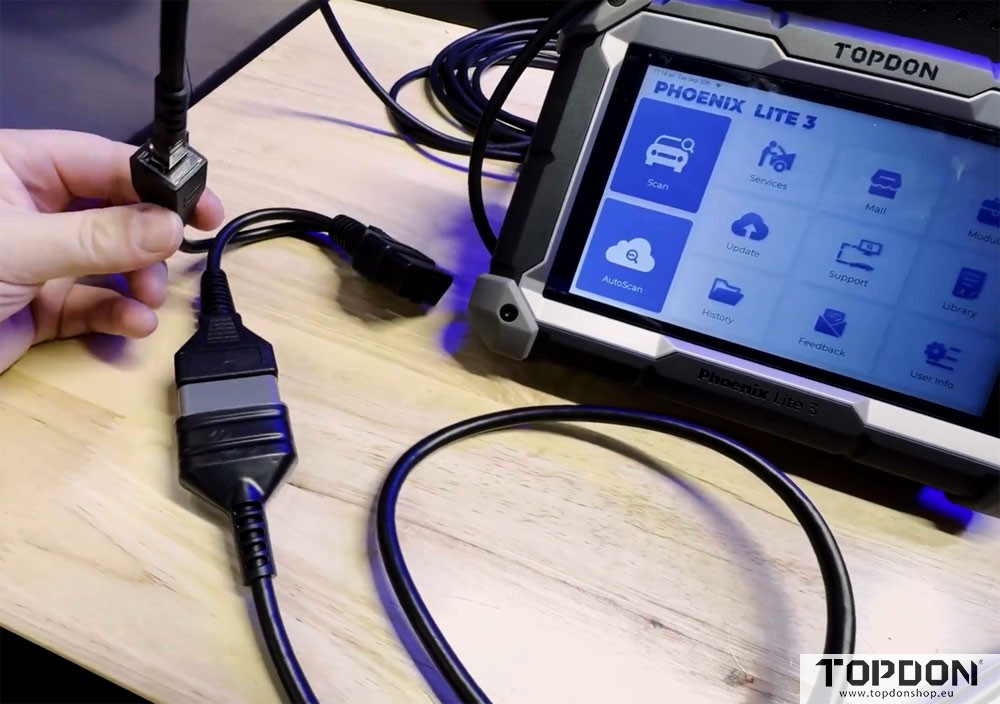
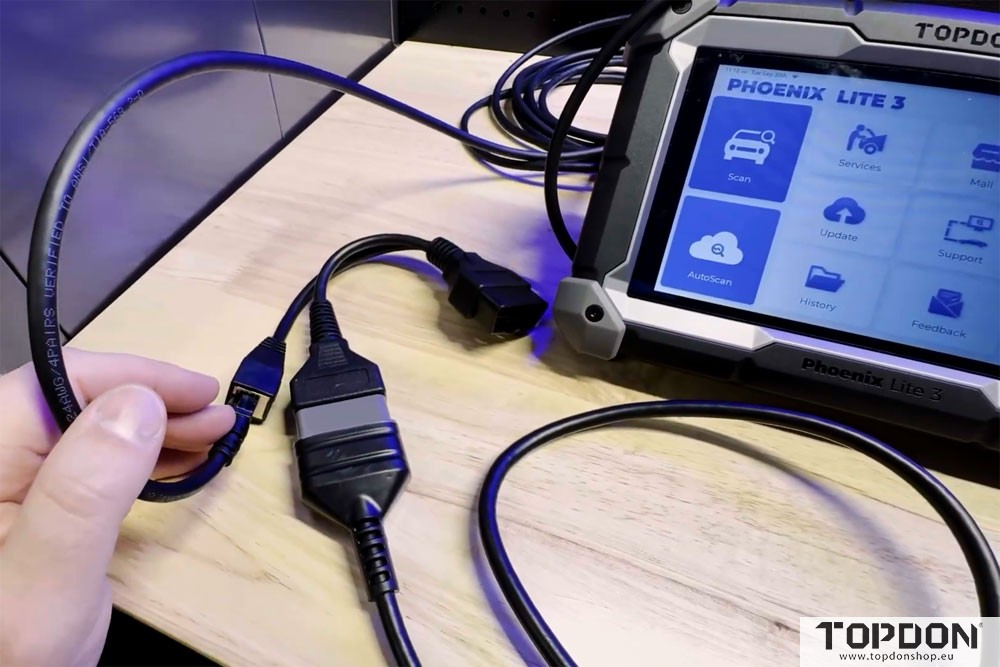
Connect a standard USB to Ethernet adapter into the tool’s top port.
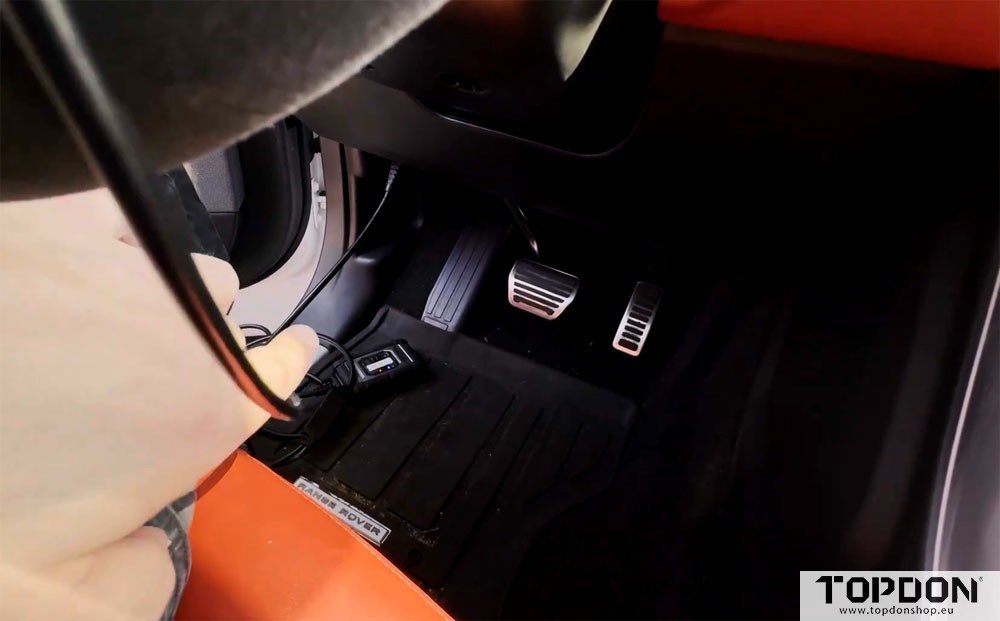
Plug an Ethernet cable from the adapter into a DOIP-compatible VCI cable (such as the BMW F/G chassis adapter).
The VCI cable then connects to the vehicle’s OBD-II port.
This setup works on DOIP-equipped vehicles from brands like BMW, Jaguar, and Land Rover.
2. Direct USB Cable Setup
Use a dedicated USB-to-VCI cable that plugs directly into the tool.
Connect the other end to the DOIP adapter, which interfaces with the VCI dongle.
Finally, plug the adapter into the OBD-II port.
Both configurations ensure stable DOIP communication with supported vehicles.

Step-by-Step Connection Process
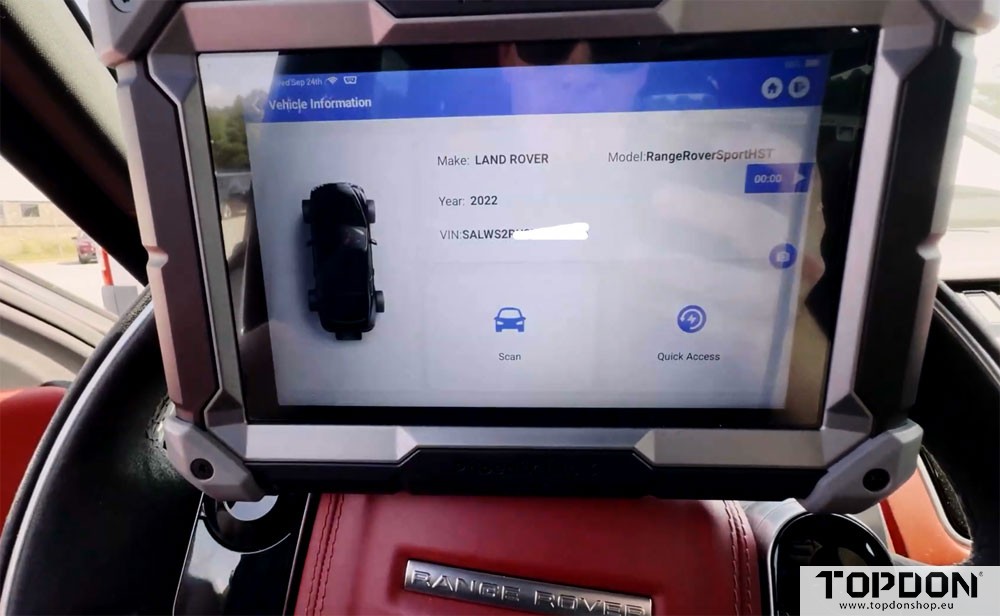
Automatic Detection: Start the tool and use Auto VIN or manual selection to identify the vehicle.
DOIP Prompt: If the tool detects a DOIP request, ensure you’re using one of the recommended cable setups.
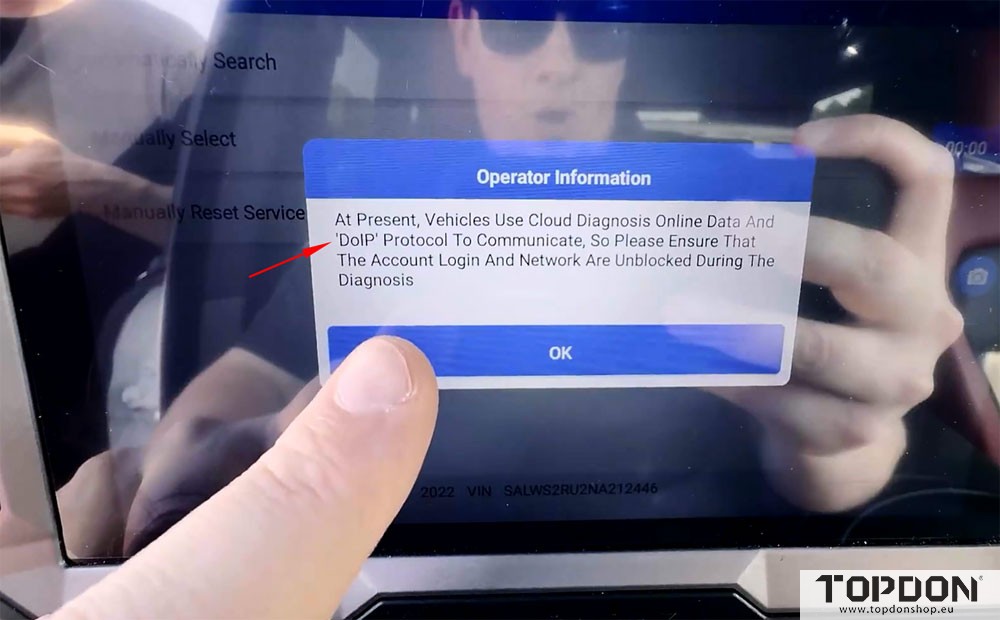
Internet Connection: A stable Wi-Fi or mobile internet connection is required for DOIP communication.
Vehicle Scan: Once connected, proceed with a full system scan. The tool should recognize all modules without communication errors.
Example: Scanning a 2022 Land Rover
When the DOIP request appeared on the Phoenix Lite 3, the Ethernet-based cable was used.
After confirming internet connectivity and cable setup, a full smart scan was performed successfully.
All vehicle systems were accessible, and reports could be generated.
Why This Matters
DOIP is becoming standard in late-model vehicles. Having the correct adapters ensures you can diagnose a wide range of brands—including BMW, Jaguar, Land Rover, and more—without interruption.
Final Tips
Always verify your internet connection before starting a DOIP session.
Keep both cable types on hand to handle different vehicle interfaces.
Update your diagnostic tool regularly to support the latest DOIP protocols.
With the right setup, DOIP diagnostics become straightforward, allowing you to service newer vehicles efficiently and accurately.