
Question:
At the moment, the Topdon Artidiag600S diagnostic scanner supports 4 main systems and 9 special functions. Possible to update AD600S to a full system scanner and how?
Yes. it is possible to update AD600S to full system scanner.
You can upgrade your Topdon AD600S (ArtiDiag600S) to full system diagnostics by purchasing a software bundle directly on the device. Connect the scanner to Wi-Fi, navigate to the Software Package menu, and choose either the $59.99 bundle (full system coverage) or the $169.99 bundle (full system coverage + 21 special function packages).
The AD600S can scan 4 systems – ECU, TCU, SRS, ABS. It comes with the 9 special functions: Oil Reset, Brake Reset, SAS Reset, BMS Reset, ABS BLEEDING, ETS Reset, Injector Coding, DPF Reset and TPMS Reset.
Go to the Software Package function. You can see two software bundles that allow updating AD600S to full system.
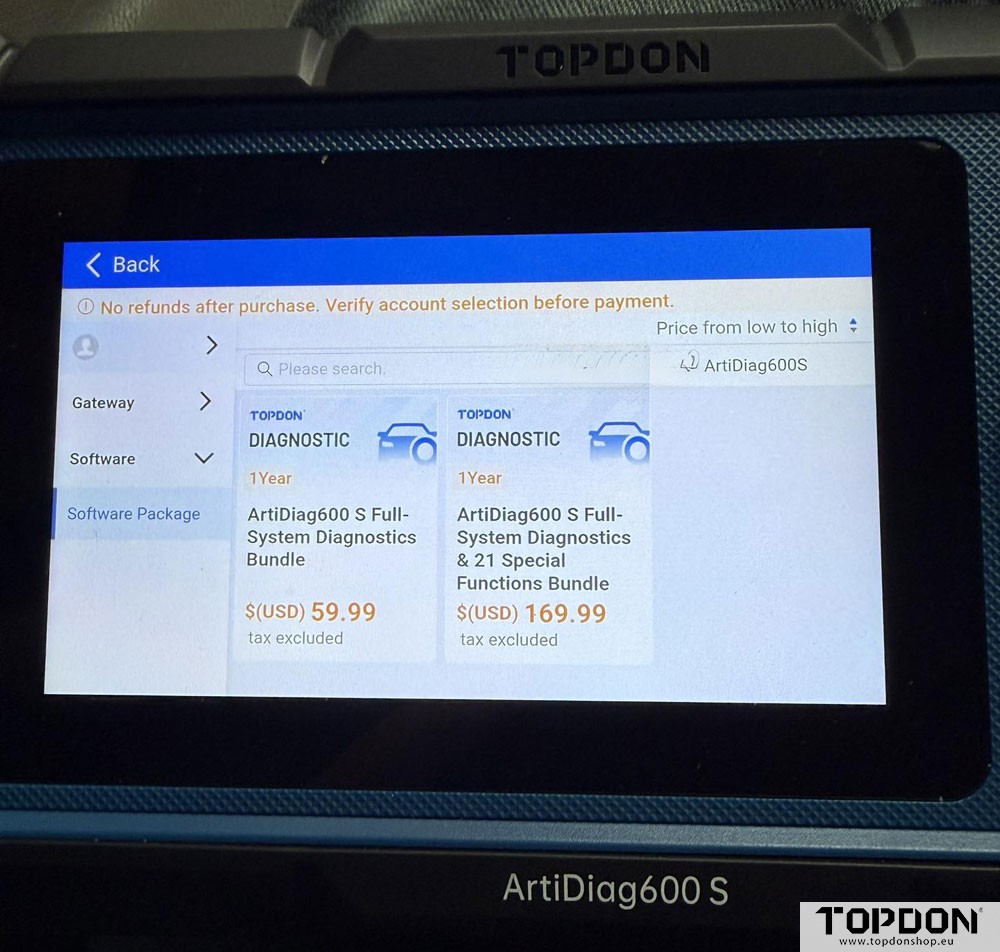
The $59.99 bundle upgrades the tool to full-system diagnostics, and the $169.99 bundle includes full-system coverage plus 21 special function packages.
Full-System Upgrade: Select the $59.99 bundle to scan and analyze all available vehicle modules instead of just the core four (Engine, Transmission, ABS, SRS).
Full-System + 21 Functions: Select the $169.99 bundle to add full system coverage along with 21 additional special function packages.
What the special functions are and how they differ from normal functions?
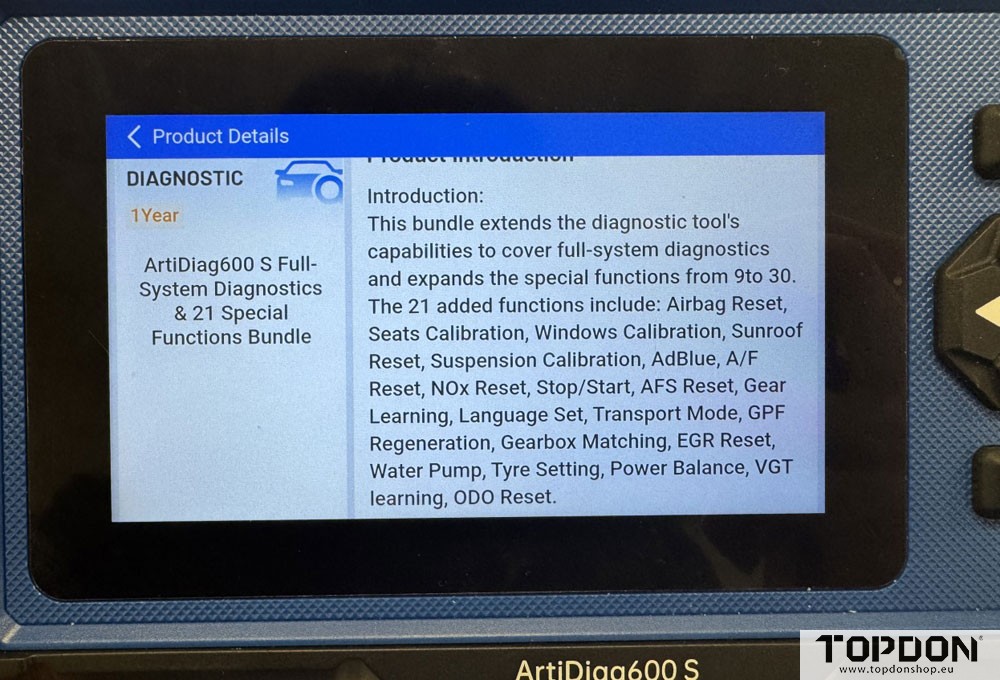
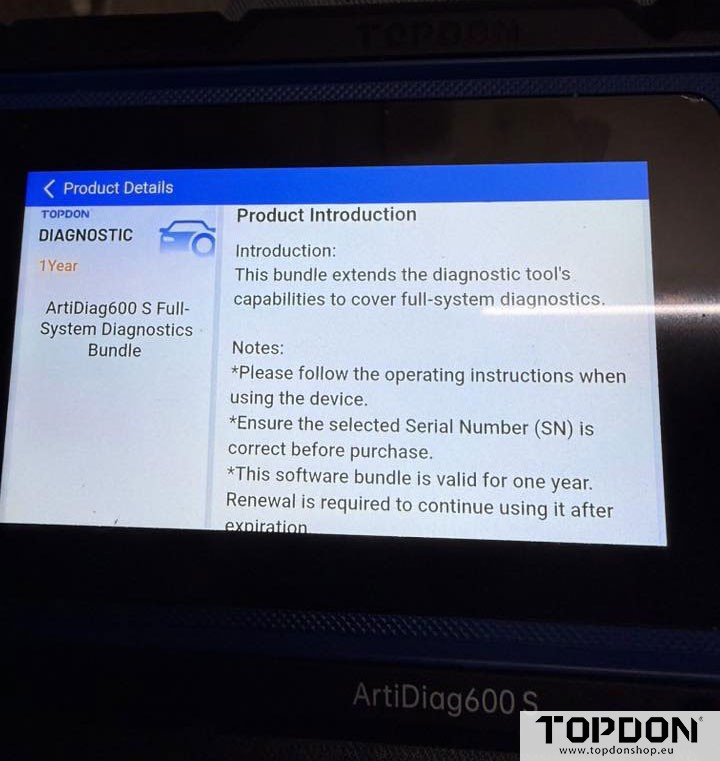
If you click into this bundle, you’ll be able to see the detailed product description included in it, as shown in the image below.
When you up upgrade you can scan all modules and you gain additional special functions. Which ones depends on which option you choose. If you click on the description of either one it tells you all of this.
$59.99 bundle:
$169.99 bundle: