


How to use AutoAuth on Nissan vehicles in the North American region with TOPDON tools.
This tutorial covers step-by-step guidance using the Topdon Phoenix Series, ArtiDiag Series, and TopScan Series.
Prerequisites: What You Need Before You Begin
Before connecting your tool to the vehicle, ensure you have met all the following requirements. Missing any one of these can prevent a successful unlock.
- Regional Specifics: This process is specifically for Nissan vehicles in the North American market (US, Canada, Mexico). The steps may differ in other regions.
- Tool Registration: You must register your specific Topdon tool’s serial number on the official AutoAuth website.
- Dual Subscriptions: Two active subscriptions are required: 1). An AutoAuth Annual Subscription. 2). A separate Nissan (Vehicle Manufacturer) Subscription.
- Stable Internet Connection: A strong and stable internet connection is crucial throughout the entire AutoAuth process.
- Fully Updated Tool: Your Topdon tool must be updated to the latest software version. An outdated tool or an expired subscription will fail to unlock the gateway.
How to register AutoAuth for Nissan?
Visit AutoAuth.com
Create an account, then log in.
Go to Tools- Add tool.

Click next to initiate the process of entering the serial number for your tool.
Select Topdon
Select All models
Enter the serial number from the dongle/VCI
Hit Add Tool.

Before unlocking:
Without unlocking the SGW, diagnostic tools can typically offer full OBD2 functionalities, allowing for basic diagnosis such as code reading, reading ECU information and monitoring live data.
After unlocking:
By unlocking the NISSAN secure gateway, North American users can perform complete and advanced diagnostics on NISSAN vehicles including ECU programming, ECU coding, active tests, maintenance services, immobilizer functions and more.
*The specific functions available depend on the diagnostic tool’s features.
Which Vehicles are Equipped with NISSAN AutoAuth SGW?
| Region | Make | Model | Year |
| North America | Altima | L34 | 2020 |
| North America | Altima | L34 | 2020 |
| North America | INFINITI Q50 | V37 | 2020 |
| North America | INFINITI Q50 | V37 | 2020 |
| North America | INFINITI Q50 | V37 | 2021 |
| North America | INFINITI Q50 | V37 | 2022 |
| North America | INFINITI Q60 | CV37 | 2020 |
| North America | INFINITI Q60 | CV37 | 2020 |
| North America | INFINITI QX50 | J55 | 2020 |
| North America | INFINITI QX50 | J55 | 2020 |
| North America | Infiniti QX55 | FJ55 | 2022 |
| North America | Infiniti QX55 | FJ55 | 2022 |
| North America | INFINITI QX60 | L50 | 2020 |
| North America | INFINITI QX60 | L50 | 2020 |
| North America | INFINITI QX60 | L51 | 2022 |
| North America | INFINITI QX60 | L51 | 2023 |
| North America | INFINITI QX60 | L51 | 2024 |
| North America | INFINITI QX80 | Z62 | 2020 |
| North America | INFINITI QX80 | Z62 | 2020 |
| North America | Kicks | P15 | 2019 |
| North America | Leaf | ZE1 | 2019/01 |
| North America | Leaf | ZE1 | 2019/02 |
| North America | Leaf | ZE1 | 2018 |
| North America | Maxima | A36 | 2020 |
| North America | Maxima | A36 | 2020 |
| North America | Murano | Z52 | 2020/01 |
| North America | Murano | Z52 | 2020/01 |
| North America | Murano | Z52 | 2020/02 |
| North America | Murano | Z52 | 2020/02 |
| North America | NV | F80 | 2020 |
| North America | NV | F80 | 2020 |
| North America | NV200 | M20 | 2020 |
| North America | NV200 | M20 | 2020 |
| North America | Pathfinder | R52 | 2020 |
| North America | Pathfinder | R52 | 2020 |
| North America | Pathfinder | R53 | 2022 |
| North America | Pathfinder | R53 | 2023 |
| North America | Pathfinder | R53 | 2024 |
| North America | QASHQAI/Rogue sport | J11 | 2021/02 |
| North America | QASHQAI/Rogue sport | J11 | 2021/02 |
| North America | Rogue | T32 | 2020/01 |
| North America | Rogue | T32 | 2020/02 |
| North America | Rogue | T33 | 2021 |
| North America | Rogue | T33 | 2022 |
| North America | Rogue | T33 | 2023 |
| North America | Sentra | B18 | 2020 |
| North America | Sentra | B18 | 2021 |
| North America | Sentra | B18 | 2022 |
| North America | Sentra | B18 | 2023 |
| North America | Sentra | B18 | 2024 |
| North America | Z | Z34 | 2023 |
| North America | Z | Z34 | 2023 |
NOTE: The model coverage list is still being updated. If you have any questions, please feel free to contact us.
The Unlocking Process Across Topdon Tools
While the specific screens may vary slightly, the core workflow is consistent across the Topdon product line. The general steps are: update your tool, connect to the vehicle, identify the VIN, and log in to AutoAuth to unlock the gateway.
Step 1: Update Your Diagnostic Tool
First, ensure your tool’s operating system and vehicle software are fully updated.
Phoenix Series (e.g., Phoenix Max): Check for updates in the Settings menu under “About.” Remember, for some models like the Phoenix Max and Phoenix Smart, the dongle (MDCI) must be updated separately from the tablet.


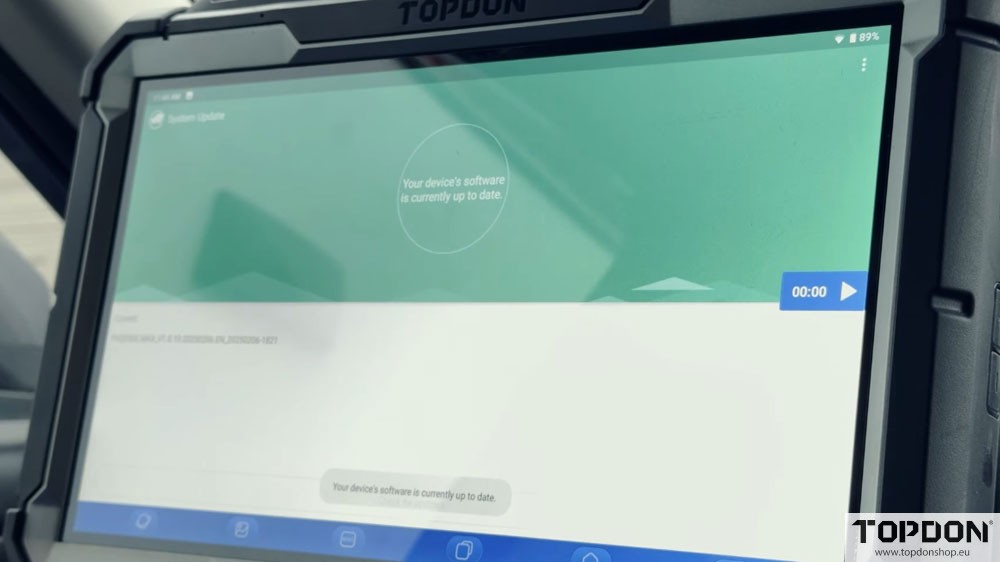
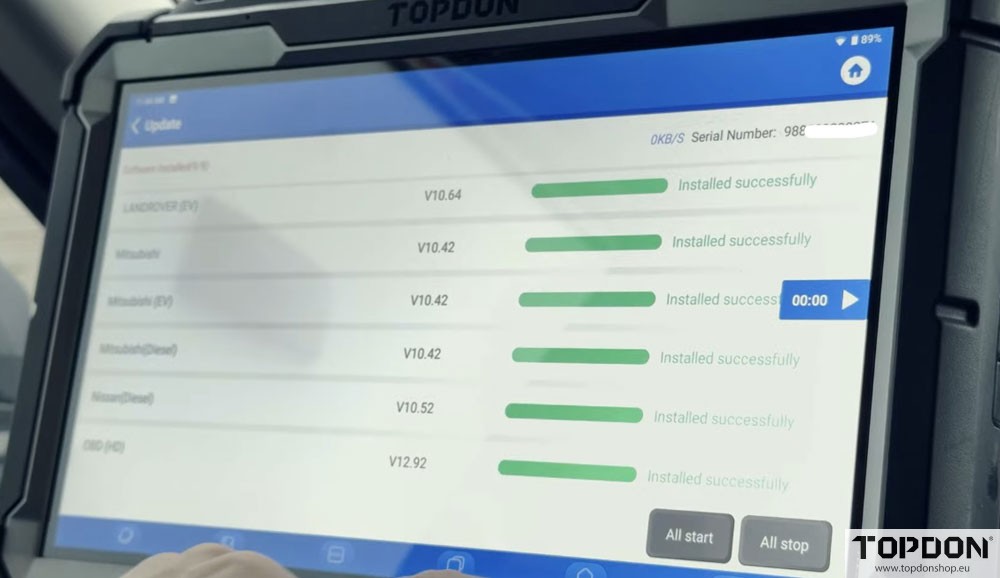
ArtiDiag Series (e.g., ArtiDiag 600/700): Navigate to the “About” section and perform a “Check for Updates.” Also, verify there are no firmware updates for the dongle and no Nissan-specific software updates pending.
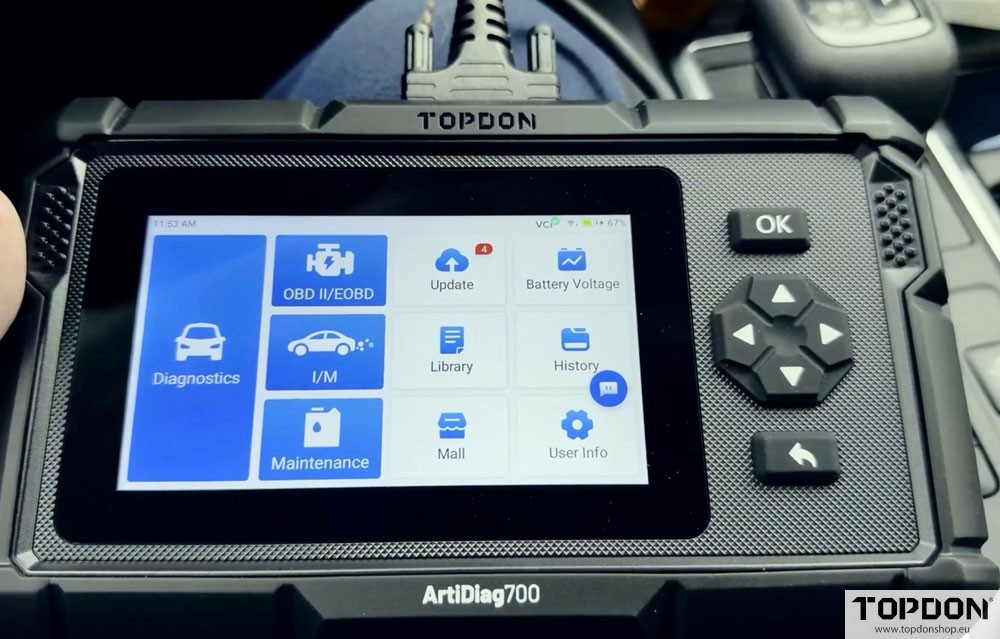
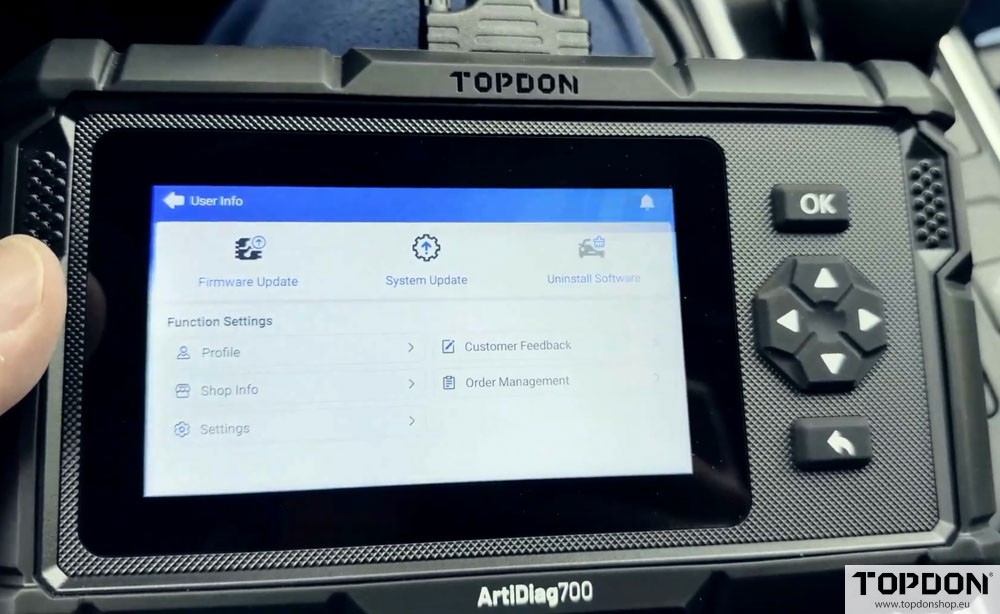
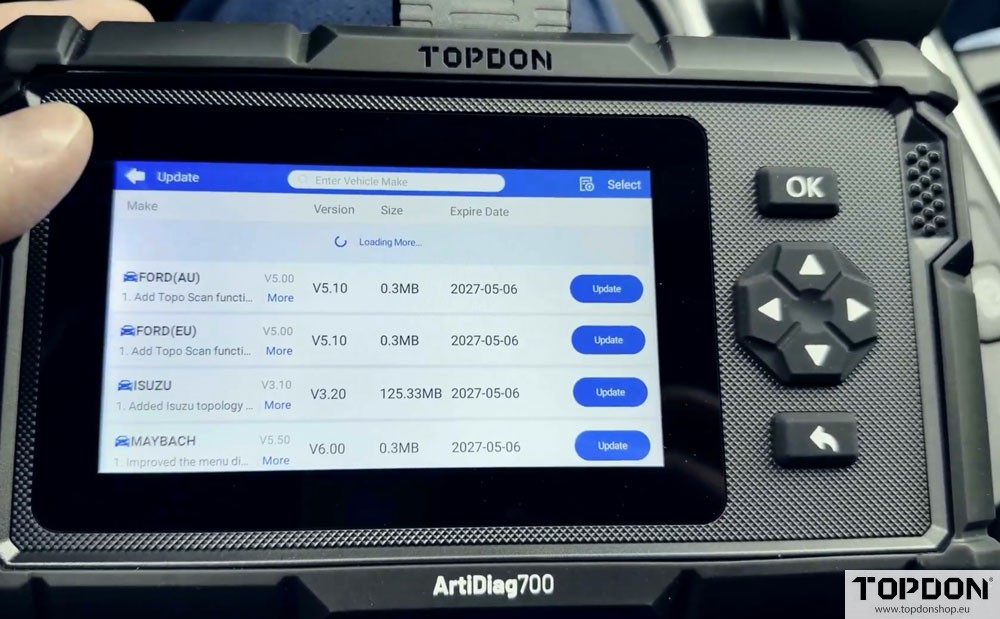
TopScan Series: Ensure the tool is connected to the internet and has the latest software versions installed.

Step 2: Prepare the Vehicle
Insert the key into the ignition and turn it to the “ON” or “RUN” position. Ensure the engine is off.
Step 3: Initiate Diagnostics and Unlock
On a Phoenix Series Tool:
Launch the “Autoscan” function.
The tool will identify the Vehicle Identification Number (VIN). Confirm the details.
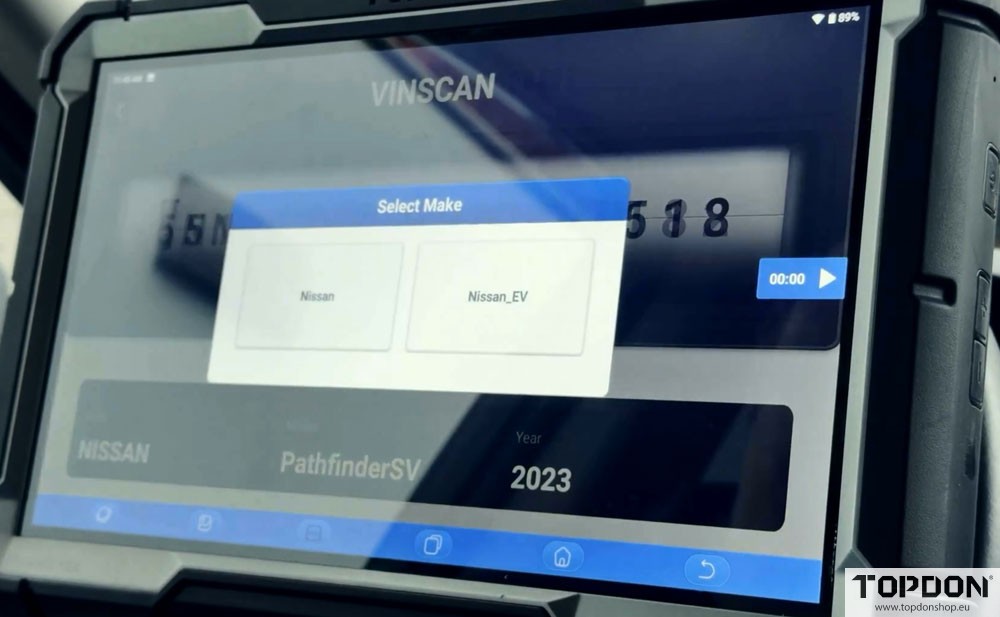
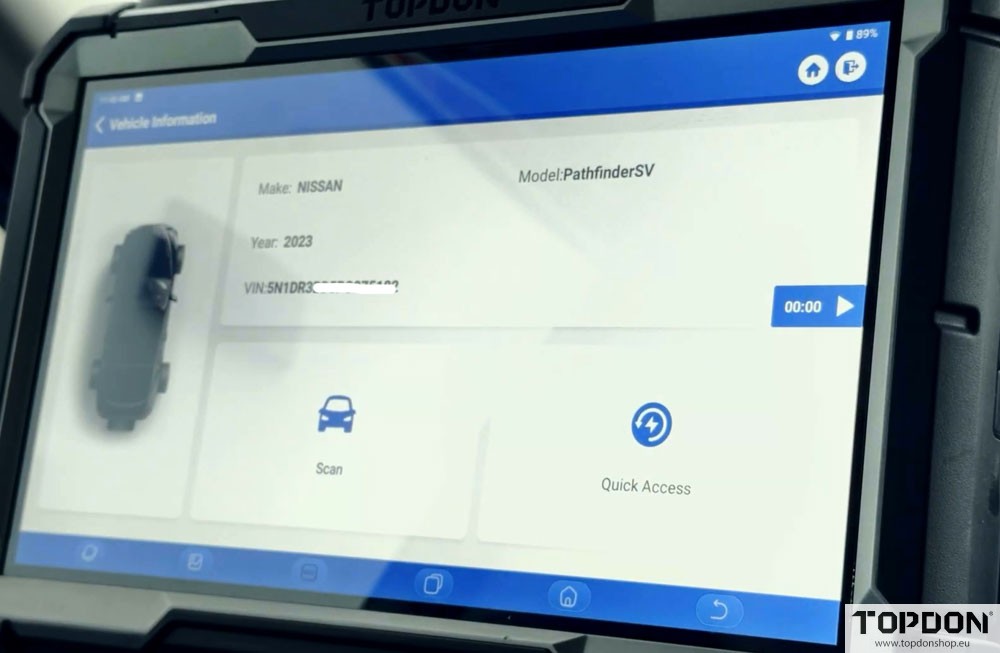
A prompt will appear asking to unlock the secure gateway. Select “Yes.”
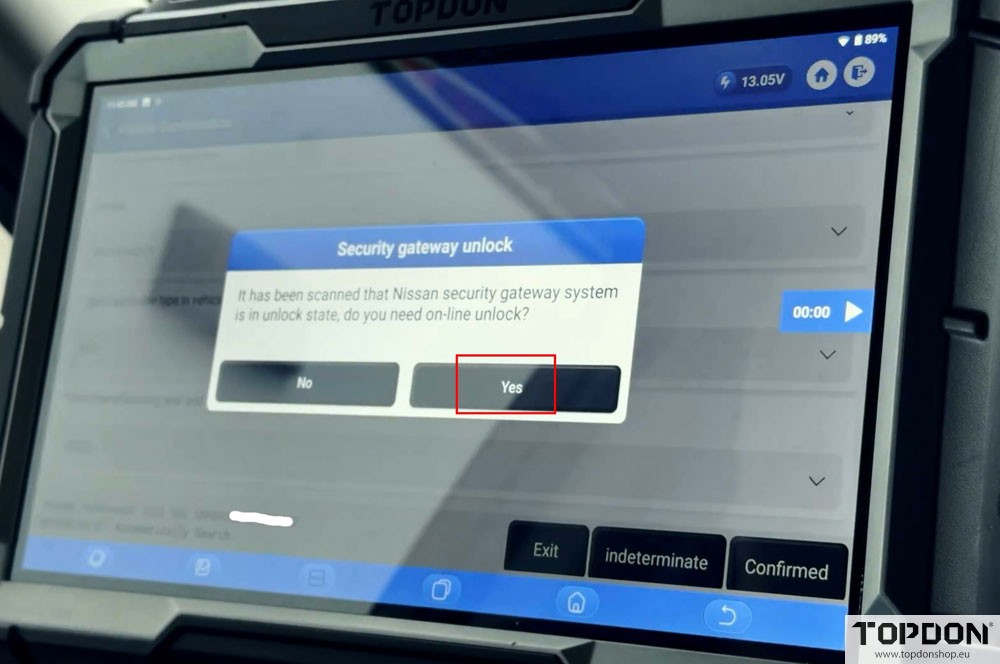
The tool will verify your software and display a login screen. Ensure the region is set to “North America.”
Enter your AutoAuth username and password. The screen will display your tool’s serial number and the vehicle’s VIN for verification.
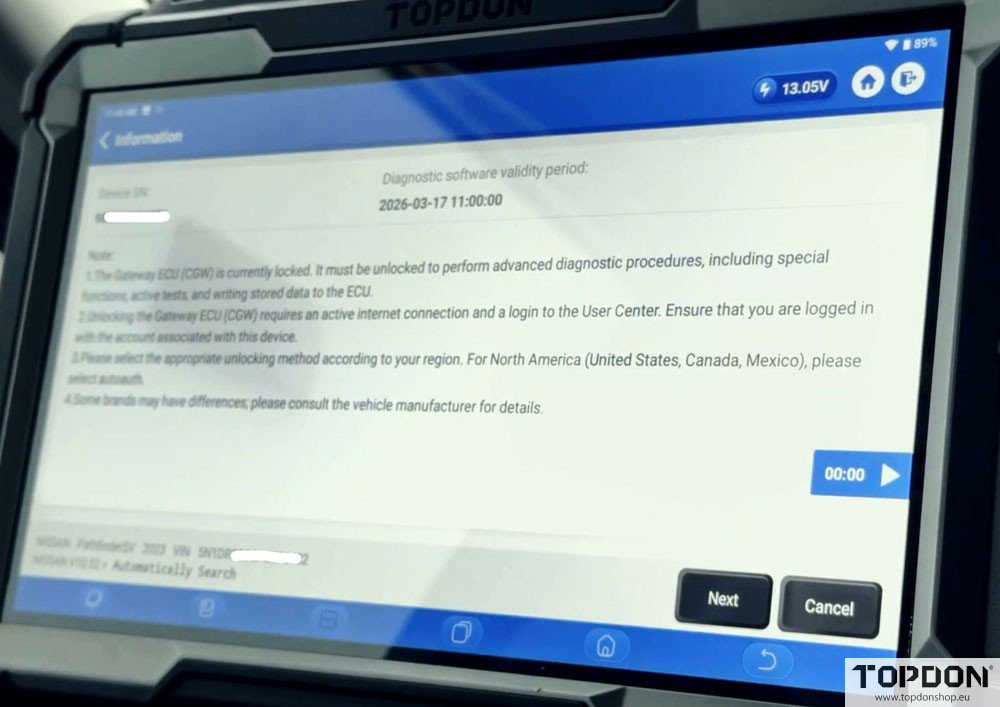
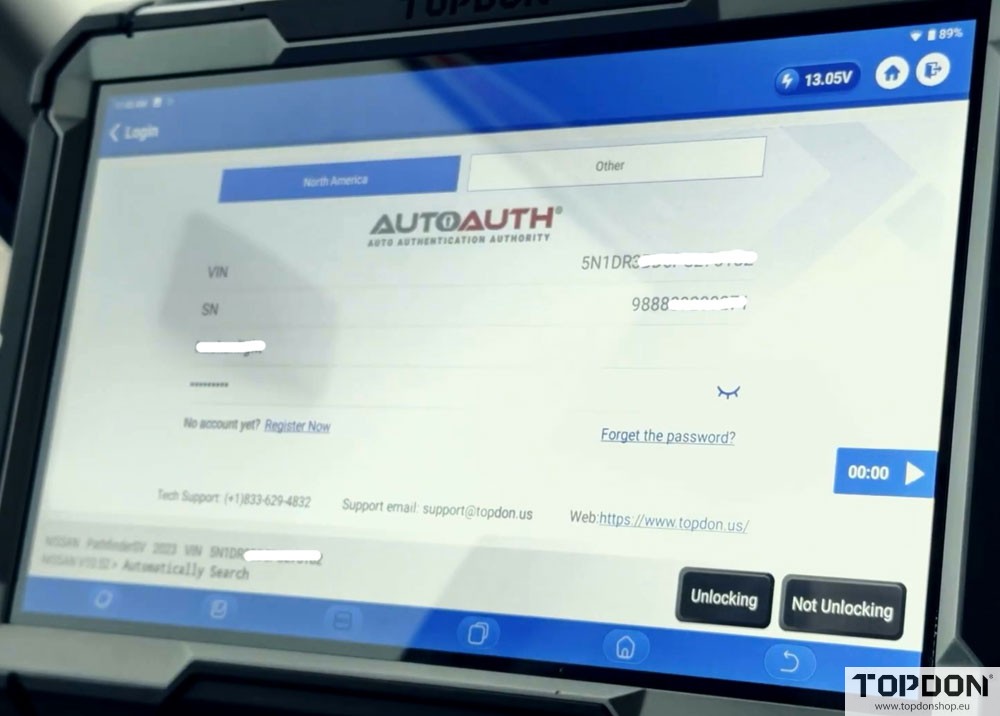
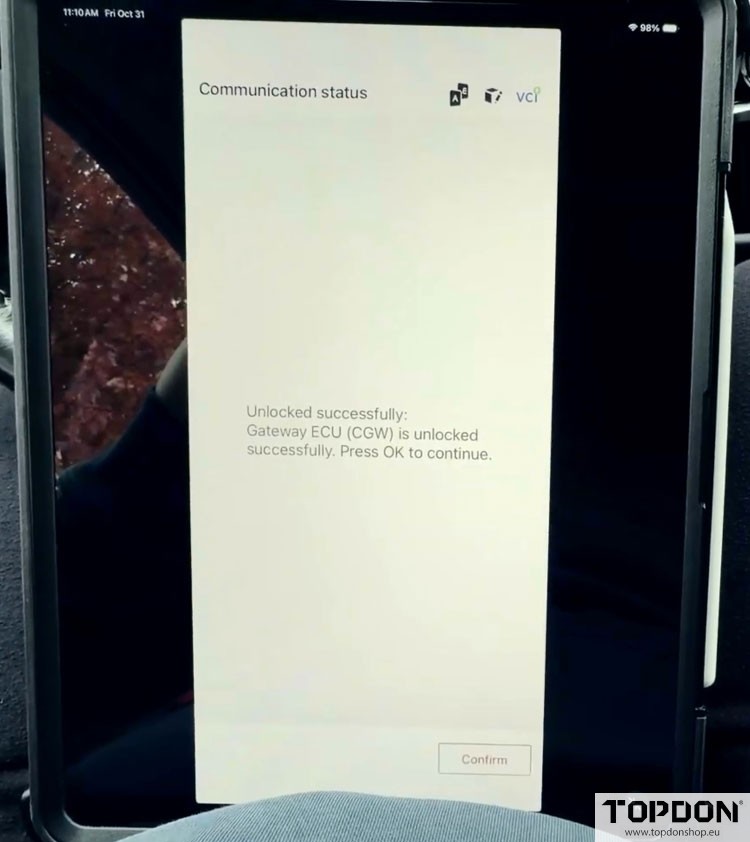
Click “Unlocking.” Once successful, you can proceed with your diagnostics.

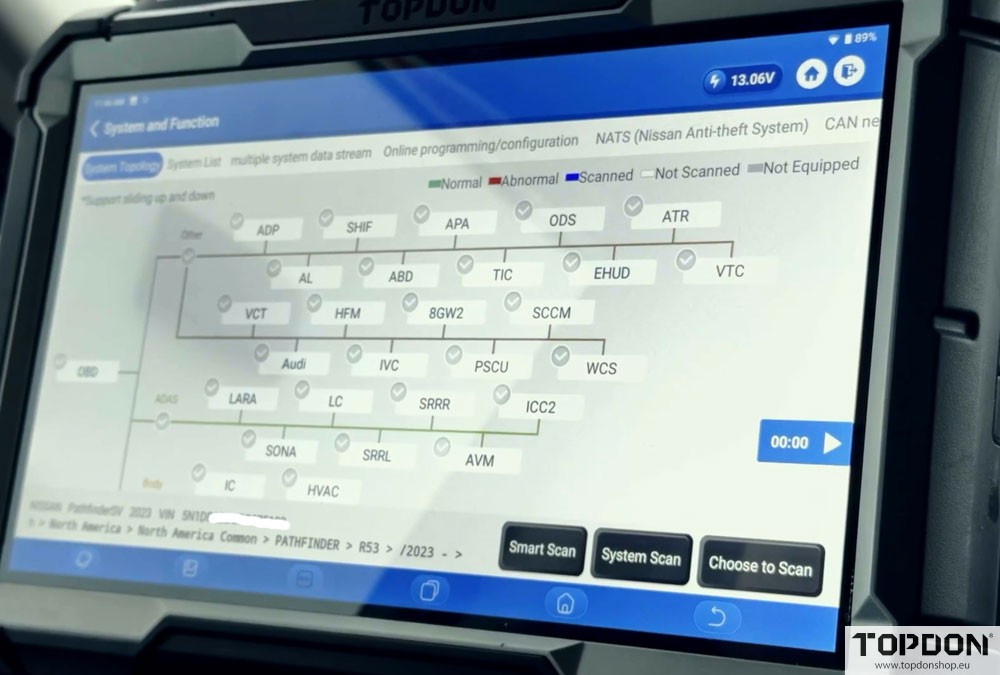
On an ArtiDiag Series Tool:
Enter the “Diagnostics” menu and use the “Auto VIN” function to identify the vehicle.
Confirm the VIN when prompted.
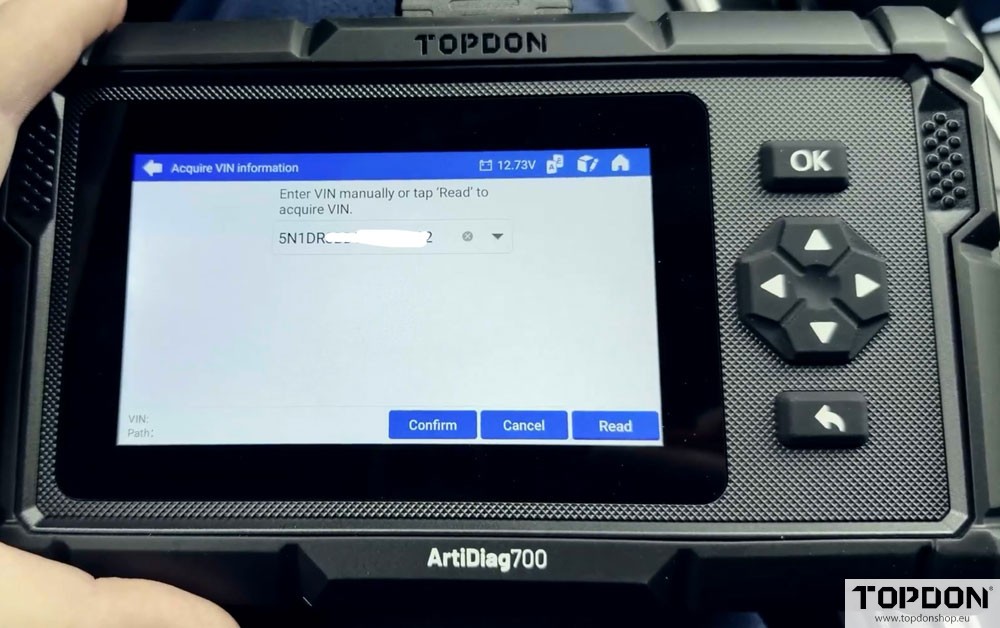
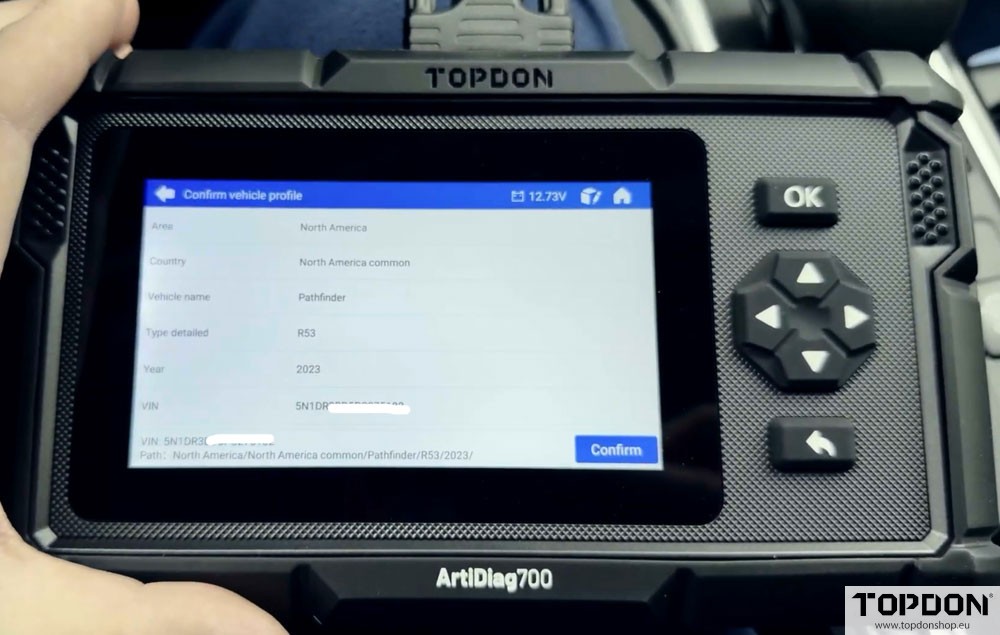
The tool will immediately prompt for an AutoAuth unlock. Crucially, you may need to toggle the region from “Europe” to “North America” on the following screen.

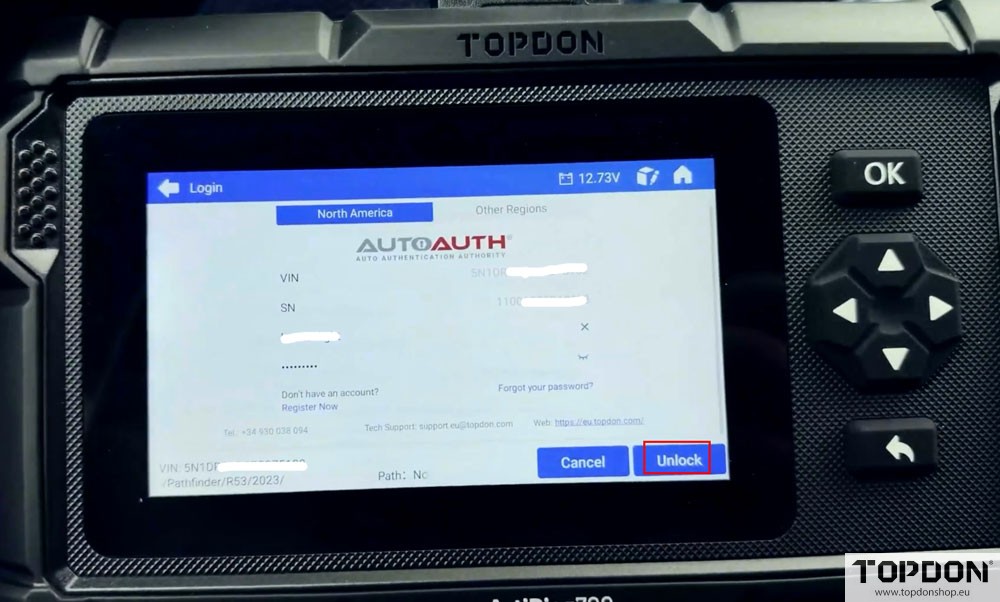
Enter your AutoAuth credentials and hit “Unlock.” After a successful handshake with the server, the gateway will be unlocked.

On a TopScan Pro Tool:
Select the Nissan software and choose “Automatic ID” to read the VIN.
Confirm the VIN and vehicle details.

The “AutoAuth Access” screen will appear, showing the gateway is locked.
Hit “Next” until you reach the login screen. At the top, ensure “North America” is selected from the region toggle.

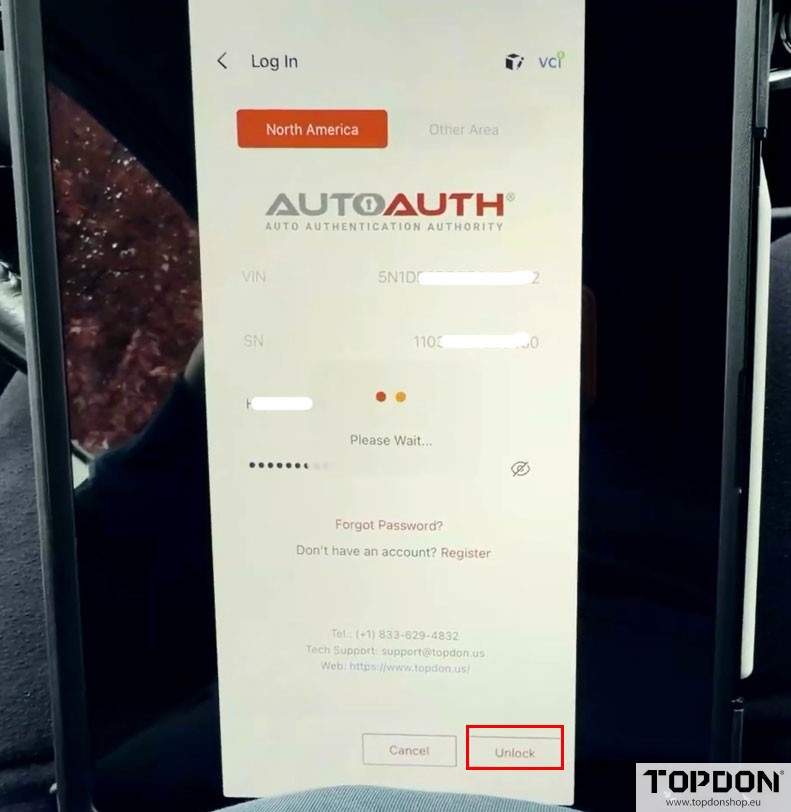
Verify that the VIN and your TopScan Pro’s serial number are correct.
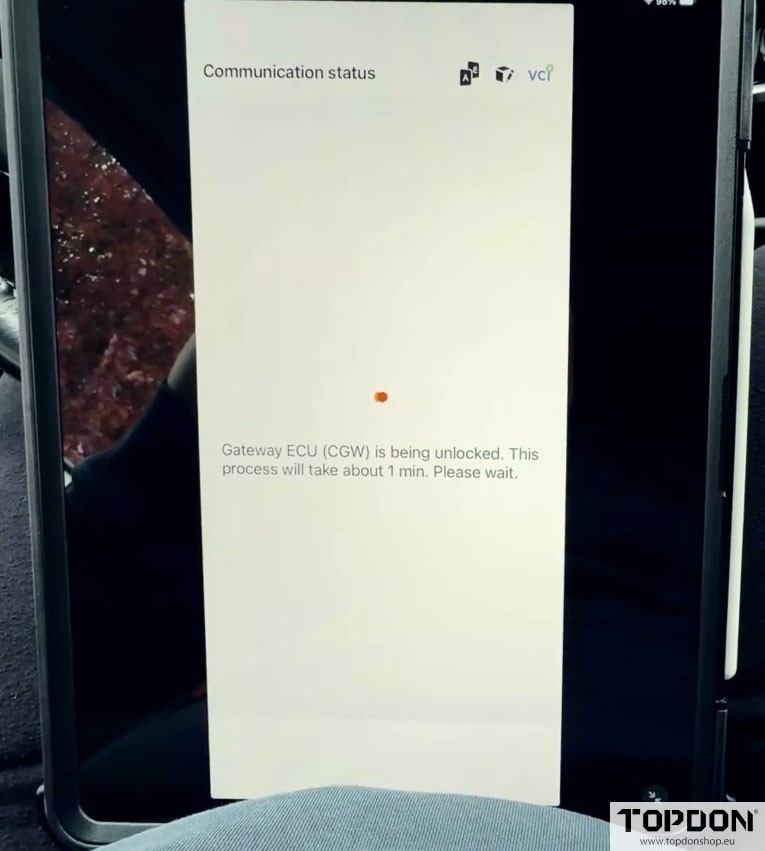
Enter your username and password and click “Unlock.” The tool will communicate with the server and unlock the gateway.
Troubleshooting Tip
If you encounter issues using the “Autoscan” method, try the manual approach. Instead of autoscan, manually select the vehicle’s make, model, and year. This alternative handshake method can sometimes resolve communication problems with the Secure Gateway.
Conclusion
Unlocking the Secure Gateway on North American Nissan vehicles is a mandatory, yet straightforward process with Topdon diagnostic tools. By ensuring your subscriptions are active, your tool is updated, and your internet connection is stable, you can seamlessly authenticate via AutoAuth. This grants you the access needed to perform a wide range of advanced diagnostic, coding, and maintenance services, making your Topdon tool an even more powerful asset in your workshop.