

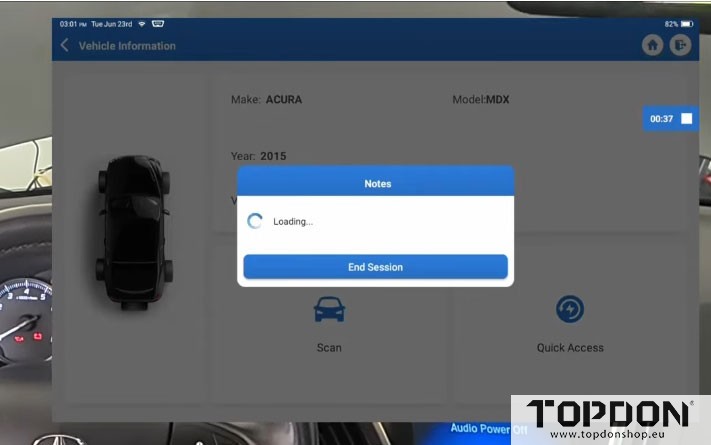
In this guide, we’ll walk through the process of performing a PGM-FI (Programmable Fuel Injection) and transmission software update on a 2015 Acura MDX with a 3.5L engine using the Topdon Phoenix Smart diagnostic tool.
This procedure demonstrates how professional-grade programming can be done without a laptop or expensive mobile programming services—all from the comfort of your home or shop.
Vehicle – 2015 Acura MDX
Tools – Topdon Phoenix Smart
Concern – Software Update to Address Transmission Judder
Findings and Repair: Referring to the factory TSB, the user performed a transmission fluid flush, draining and filling the system with fresh Honda/Acura DW-1 fluid three separate times between test drives.
The vehicle also required a PCM software update, taking the vehicle home to complete the online programming “mobile” using the stable home Wi-Fi and the Topdon Phoenix Smart.
Tools used:
| Tool | Purpose |
|---|---|
| Topdon Phoenix Smart diagnostic tool | Perform online programming and module updates |
| Battery maintainer/charger | Maintain stable voltage during programming |
| Stable internet connection | Download software files from Topdon servers |
Step 1: Prepare the Vehicle
Connect Battery Maintainer
Critical: Maintaining proper battery voltage is essential during any ECU programming. Voltage drops can corrupt modules or cause failed updates.
-
Open the hood and remove any necessary covers
-
Connect a battery maintainer to ensure steady voltage
-
Verify stable voltage (approximately 3.5V or appropriate system voltage)
Perform Initial Auto Scan
-
Power on the Phoenix Smart tool
-
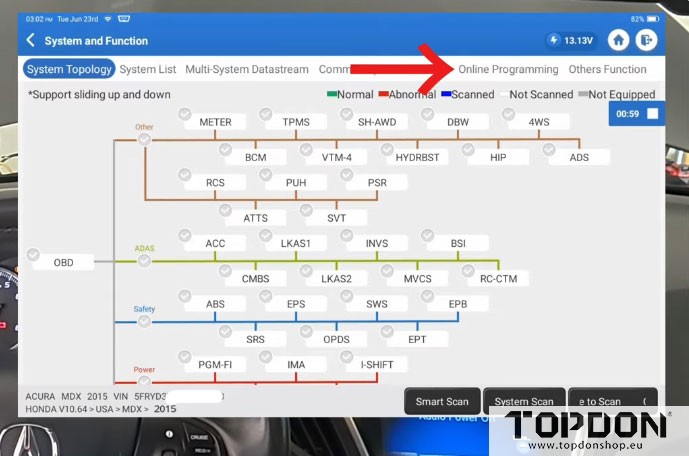
Select Auto Scan to identify all vehicle modules
-
Review the topology screen for available updates
Step 2: Identify Available Updates
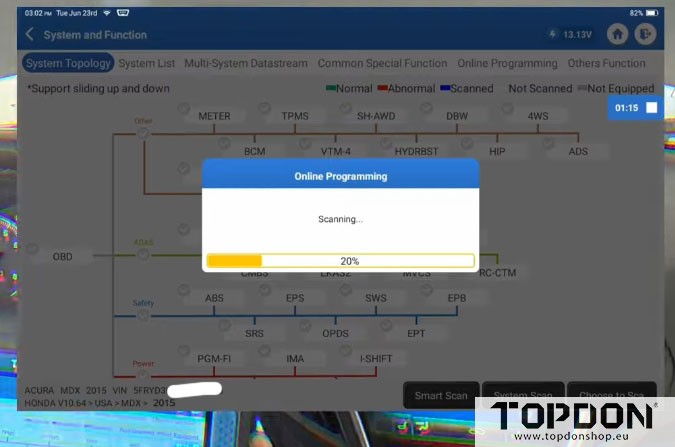
After the auto scan completes, the tool identifies modules with available updates:
| Module | Update Available |
|---|---|
| Meter / Instrument Cluster | Yes |
| PGM-FI (Engine Control) | Yes |
| Automatic Transmission | Yes |
Current Calibration Data
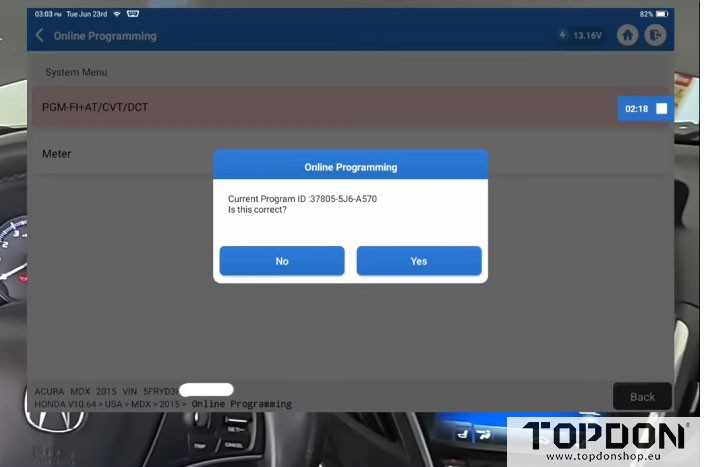
Before proceeding, the tool displays the current calibration data for reference. This will be compared to the new data after the update completes.
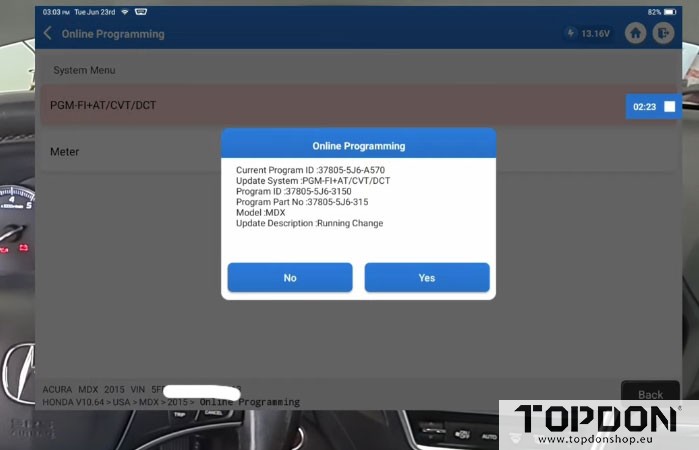
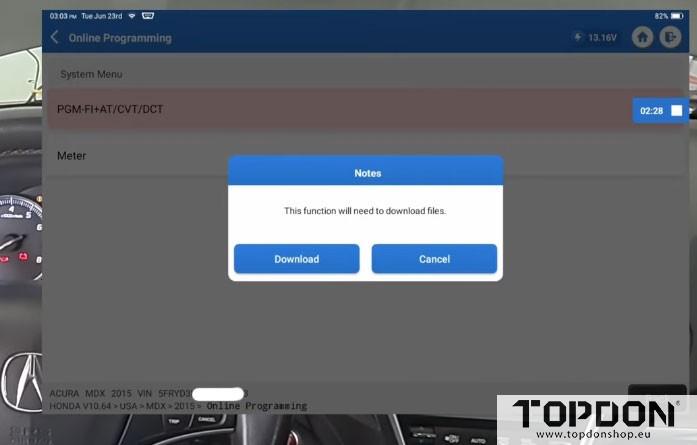
Step 3: Online Programming Procedure
Download Software Files
-
Navigate to Online Programming from the topology screen
-
Select the modules requiring updates
-
Download the software files from Topdon servers
-
Confirm and proceed
Important Safety Precautions During Programming
During the update process, DO NOT:
-
Cycle the ignition key
-
Disconnect the battery
-
Interrupt the programming in any way
- Panic if the dashboard goes “crazy” (this is normal)
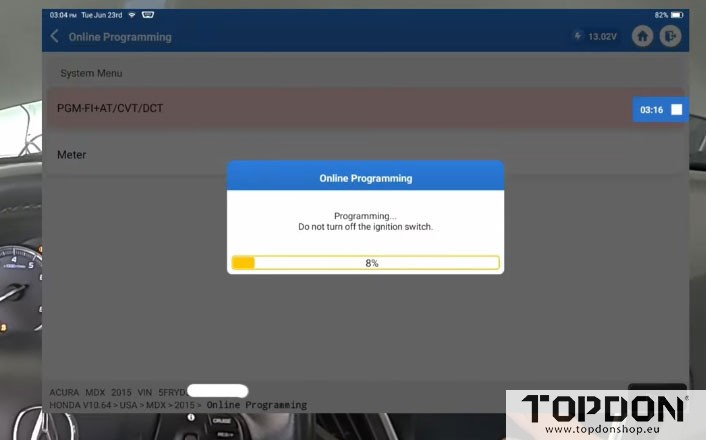
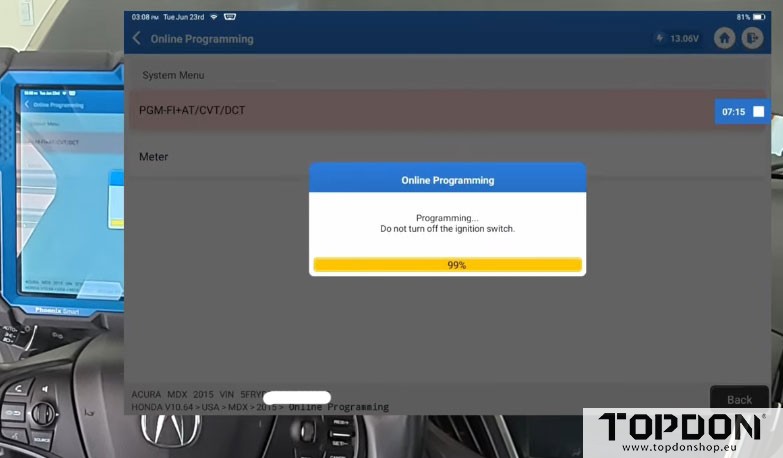
What to Expect
-
The dash may display various warnings and behave erratically
-
This is a normal part of the programming process
-
After the update completes and a few key cycles are performed, everything will clear and return to normal.
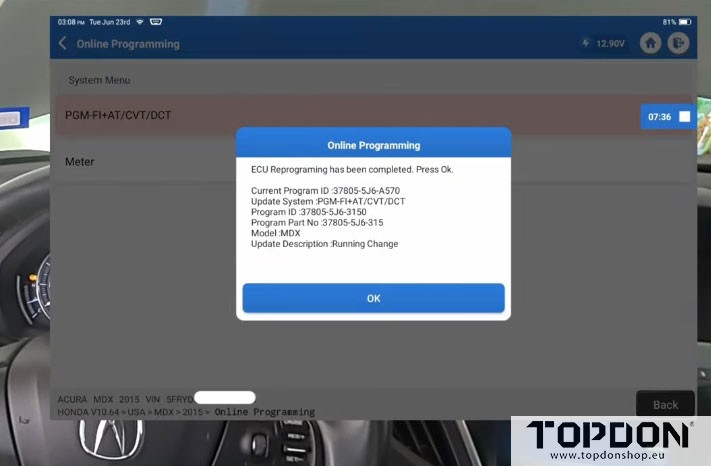
Step 4: Verify Update Completion
Once programming is complete:
-
Turn the ignition off
-
Turn the ignition back on within 60 seconds (as prompted)
-
Confirm the new part number differs from the starting calibration
-
This confirms the update was successfully applied
Step 5: Post-Programming Procedures
Clear Diagnostic Trouble Codes (DTCs)
Programming often triggers random diagnostic codes—this is normal. After the update:
-
Perform a full system scan
-
Note any codes that appear
-
Clear all codes from all modules
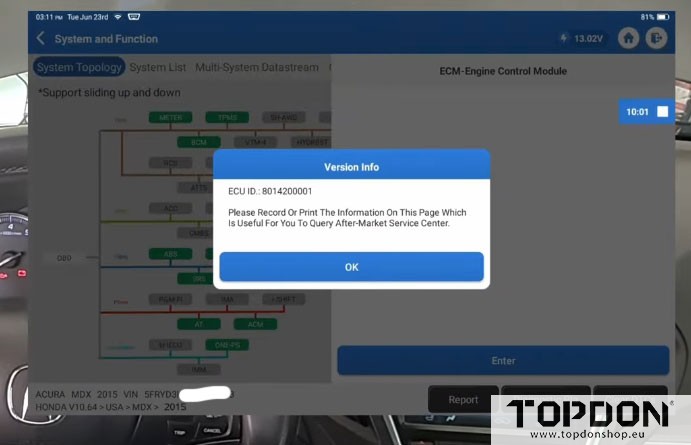
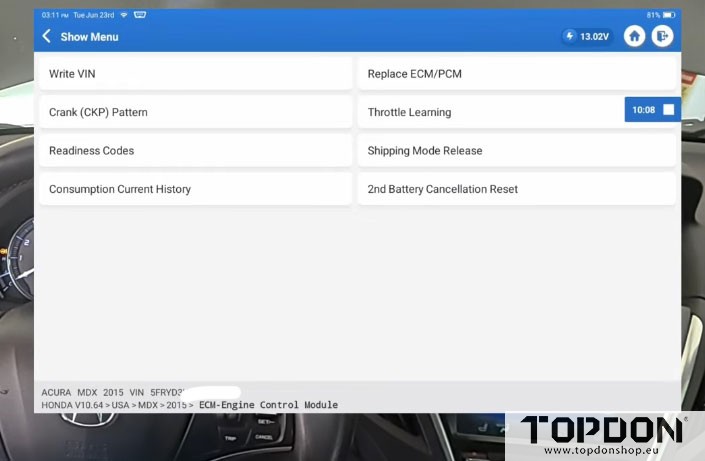
Perform Crank Pattern Clear and Relearn
This is a critical step for Honda/Acura vehicles after ECU programming:
Crank Pattern Clear Procedure:
-
Navigate to ECM > Special Functions
-
Select Crank Pattern Clear
-
This clears any stored learns the vehicle has accumulated
-
Follow on-screen prompts:
-
Engine on → Ignition off
-
Confirm clearance
-
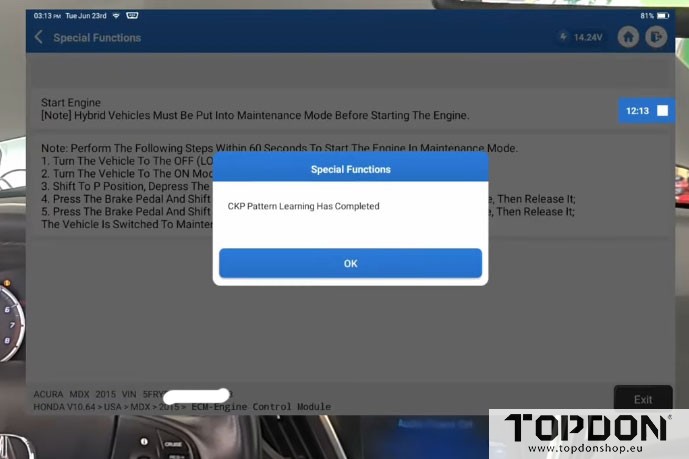
Crank Pattern Learning:
-
Access Learning function
-
Start the engine
-
Perform wide-open throttle until fuel cut-off occurs
-
Engine off
-
Ignition on
-
Wait for the completed message
Alternative Method: On some Acura and Honda models, letting the engine idle for approximately 10 minutes will allow the system to relearn on its own. However, performing the clear and learn procedure immediately after programming is recommended to avoid drivability issues during the test drive.


Step 6: Final Verification
-
Perform a final system scan to verify no DTCs remain
-
Key off → Key on cycle
-
Confirm no warning lights or codes
-
Disconnect the battery maintainer
-
Close the hood
Why This Approach is Effective
Advantages of Using Phoenix Smart
| Feature | Benefit |
|---|---|
| Laptop-free operation | No need to lug around dongles, laptops, or cables |
| Stable internet connection | Can perform programming anywhere with reliable Wi-Fi |
| Mobile capability | Perfect when shop internet is unreliable |
| Quick step-by-step process | Simplified, guided workflow |
| Battery maintainer integration | Ensures safe programming |
Common Use Cases
-
Transmission judder issues
-
Driveability complaints
-
ECU performance updates
-
Recalls and TSBs requiring software updates
Troubleshooting Tips
| Issue | Solution |
|---|---|
| Dashboard goes crazy during programming | Normal behavior—ignore until complete |
| Random DTCs appear after programming | Clear all codes; they are often false triggers |
| Internet connection unstable | Use a mobile hotspot or stable Wi-Fi connection |
| Programming fails | Verify battery voltage; ensure maintainer is connected |
| Hesitation persists after update | Recheck crank pattern relearn procedure |
Comparison: Home Programming vs. Traditional Methods
| Aspect | Home Programming (Phoenix Smart) | Traditional/Laptop Method |
|---|---|---|
| Equipment needed | Fenix Smart + battery maintainer | Laptop + dongles + cables |
| Portability | Highly portable | Bulky and cumbersome |
| Setup complexity | Simple | Complex |
| Cost | One-time tool investment | Ongoing costs for software access |
| Internet dependency | Wi-Fi or hotspot | Usually requires shop internet |
Conclusion
The ability to perform professional-grade ECU programming at home or on the go has revolutionized automotive diagnostics. With tools like the Topdon Phoenix Smart, technicians can:
-
Save time by avoiding mobile programming services
-
Work remotely with stable internet connections
-
Simplify workflow with step-by-step guidance
-
Deliver results quickly and effectively
This 2015 Acura MDX demonstrates how a well-executed software update—combined with proper transmission maintenance—can resolve complex drivability issues without expensive hardware or third-party intervention.