





What’s the difference between Topdon Topscan Pro and Topdon CarPal OBDII diagnostic scanner?
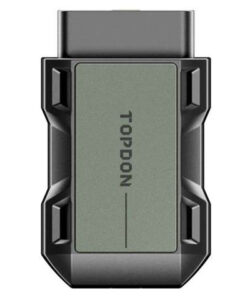
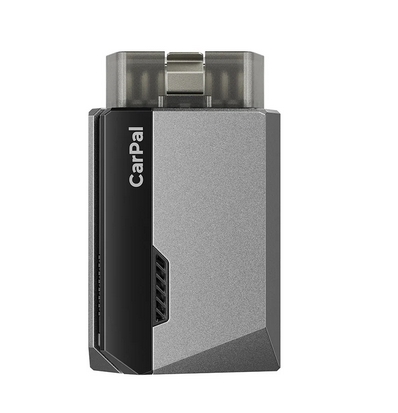
The Topdon TopScan Pro app and CarPal app are both companion mobile applications developed by TOPDON, a leading automotive aftermarket company. They pair with Bluetooth OBD2 scanners (dongles) to turn your smartphone into a vehicle diagnostic tool. Both are designed for iOS and Android, support wireless connectivity up to 33 feet, and focus on DIY-friendly diagnostics. However, they cater to slightly different user levels:
TopScan app: Aimed at intermediate DIYers and semi-professionals who need deeper troubleshooting and active testing capabilities.
CarPal app: Geared toward beginners and everyday car owners seeking simple maintenance monitoring and basic scans.
Both apps include one year of free updates upon purchase of the corresponding hardware (dongle), after which a subscription (~$29.99–$49.99/year) is required for full features like manufacturer-specific diagnostics. Core OBD2 functions remain free indefinitely.
Here’s a side-by-side comparison of their main features, based on official TOPDON specifications and user reviews:
|
Feature
|
TopScan App
 |
 |
|---|---|---|
|
Target User
|
Intermediate DIYers, mechanics, enthusiasts needing advanced controls.
|
Beginners, casual owners focused on routine health checks.
|
|
Vehicle Coverage
|
70+ brands (expanded via updates); supports 1996+ models, including some key programming (Pro/Master versions).
|
60–90 brands; supports 1996–2023 models; limited to 3 brands per device (can swap).
|
|
Diagnostics
|
Full-system scans (engine, transmission, ABS, airbags, etc.); all 10 OBD2 modes; live data graphs; AutoVIN.
|
All-system scans; all 10 OBD2 modes; live data (up to 4 streams); AutoVIN; fault severity classification (minor/severe).
|
|
Bidirectional Controls
|
Yes – Active tests (e.g., activate A/C clutch, windows, injectors) for pinpointing issues.
|
No – Passive monitoring only; no component activation.
|
|
Reset Functions
|
8–13+ (e.g., Oil, EPB, SAS, DPF, ABS Bleeding, BMS, Throttle, Airbag; expandable).
|
6 essential (e.g., Oil, TPMS, EPB, BMS, Throttle, DPF).
|
|
Performance Testing
|
Yes – 0–60 mph acceleration, battery voltage tests.
|
Yes – 0–60 mph acceleration, battery tests, emissions pre-check (I/M readiness).
|
|
Repair Guidance
|
Comprehensive DTC library, repair guides, TSBs (Technical Service Bulletins), DLC locator, warning light explanations.
|
DTC library with causes/instructions, TSBs, DLC locator, warning light library; simpler for beginners.
|
|
Additional Tools
|
Automatic reports; injector coding (Pro version); DoIP protocol for newer vehicles (Master version).
|
Automatic reports; predictive maintenance alerts; maintenance history tracking.
|
|
Subscription Model
|
Free year 1; then $49.99/year for advanced features (core OBD2 free forever).
|
Free year 1; then $29.99/year (core OBD2 free forever).
|
|
Hardware Price
|
$59–$99 (Lite/Pro/Master variants).
|
$40–$60 (single model).
|
|
App Ratings (Google Play)
|
3.3/5 (883 reviews) – Praised for depth, criticized for subscription “bait-and-switch.”
|
4.0+/5 (fewer reviews) – Noted for ease, some complaints on limited resets.
|
|
Limitations
|
Steeper learning curve; requires subscription for full brand support.
|
No advanced testing; brand limit may frustrate multi-car owners.
|
Choose TopScan if you want pro-level tools like bidirectional testing to actively diagnose (e.g., testing solenoids without disassembly) or handle more resets for complex repairs. It’s ideal for frequent tinkerers or those with older/specialty vehicles.
Choose CarPal if you’re new to scanning, just want to monitor basics (e.g., clear check engine lights, track oil changes), or prioritize affordability and simplicity. It’s great for quick emissions checks or family fleet management.
Both apps generate shareable PDF reports and emphasize user-friendly interfaces with multilingual support. For compatibility with your specific vehicle, check TOPDON’s website or app coverage lists before buying the dongle.