





Modern Volvo vehicles, including the 2019 XC90, operate firmly in the era of high-speed Ethernet-based diagnostics, making traditional CAN-only interfaces increasingly insufficient for advanced tasks. With the adoption of DoIP (Diagnostics over Internet Protocol), Volvo’s VIDA platform communicates via the vehicle’s internal Ethernet network, offering significantly faster data transfer, greater programming stability, and more robust support for complex control module updates.
This article walks you through using the Topdon RLink platform alongside Volvo VIDA to establish a DoIP connection with a 2019 XC90 and successfully perform programming on the Vehicle Communication Module (VCM).
The Topdon RLink supports DoIP alongside traditional protocols, allowing it to interface seamlessly with newer vehicles and OEM software platforms.
Equipment and Setup
Topdon RLink (J2534 pass-thru device)
Volvo VIDA (subscription via Volvo Tech Info portal)
Stable workshop power supply (critical for programming)
Ethernet/DoIP-compatible vehicle (2019 XC90)
Laptop with VIDA installed and RLink drivers configured
The RLink acts as the VCI (Vehicle Communication Interface), replacing the need for Volvo’s original Di-CE or VCI hardware, while still maintaining OEM-level capability.
Before connecting to the vehicle, the RLink platform must be configured correctly. This includes downloading and activating the Volvo driver within the RLink Driver Management System and ensuring the correct interface is selected inside VIDA.
Connect Rlink J2534 with Volvo XC90
Once connected to the vehicle via the OBD port, the RLink automatically handles communication routing. On DoIP-capable Volvos, the diagnostic session transitions onto the vehicle’s Ethernet backbone.
Inside VIDA:
1. Launch the software and log into your Volvo Tech Info account
2. Select the RLink as the active VCI
3. Choose the correct communication mode (PG1000 / DoIP-enabled interface)
4. Allow VIDA to identify the vehicle via VIN auto-detection
At this stage, the system establishes a high-speed connection to the vehicle’s central gateway. Communication is noticeably quicker compared to older CAN-based systems, particularly when reading full vehicle topology or interrogating multiple control units.
Diagnosing the VCM Fault
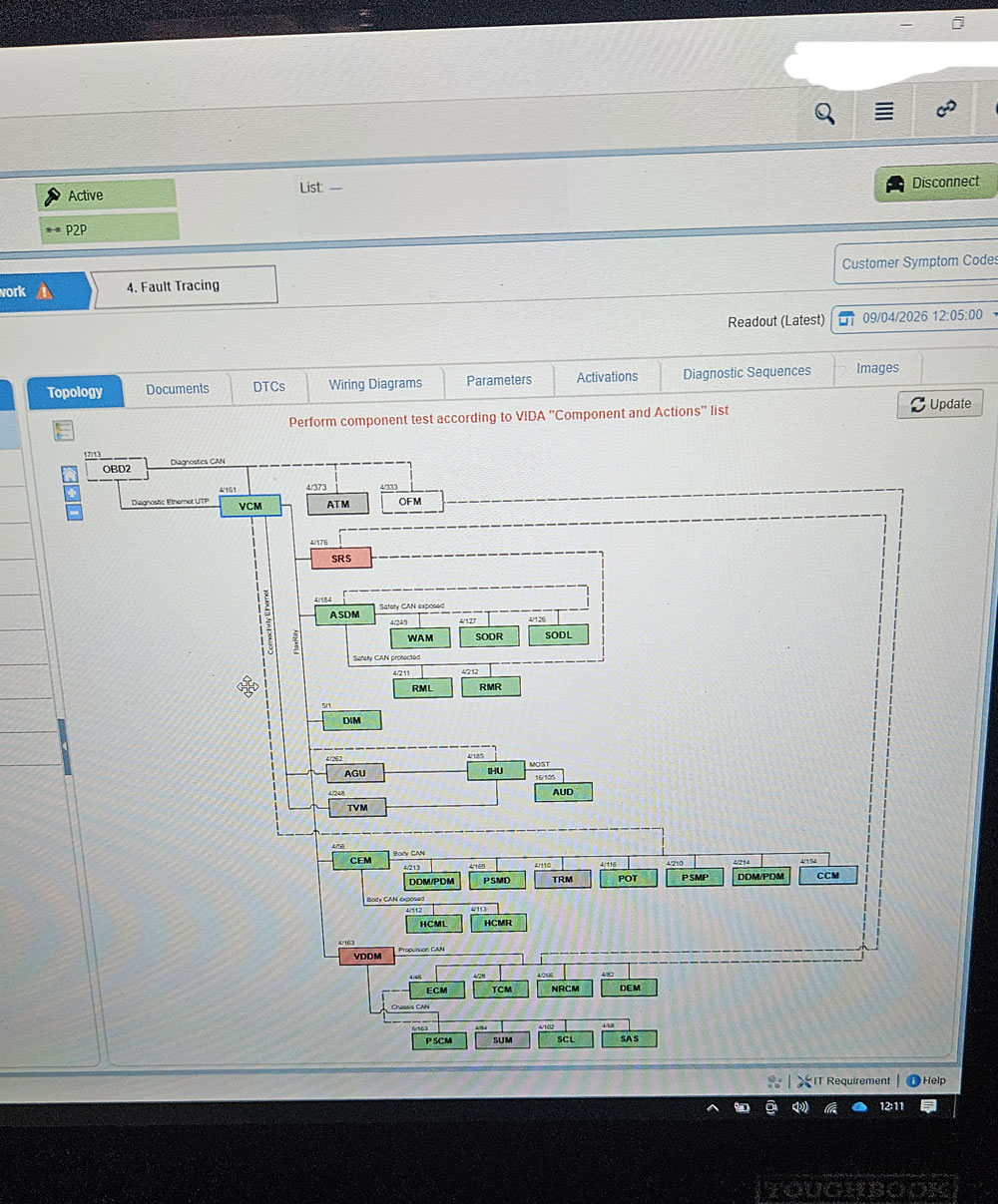
The Vehicle Communication Module (VCM) is effectively the gateway of the vehicle, managing communication between networks such as CAN, LIN, and Ethernet. Faults within this module can manifest as:
Loss of communication with multiple ECUs
Network-related DTCs
Intermittent system faults across unrelated modules
Using VIDA, a full vehicle scan is carried out. In this case, the VCM flagged internal faults requiring software intervention.
As with many modern Volvo issues, hardware replacement is not always the first step. Software corruption, outdated calibration, or incomplete updates can all lead to VCM-related faults.
Programming the VCM
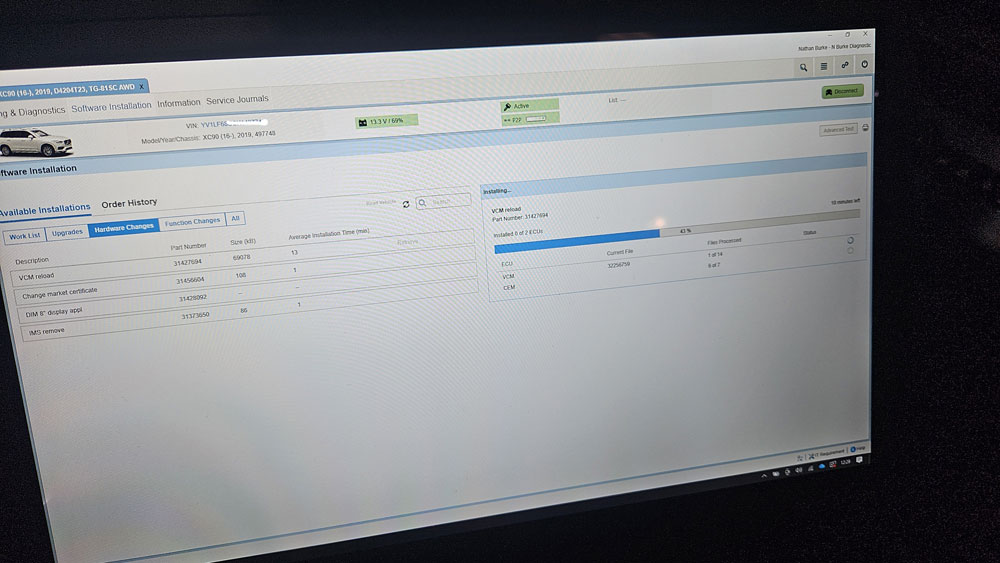
Once confirmed, programming is initiated directly through VIDA. This is where the RLink’s DoIP capability becomes critical.
Key Steps:
1. Select the VCM from the control module tree
2. Choose “Software Download”
3. VIDA retrieves the correct software package from Volvo servers
4. Programming begins via DoIP connection
Because DoIP uses Ethernet rather than CAN, data transfer rates are significantly higher, reducing programming time and lowering the risk of failure during flashing.
The RLink handles this process as a J2534 pass-thru device, ensuring compatibility with OEM software while maintaining stable communication throughout.
Importance of Voltage Stability
During VCM programming, voltage stability is absolutely critical. Any drop in system voltage can corrupt the module and render the vehicle inoperative.
For this job, a high-capacity support unit was used to maintain a constant voltage supply throughout the programming session. This ensures:
No interruption to the flash process
Consistent communication
Reduced risk of module failure
Post-Programming Checks
Once programming is complete, VIDA automatically verifies the installation. The process is followed by:
Clearing fault codes
Re-running a full vehicle scan
Verifying network communication integrity
In this case, the VCM faults were resolved entirely through software, restoring proper communication across all systems.
Final Thoughts
The combination of Topdon RLink J2534 and Volvo VIDA provides a powerful, cost-effective alternative to OEM diagnostic hardware, without sacrificing capability.
Key advantages include:
Full OEM-level diagnostics and programming
Seamless DoIP support for modern vehicles
Faster and more stable programming sessions
Wide vehicle coverage with a single interface
For workshops working on newer Volvo platforms like the XC90, having DoIP-capable equipment is no longer optional—it’s essential.
The RLink bridges that gap perfectly, delivering dealer-level results without the dealer-level investment.