





Problem:
The Topdon Phoenix Plus diagnostic scanner reported an error, “The device has been banned for some reasons”. How to solve and unlock device?
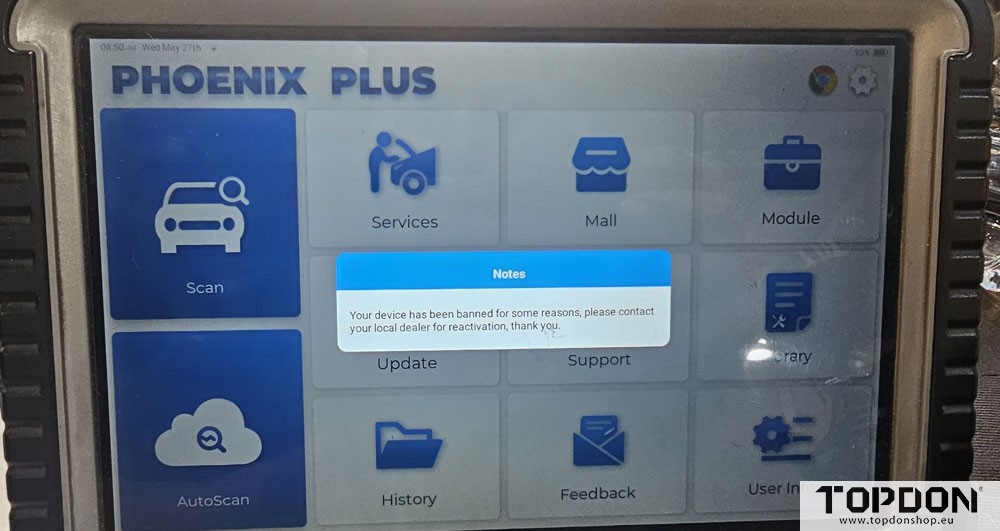
Solution:
If your TOPDON device has been banned or blocked, it generally means it has been flagged for violating the Terms of Service, or it was flagged as stolen or blacklisted by the manufacturer.
To get the device unbanned or to resolve the issue, you must contact TOPDON directly. Follow these steps:
1.Email Support: Reach out to support@topdon.com.
2.Provide Details: Include the device’s Serial Number (SN), along with a photo of the device’s receipt or proof of purchase (such as an order number from an authorized retailer).
3. Reason: Explain the situation (e.g., if you purchased it used/second-hand or from an auction, and it was mistakenly flagged as bound to a previous user).
If you recently bought the device and want to clarify if it can be unbound from a previous user, tell Topdon staff:
Where did you purchase the device? (e.g., official website, eBay, Amazon, an authorized retailer or a second-hand marketplace)
What specific error message or screen are you seeing?
Topdon can help you prepare the right information to get your device unlocked.