





Tutorial: How to Unlock the Renault SGW Security Gateway with TOPDON Phoenix series, Artidiag series and TopScan Pro series diagnostic scanners?
Part 1:
How to Unlock Renault Security Gateway with Phoenix , Ultradiag, Artidiag Series?
Go to the Diagnostic function.
Download the Renault vehicle software.


Select “Automatic” or “Manual” to enter vehicle information. We suggest using “Automatic” to avoid selecting incorrect vehicle information.

The VIN will be automatically read.
Confirm the vehicle information.

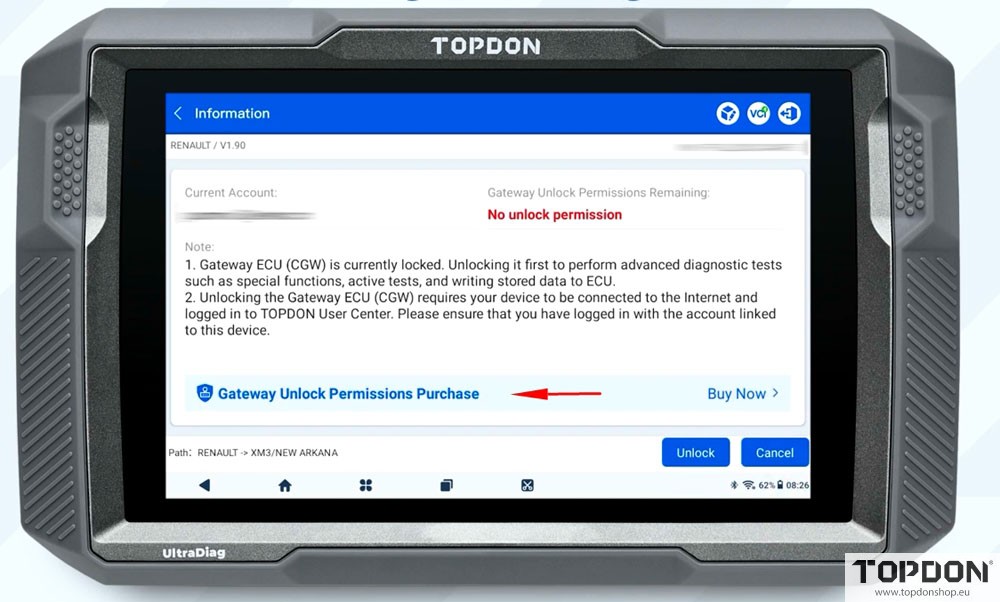
If you haven’t obtained the gateway unlocking permissions yet, click “Gateway Unlock Permissions Purchase” to proceed.
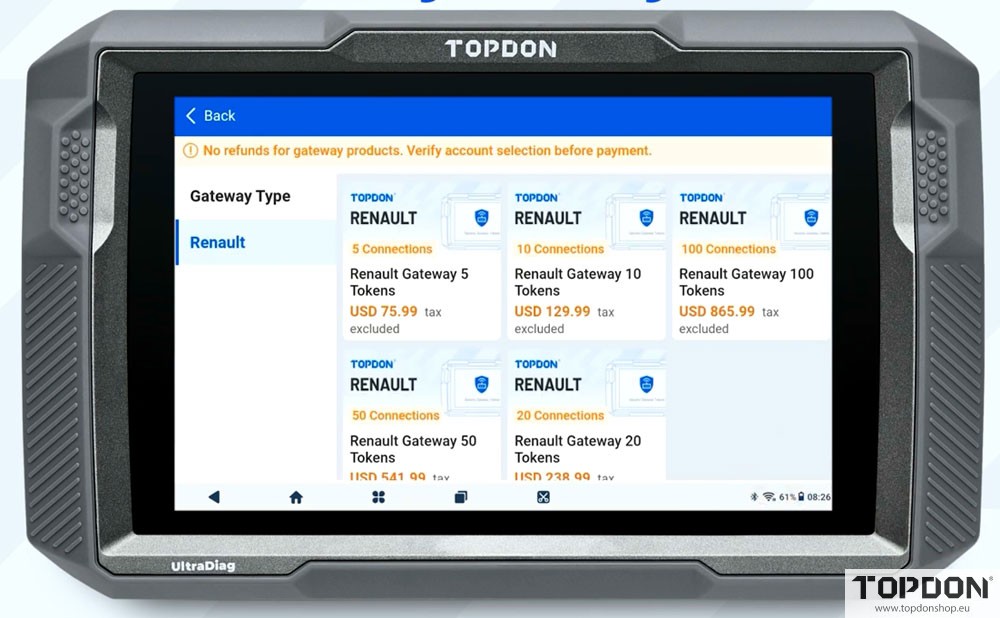
Select the appropriate tokens as you need and complete the payment.
Choose 5 tokens, 10 tokens, 100 tokens, 50 tokens or 20 tokens package.
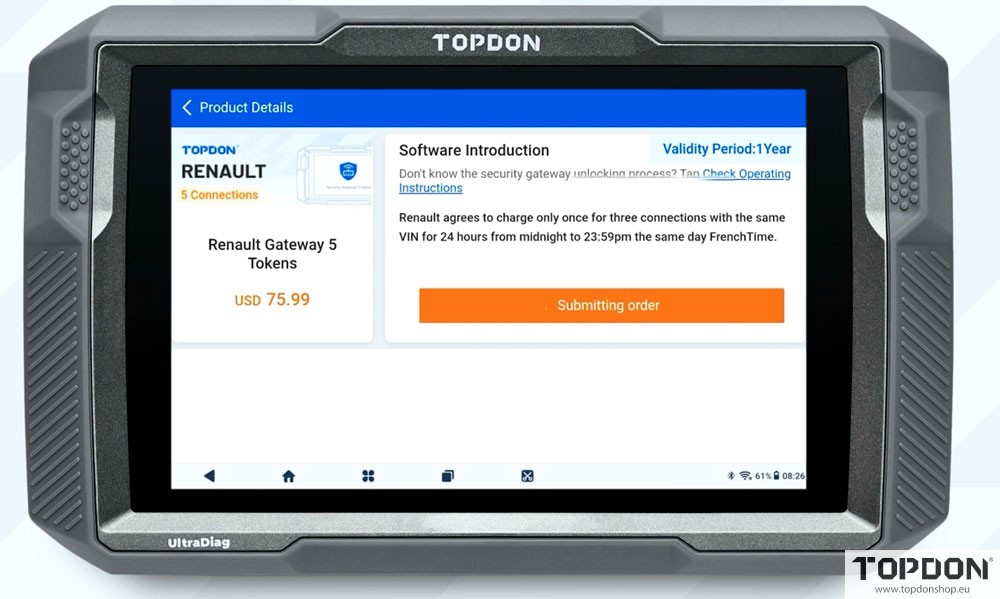
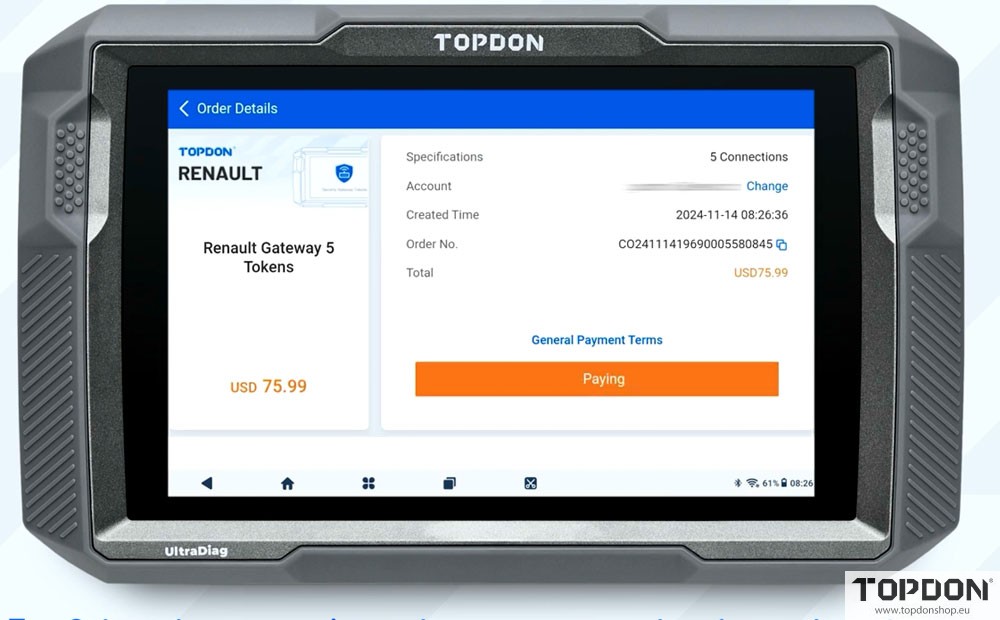
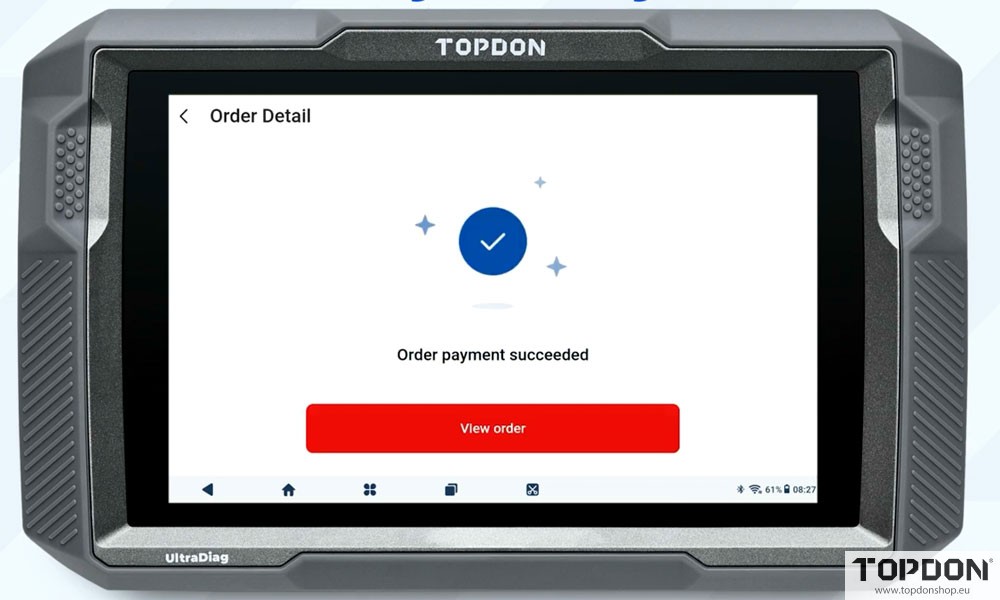
After payment, tap “View order” to check previous orders or return to the “Gateway Unlocking” page to check your permission.
Select “Unlock” enter your account credentials and tap “Confirm”.

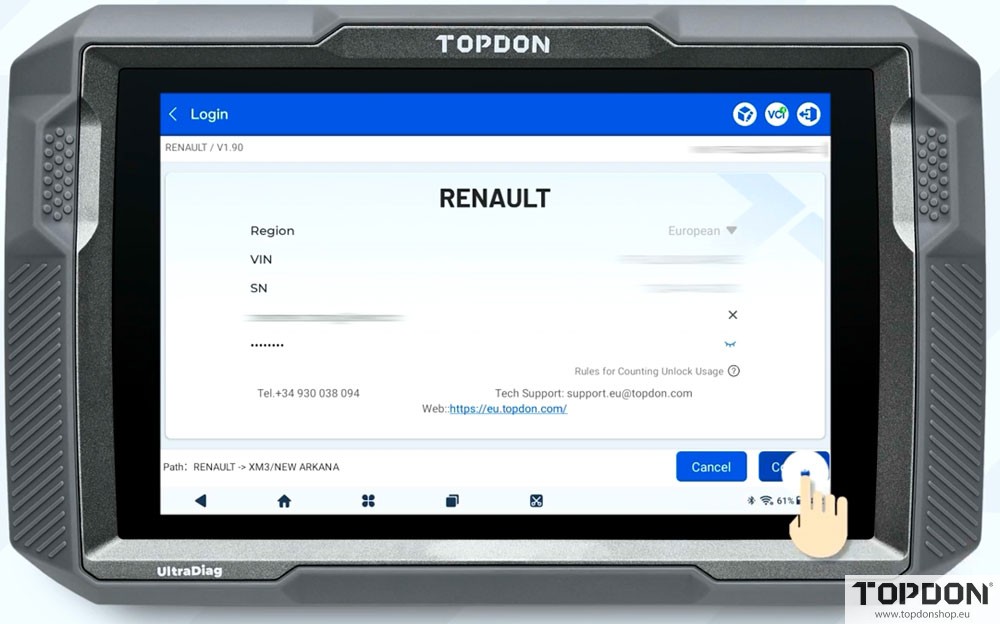
Once the Renault Security Gateway is successfully unlocked, you will gain full access to Renault diagnostic functions.

Part 2:
How to Unlock Renault Security Gateway with Topdon Topscan Pro?
For Android System:
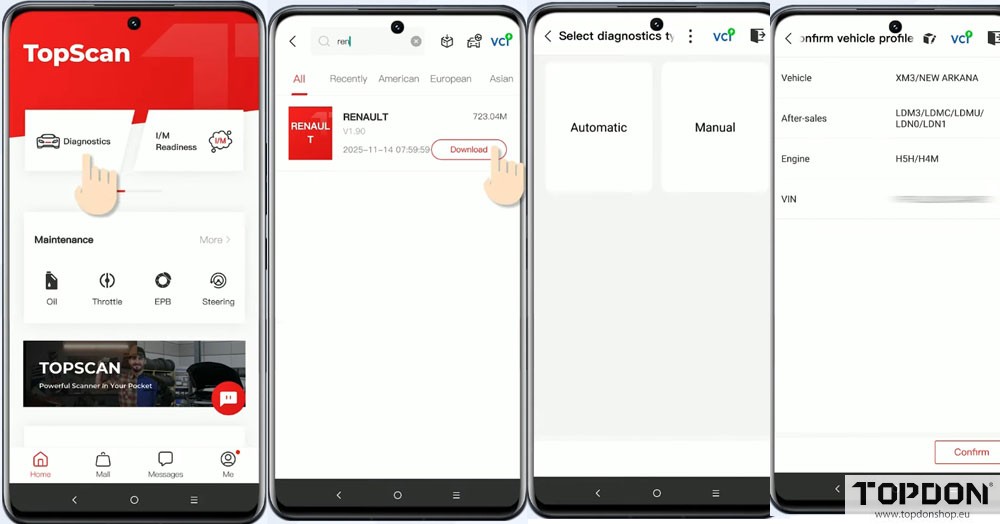
Go to the Diagnostic function
Download the Renault vehicle software.
Select “Automatic” or “Manual” to enter vehicle information.
We suggest using “Automatic” to avoid selecting incorrect vehicle information.
The VIN will be automatically read
Confirm the vehicle information.
If you haven’t obtained the gateway unlocking permissions yet, click “Gateway Unlock Permissions Purchase” to proceed.
Select the appropriate tokens as you need and complete the payment.
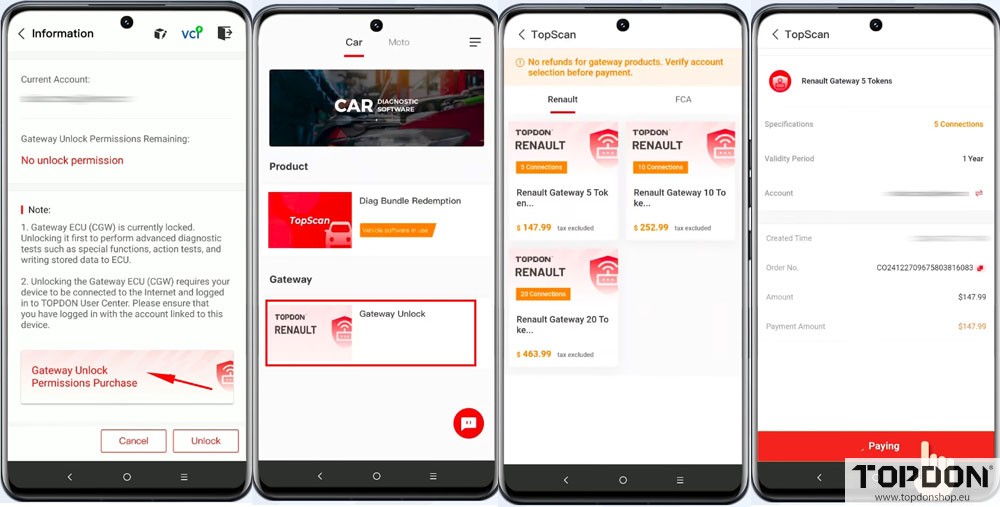
After payment, tap “View order” to check previous orders or return to the “Gateway Unlocking” page to check your permission.
Select Unlock, enter your account credentials and tap “Confirm”.
Once the Renault Security Gateway is successfully unlocked, you will gain full access to Renault diagnostic functions.
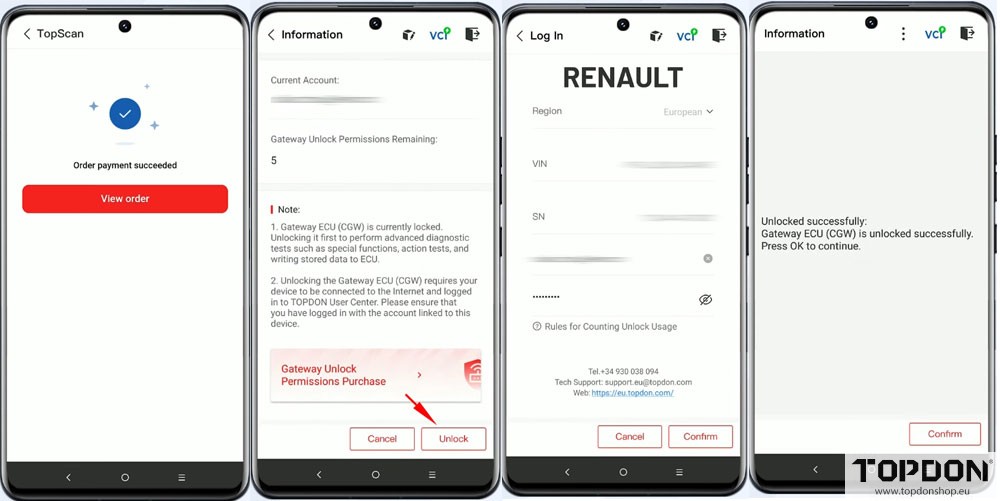
For iOS system, the procedure is similar to Android system. Check picture guide below:


