

A new update has arrived for the TOPDON BT600 Battery Tester, making battery diagnostics smarter, faster and easier to share!
With seamless smartphone integration, you can now access detailed battery test reports straight from your phone.
What’s New?
Instant QR Code Scanning – Scan the QR code displayed on your BT600 to access detailed battery test reports directly on your smartphone.
TopFix AI Analysis – Get AI-powered insights to help you understand complex battery results and identify potential issues.
Digital Record Keeping – Save and access test histories on your phone, making workshop documentation and customer reporting easier than ever.
How to Update Your BT600
If you purchased your BT600 before 1st November 2026, you’ll need to install the latest software to access these features.
Update Topdon BT600 setp-by-step:
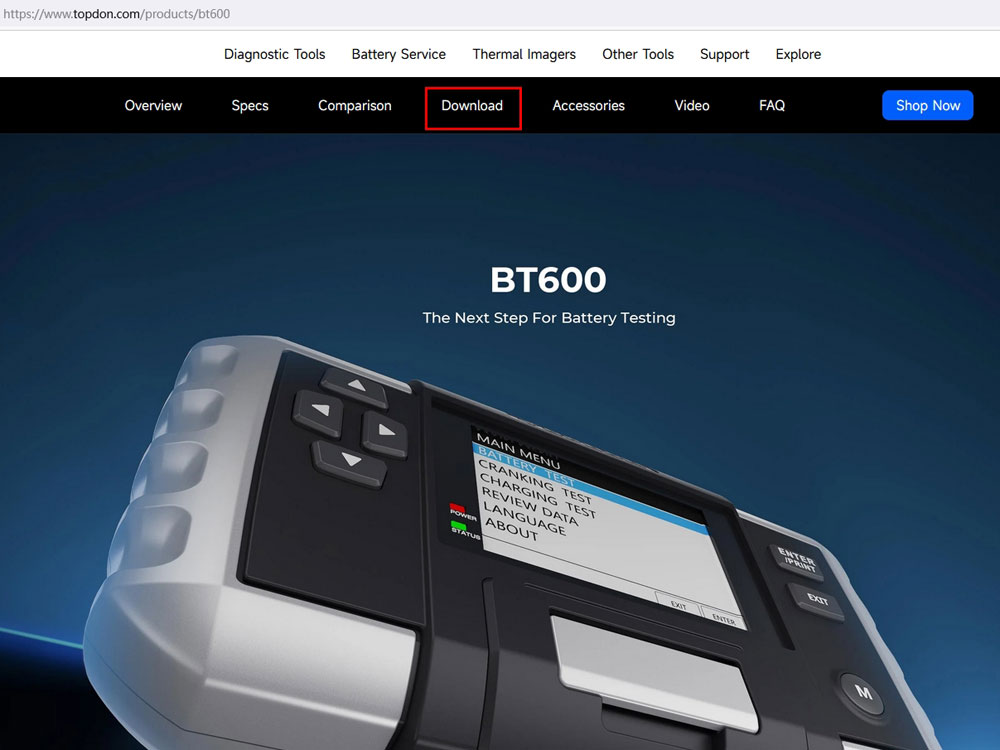
Step 1: Navigate to https://www.topdon.com/products/bt600 and select “Download”.
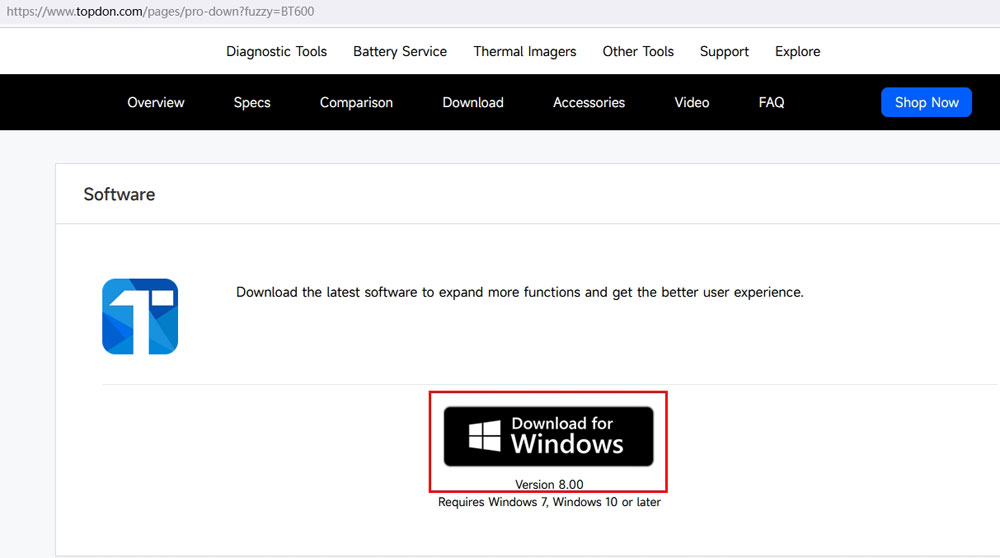
Step 2: Click to Download and install the PC Suite Software.
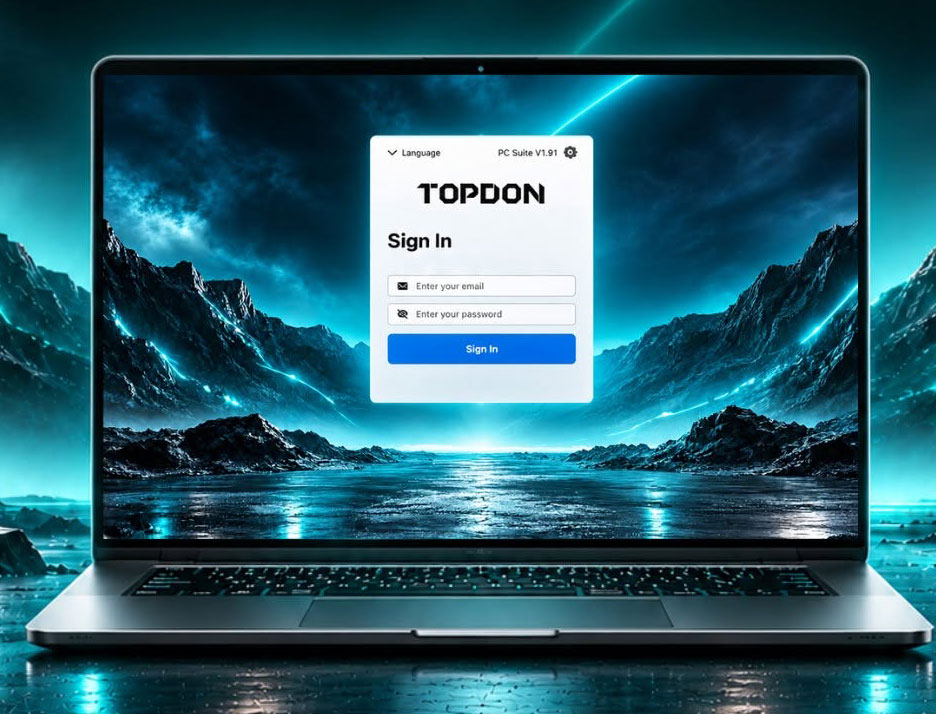
Step 3: Login with your registered account and connect your device to the laptop.
Step 4: Click “Bind Device” (if the device is already bound, this step is not required.)
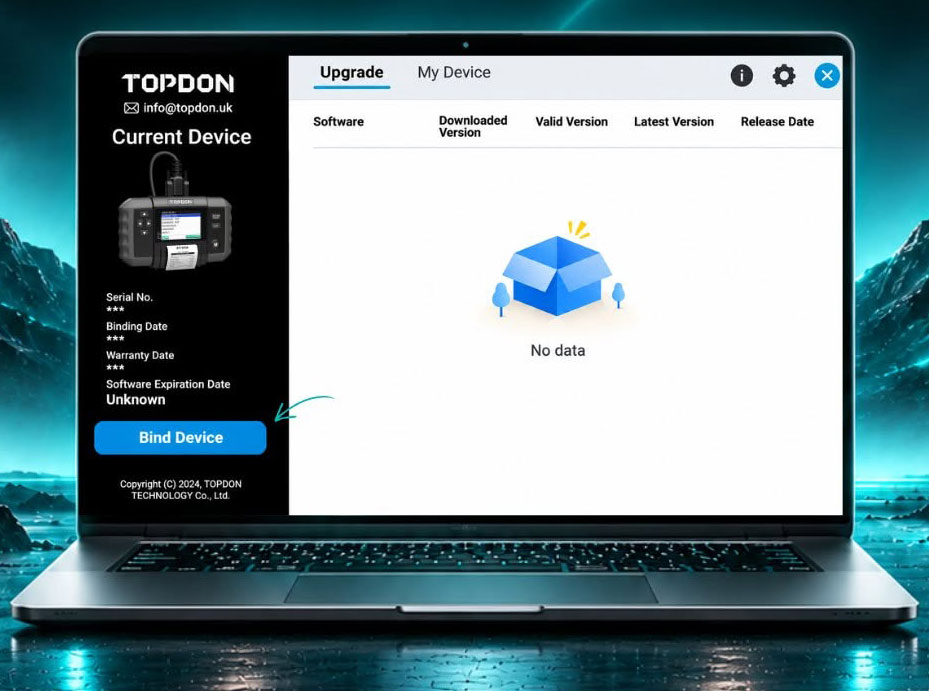
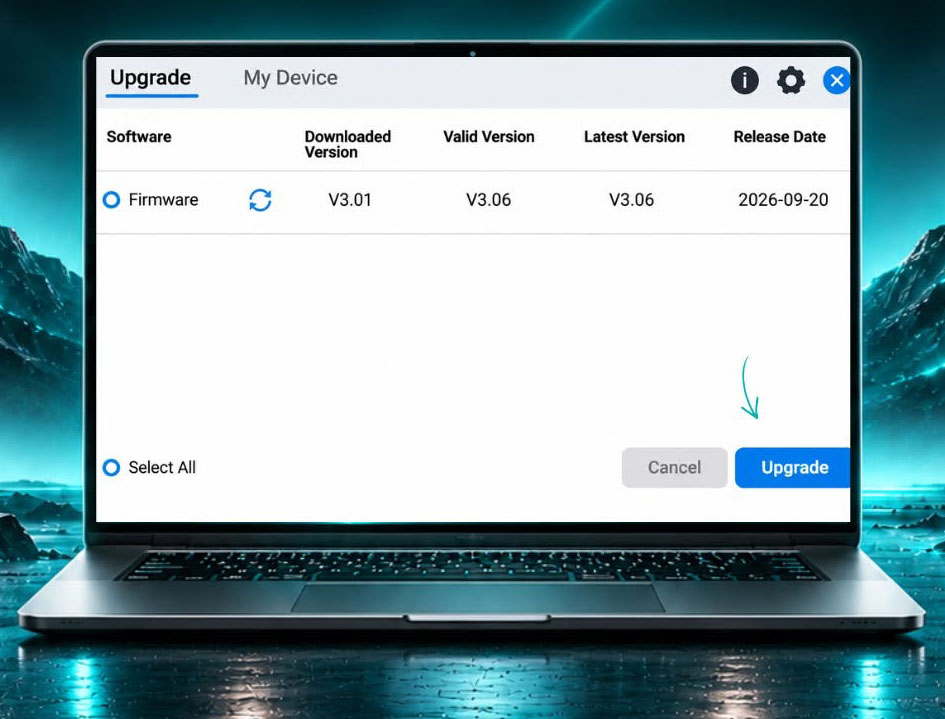
Step 5: Click “Upgrade” to upgrade to the latest version.