





Where to download Topdon Topscan Moto software and activate motorcycle software? How to update software?
Check instructions below:
Download Topscan Moto App:
Check topdonshop.eu Download area to download Topscan Moto app for Android and iOS systems.


Or
For iOS: Search for “TopGuru” in App Store to download and install.
For Android: Search for “TopScan” in Google Play to download and install.
Note:
This app is compatible with iOS 11.0 or later / Android 7.0 or later.
How to Register and Activate Topscan Moto software?
Register & Log In
Open the app and log in to your TOPDON account. (If you do not have an account, please register with your email.)
Enable Wi-Fi, Bluetooth, camera, and location services on your phone for the app to access.

Bind the VCI
You will enter the guided interfaces of the App. First select MOTO.
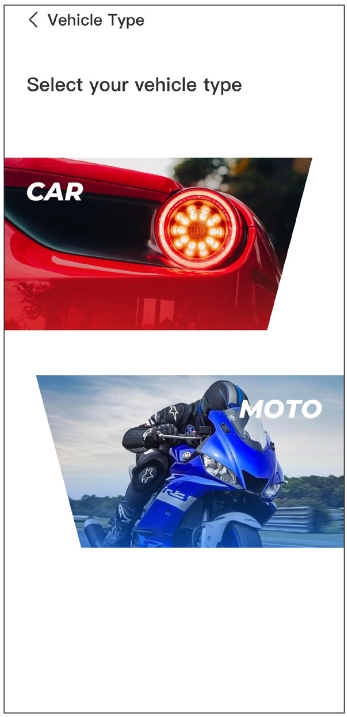
Then bind the VCI in one of the following two ways.
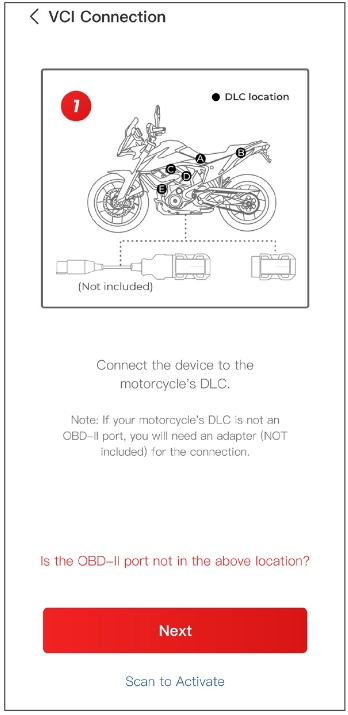
Way 1: Bind the VCI via Code Scanning
Tap Scan to Activate to activate the VCI. The serial number and activation code will be automatically obtained. Then the app will jump to the home page. Please proceed to step 3.4.
Way 2: Bind the VCI via Bluetooth Connection
Follow the on-screen instructions to plug the TopScan Moto into the motorcycle’s DLC. Then tap Next.
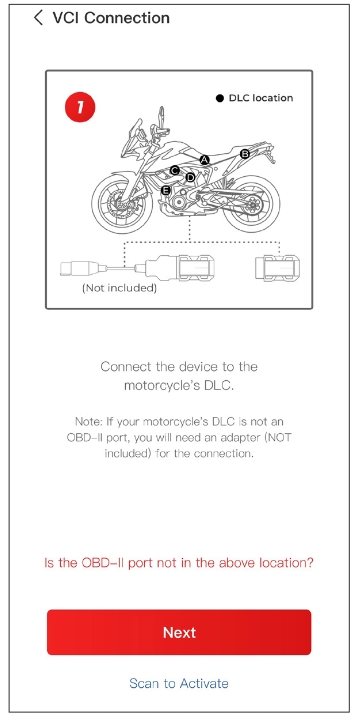
Start the engine of the motorcycle as prompted on the guided interface. Then tap Next.
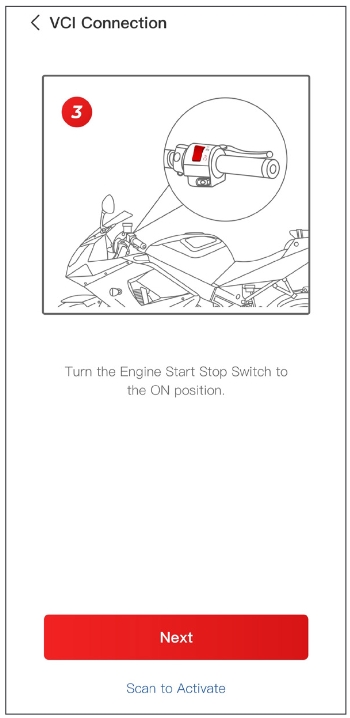
Turn the Engine Start Stop Switch to the ON position. Then tap Next.
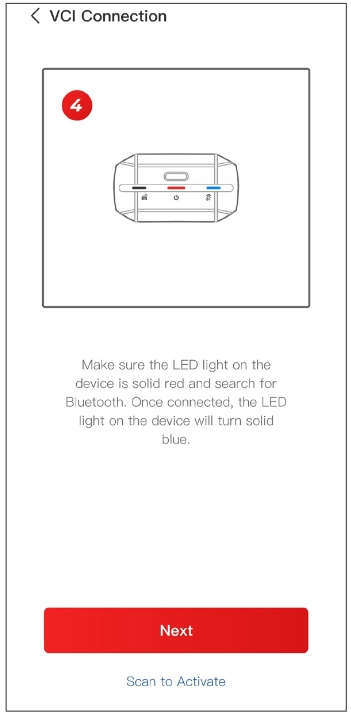
Make sure the LED light on the device is solid red and searching for Bluetooth. Once connected, the LED light on the device will turn solid blue.
Select your device from the list of searched Bluetooth devices.
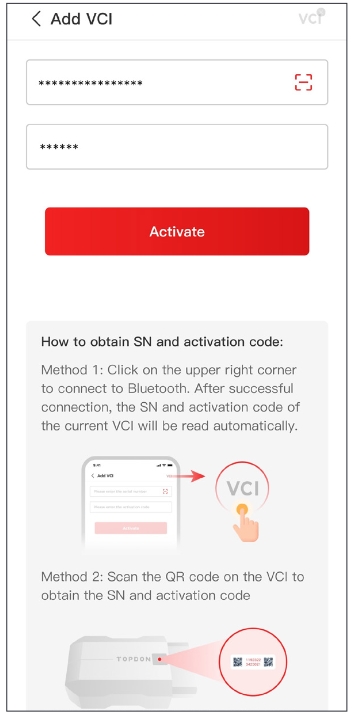
After successful Bluetooth connection, the SN and the activation code of the VCI will be read automatically. Then tap Activate.
If you have not completed the VCI binding on the guide interface, you can also follow the steps below to bind the VCI.
Tap Me > Device Management >+
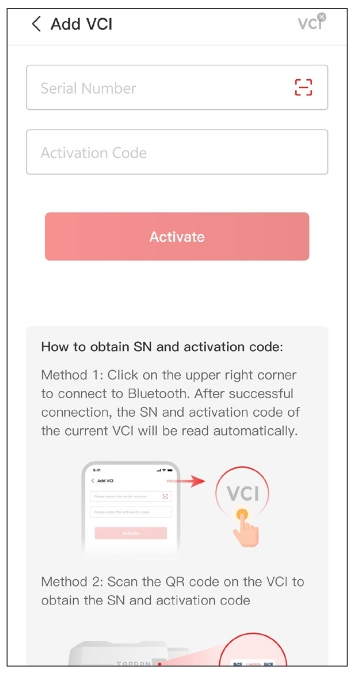
To get the serial number and activation code, please scan the QR code on the product.
Alternatively, tap the VCI icon at the top right of the activation screen to establish a Bluetooth connection. Once the Bluetooth connection between the TopScan Moto and your phone is established, the serial number and activation code will be automatically obtained.
Note:
The TopScan Moto should be connected to a power source via its USB-C port or properly plugged into the motorcycle’s DLC before Bluetooth can be connected
Then, tap Activate.
Download the Diagnostic Software
You will need to download the motorcycle-specific software the first time you use the diagnostic function. Tap Diagnostics from the home screen and download the software you need.
Update Topscan Moto software
Update is easy. Topscan Moto comes with 1 year free update.
After 1 year, it takes $99 to renew software subscription.
You can purchase software subscription in app or from us.