
How to set up Topdon ONE/ ONE lite/ ONE Plus VCI with TOYOTA GTS+ Software?
Tips:You need to install the TOYOTA OEM software before use. If it’s not installed yet, you can download and install it from the official TOYOTA website.
Note: ONE VCI does not support the DoIP protocol, and it cannot be used for ECU diagnostics or programming.
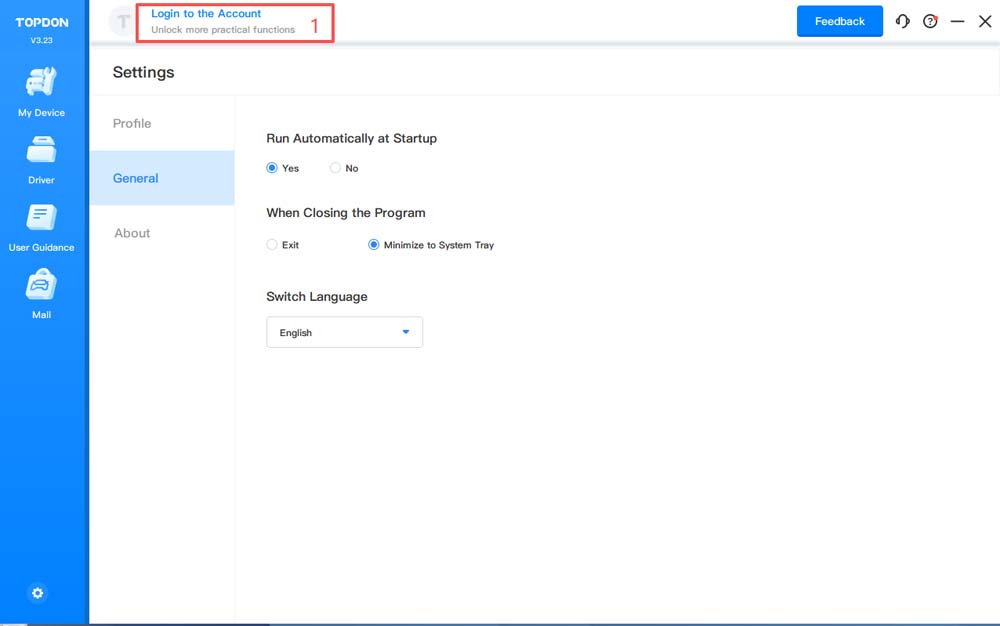
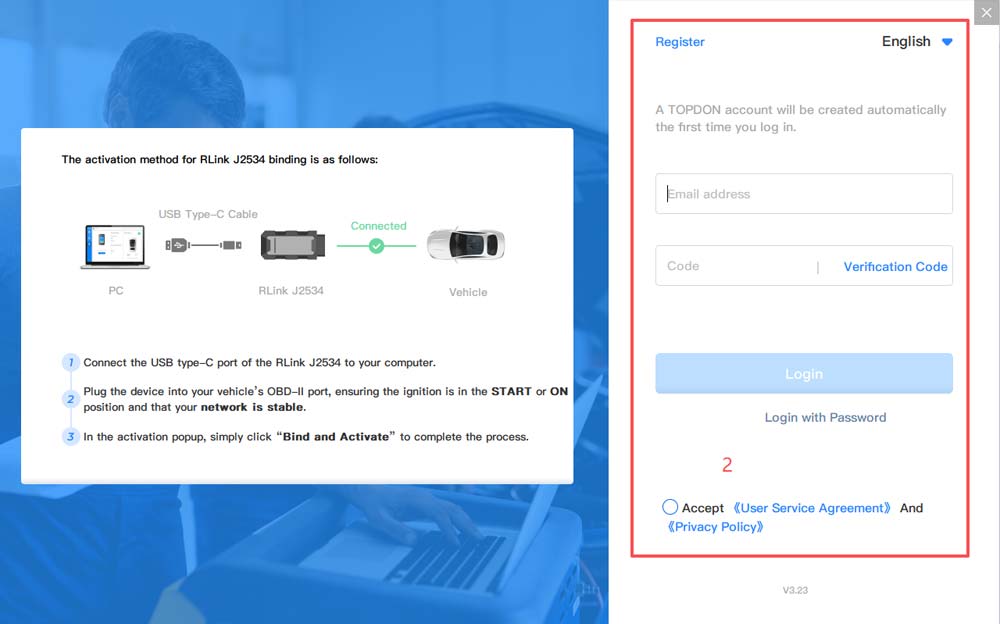
1.Open the RLink Platform. Clicking 【Login to the Account】 will automatically
redirect you to the login page. Log in to the account bound to the 【ONE VCI】 device.
Note: After binding and activating the device and downloading the driver, you can use the 【ONE VCI】device to perform vehicle diagnostics without opening the RLink Platform later.
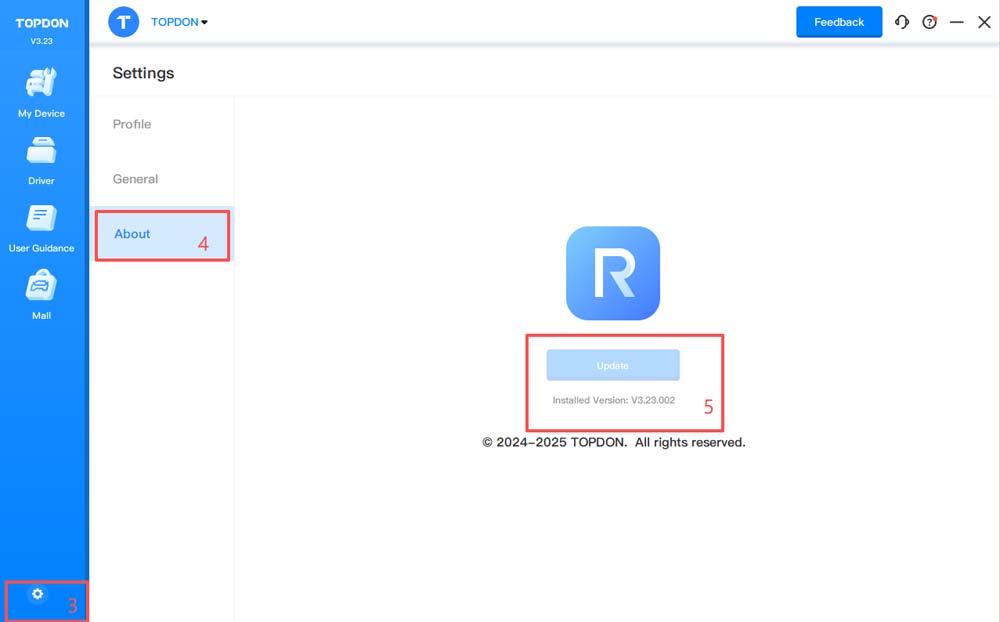
2.Click the 【settings】icon. Then click 【About】 to check whether there is an update for the RLink Platform. If yes, click 【Update】.
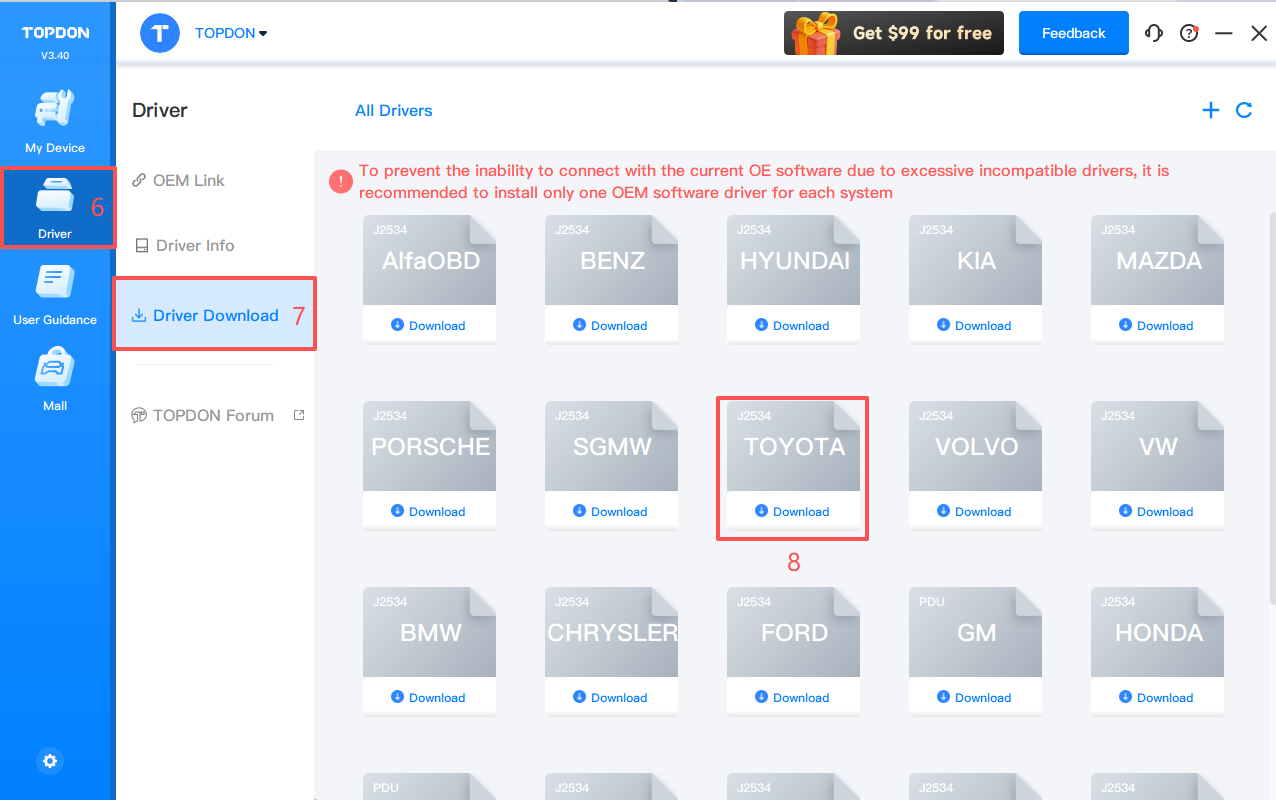
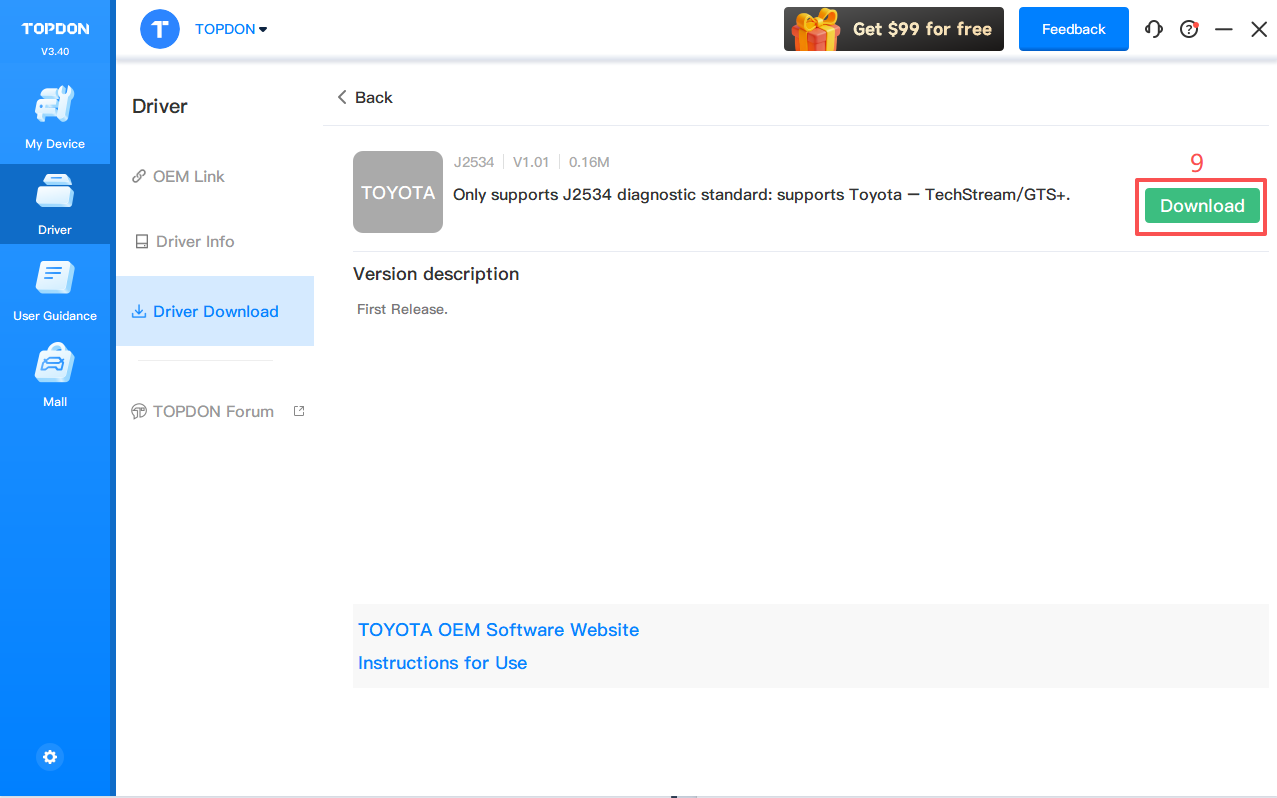
3. Click【Driver 】 > 【Driver Download】. Click 【TOYOTA】 and click 【Download】 to download the driver.
Note: Download the corresponding driver according to the OEM software. Do not download drivers that are not related to the OEM software.
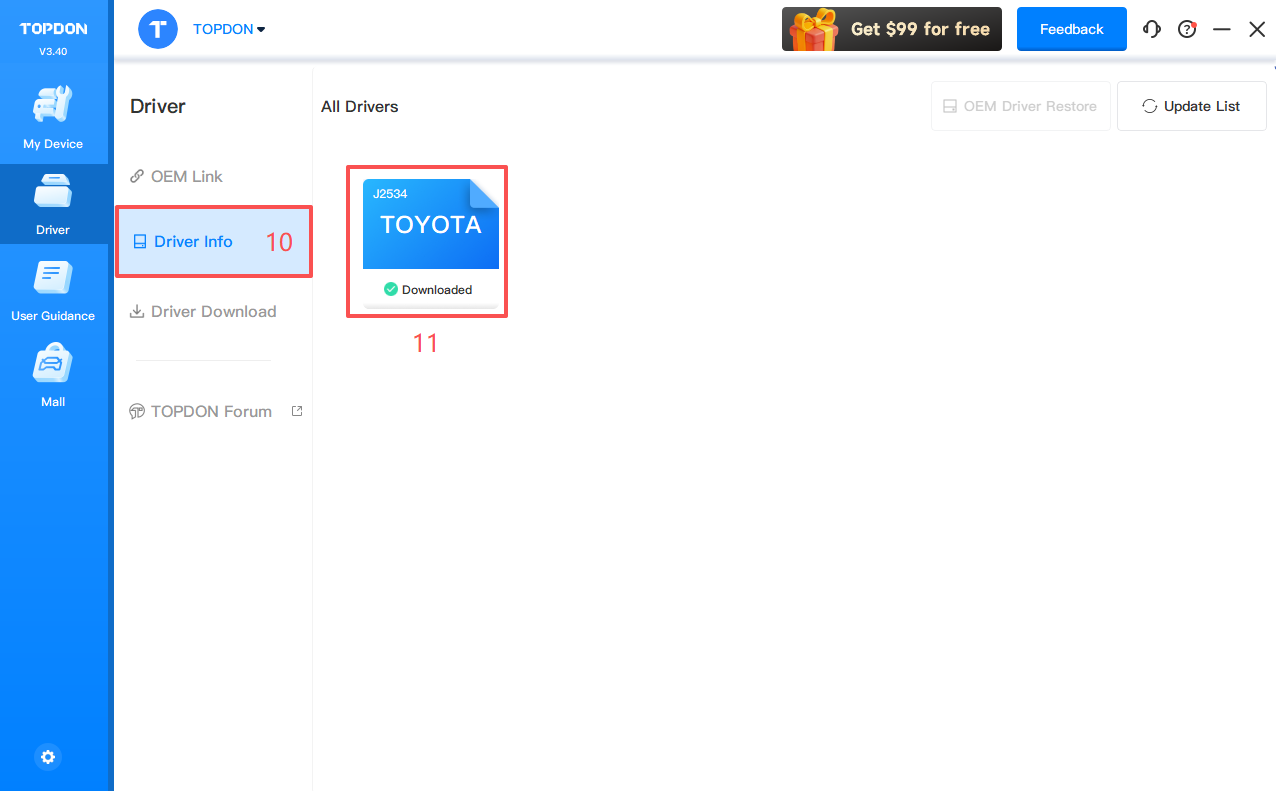
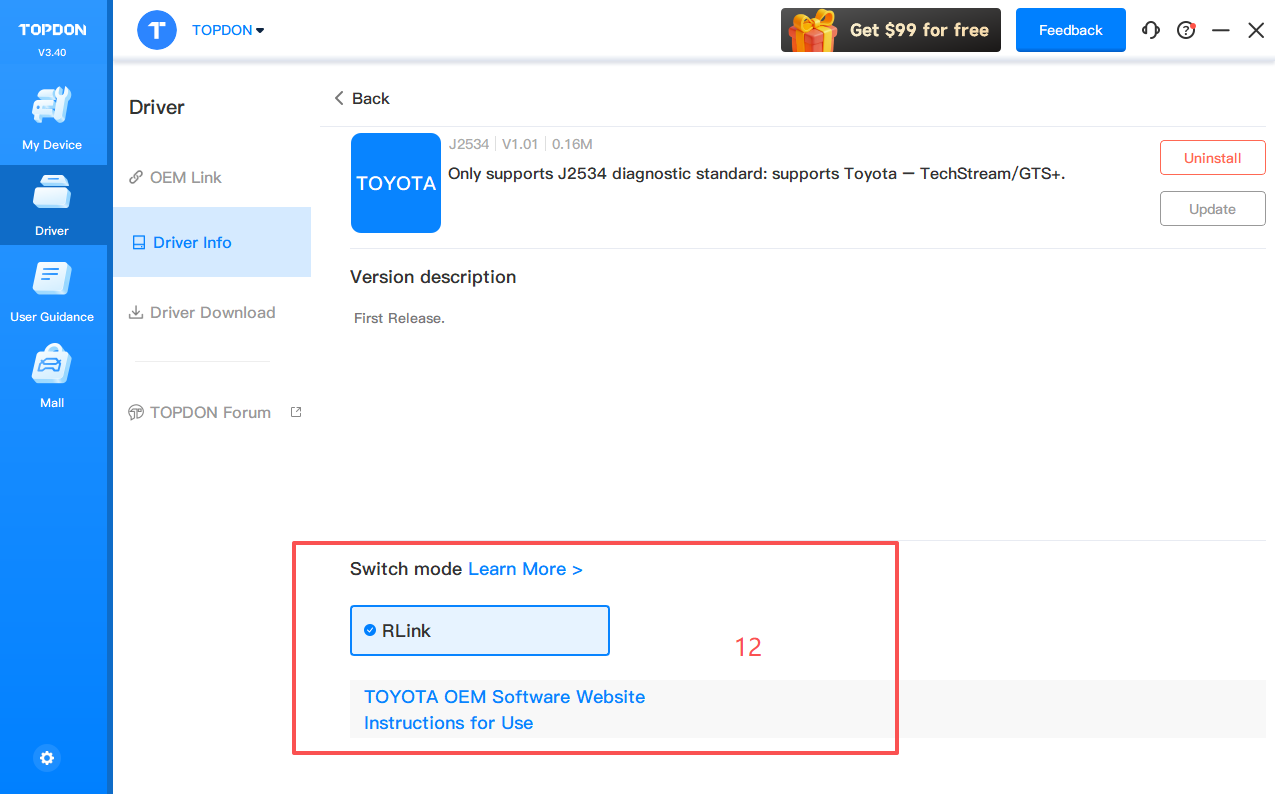
4. Click 【Driver 】 > 【Driver Info】. Then click 【TOYOTA】 to check the driver mode.
5. When using ONE VCIdevices, select 【RLink】 as the diagnostic interface on the OEM software. If you are connecting to the original VCI or third-party VCI, open the OEM software and select the original VCI or third-party VCI as the diagnostic interface. This driver will not have any impact.
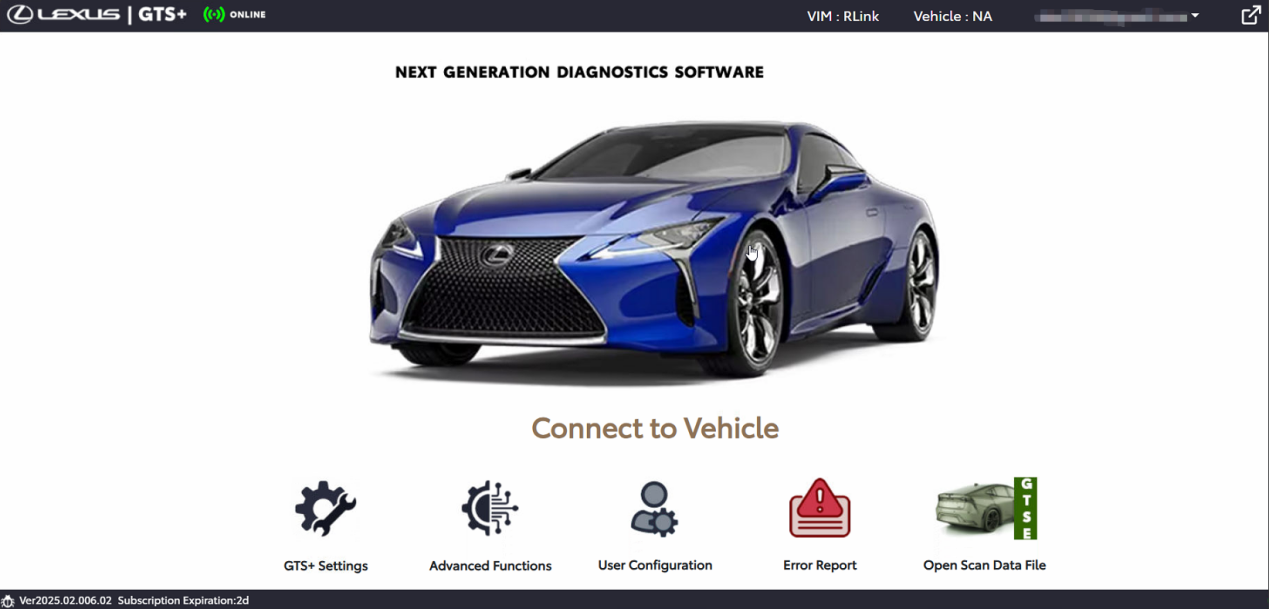
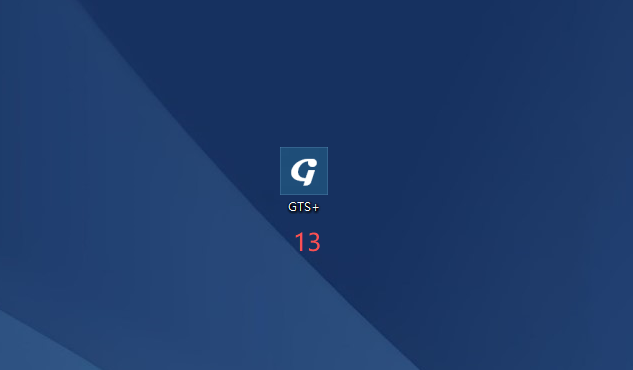
6. Double click the icon to open the 【GTS+】.
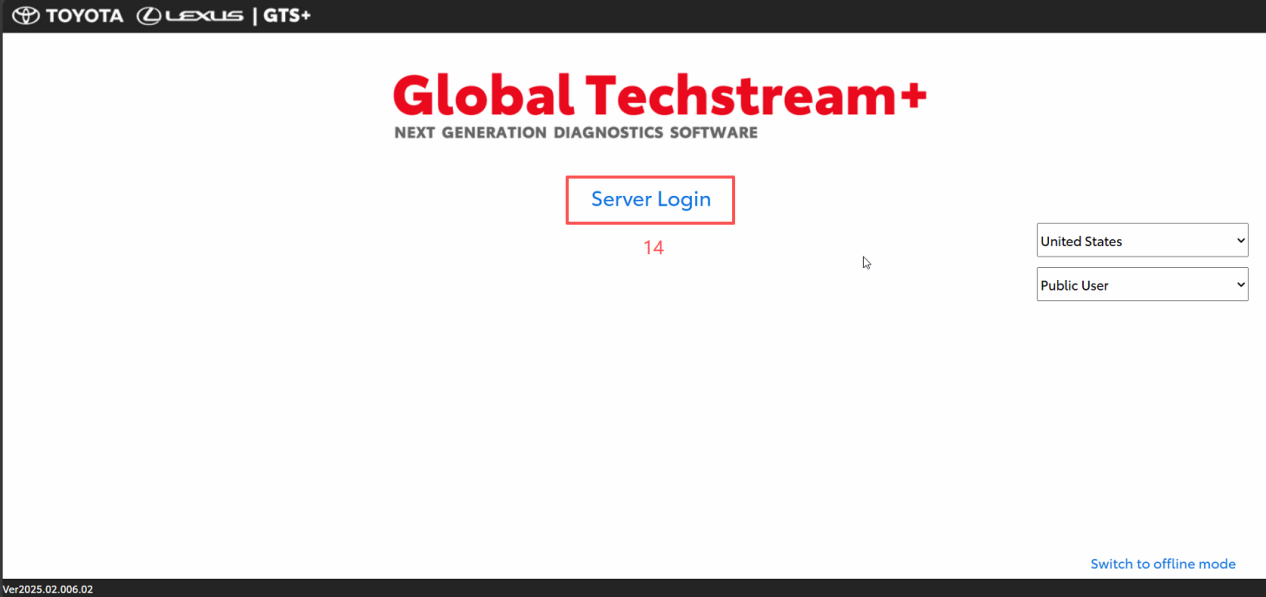
7. Click 【Server Login】 and log in with your TOYOTA account subscribed to the diagnostic service.
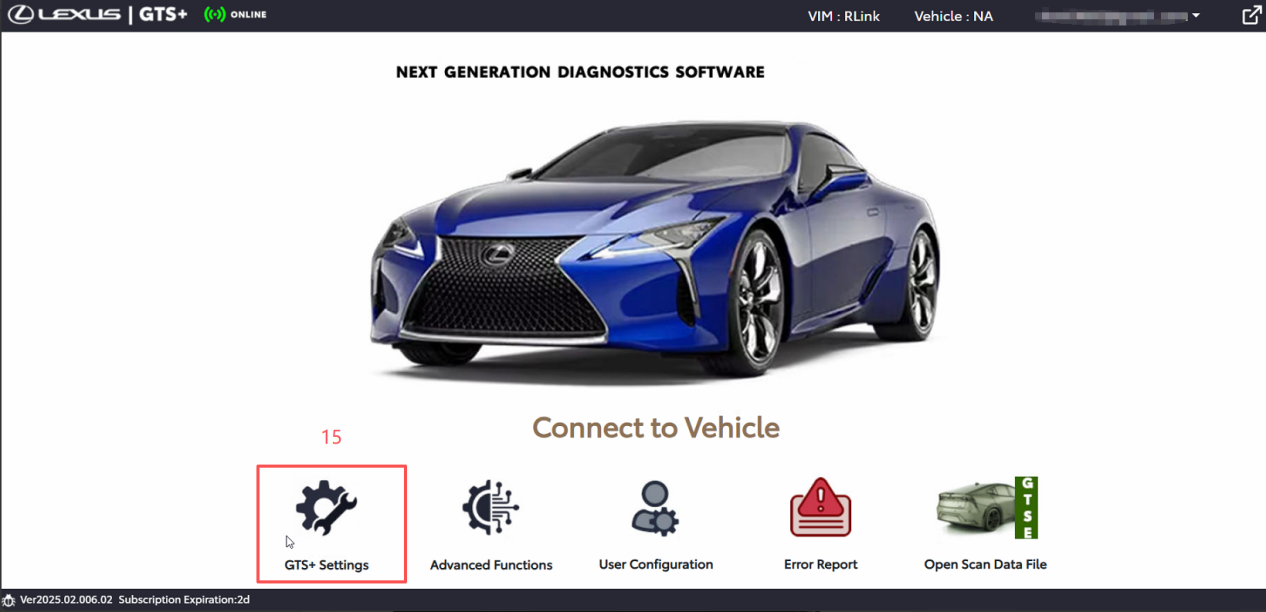
8. Click 【GTS+ Settings】and configure the VCI for diagnostics.
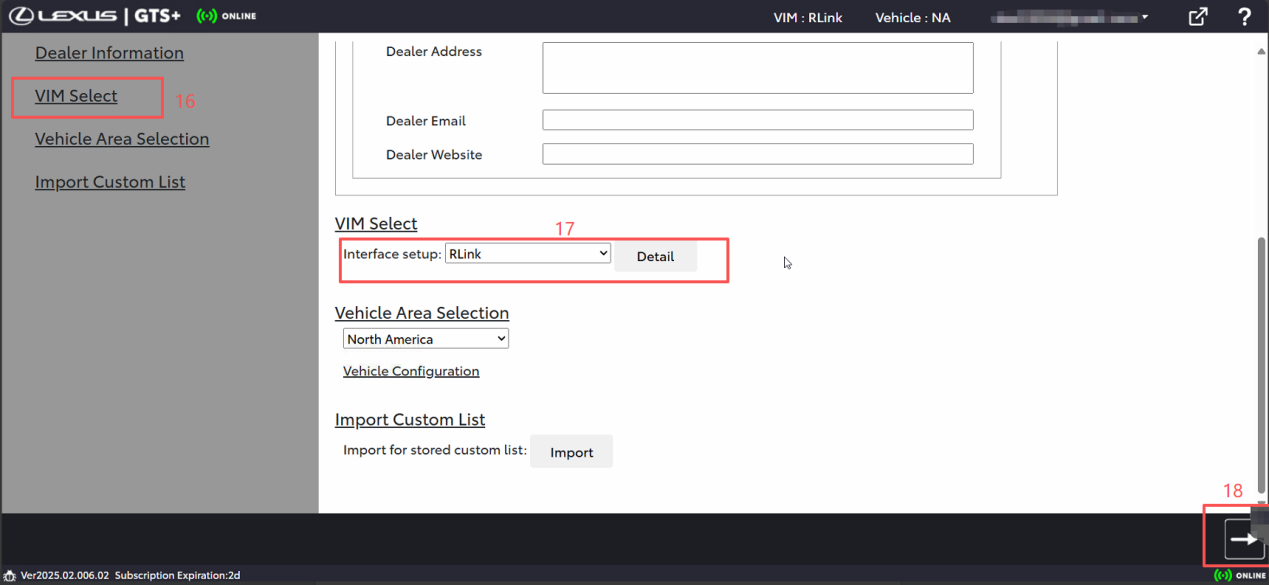
9. Click 【VIM Select】, select RLink for 【Interface setup】, and click 【→】 in the lower right corner to proceed.
10. After the settings are completed, click the vehicle displayed on the screen to perform diagnostics.