





When a tool company reaches out to a seasoned mechanic who’s used every major brand on the market, you pay attention. That’s exactly what happened when TOPDON sent their flagship TOPDON ONE diagnostic to a shop owner who’s never been shy about mixing and matching scanners.
The verdict after a full day in the shop? Highly impressive, with a couple of caveats.
First Impressions: Built Like a Beast
The first thing you notice is the weight. When the package arrived, the mechanic admitted, “I was like, what the heck could that be?” The TOPDON ONE Lite/ONE is substantial—easily the largest TOPDON scanner to date, dwarfing even the reliable Phoenix Lite 2.
Inside the well-designed case:
- A massive, high-resolution screen (with a mandatory kickstand—“Every scan tool should have one”)
- USB-C to USB-C charge cord and wall adapter
- An OBD-II dongle (J2534-enabled, fairly large)
- A sliding compartment for adapters
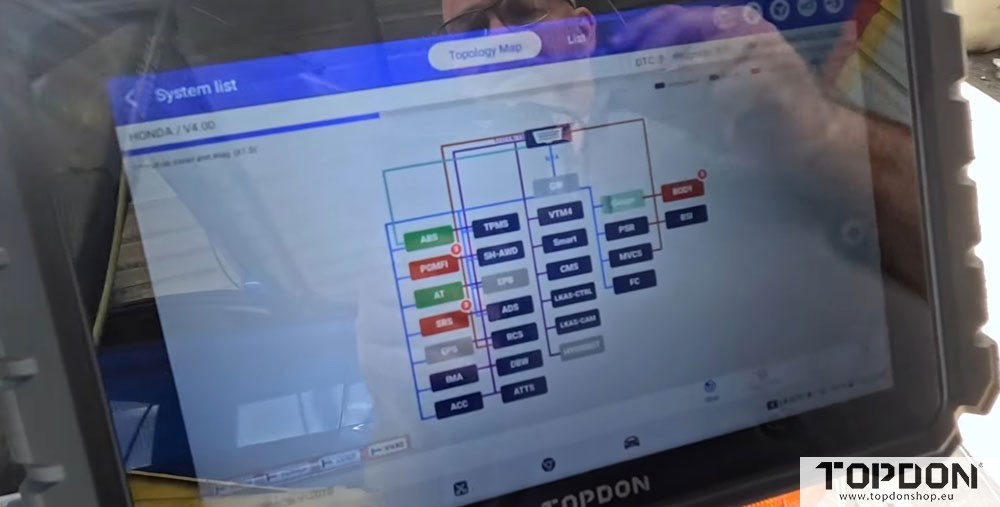
The screen size alone is a game-changer for shop work, making live data and topology diagrams easy to read at a glance.
Setup & Updates: Smooth but Wi-Fi Dependent
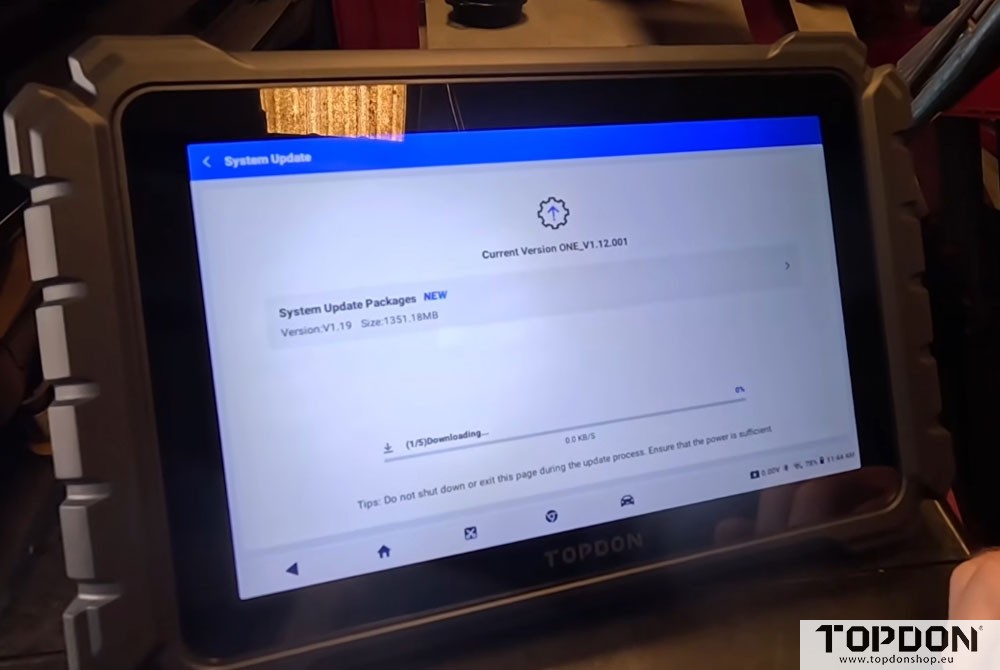
Out of the box, the TOPDON ONE required the usual language, region, and Wi-Fi setup. The initial update was 1,351 MB (version V1.19), plus 51 automobile updates and a couple of firmware patches. The tool came charged at ~79%, so no issues there.
Important catch: The scanner forces you to go through TOPDON’s website every time you use it. This means you must have a stable Wi-Fi connection or a mobile hotspot. In a shop with weak Wi-Fi, the reviewer experienced delays. Once connected, though, updates and module scans moved quickly.
Performance in the Shop: Fast, Capable, and Intuitive
The real test came on a variety of vehicles. Here’s how the TOPDON ONE performed across multiple real-world diagnoses:
1. Toyota with Bad Water Pump
The scanner quickly identified an over-speed code on the electric water pump. Using the active test function, the mechanic commanded the pump to 3,000 RPM—“It’s already faster than it’s supposed to be. I can hear it.” The data confirmed broken impellers. Diagnosis time: minutes.
2. Lexus ES 350 with Transmission Failure
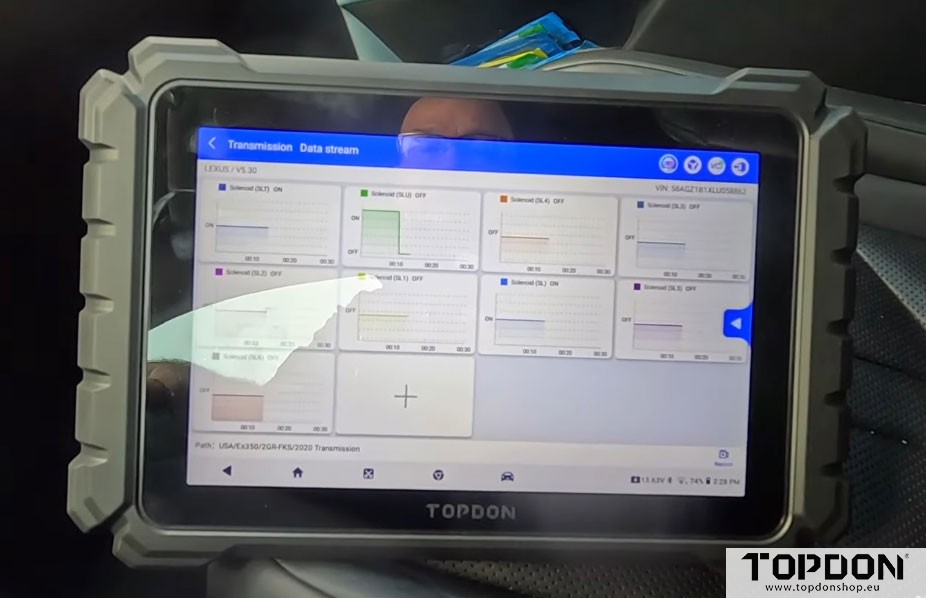
The topology screen showed exactly how modules were connected—critical for CAN bus issues. The TCM revealed solenoid codes, and graphing up to 12 parameters simultaneously confirmed the transmission was mechanically unable to apply clutches. “Super cool thing on this tool,” the reviewer noted.
3. Ford with Fuel Sender & Fan Issues
The AI Assist feature stepped in here. When a “fan one performance stuck off” code appeared, the tool suggested possible causes (fan motor, relay, ECU programming) and even provided a repair case from its database. The mechanic then ran an active test, cycled the fan, and confirmed it worked—saving unnecessary parts swapping.
“It’s still not a diagnosis. It’s just helping you with your diagnosis.” – A healthy reminder that AI is a helper, not a mechanic.
4. Chrysler Sebring with ABS Sensor Failure
The TOPDON ONE quickly identified a dead right-front wheel speed sensor. Without needing a scope, the mechanic compared sensor signals (0.3 ohms vs. 5.7 ohms), swapped the sensor, and verified both wheels showing matching data. “No scopes needed. Clear DTCs, yep. Successfully cleared.”
5. Honda Civic with Misfire
The scanner revealed cylinder three misfire data. The fix? A simple unplugged injector. “Look how good it runs when you plug all the injectors in.” Cleared codes, verified with live data, and done.
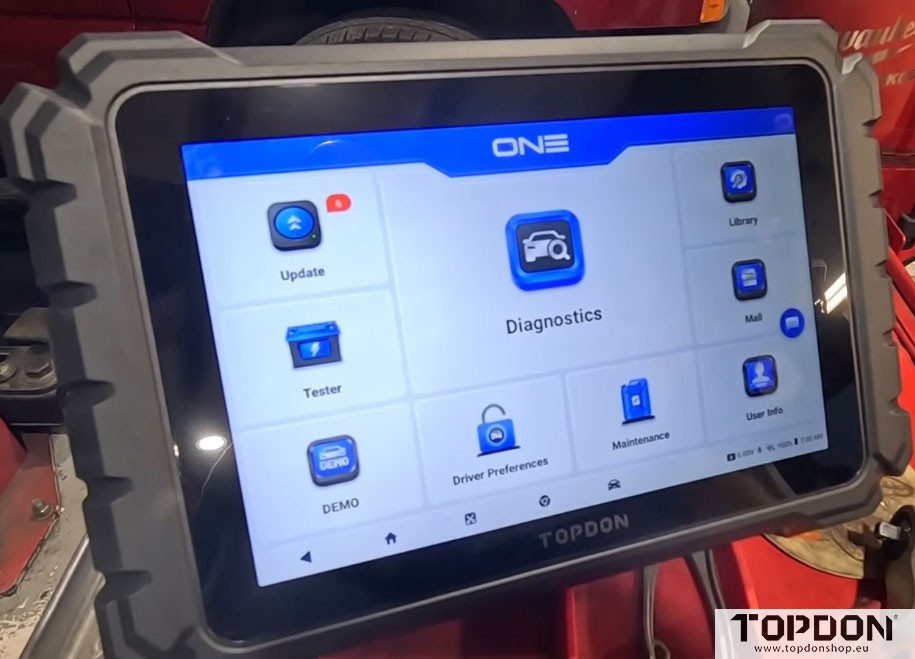
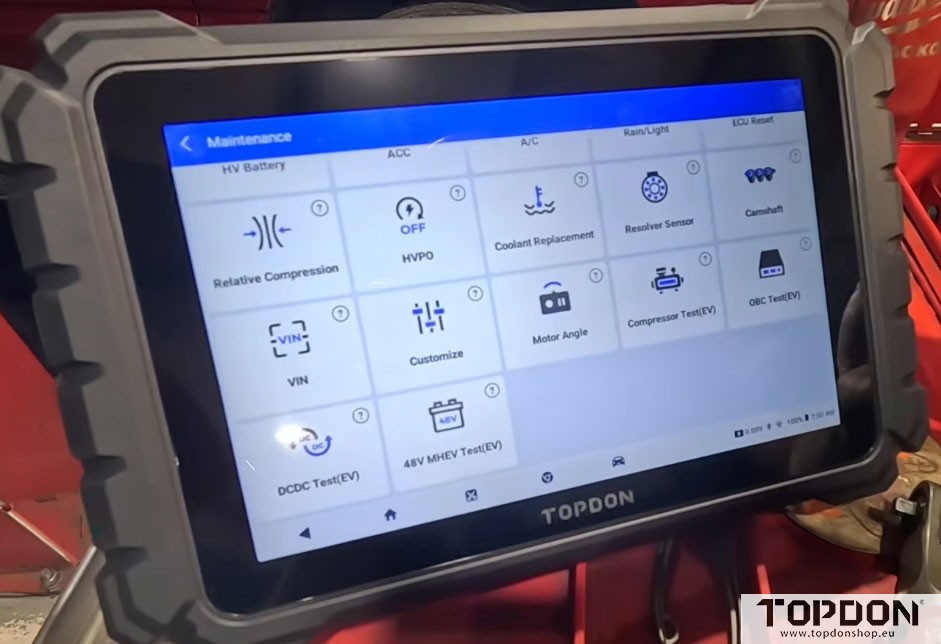
Standout Features
| Feature | Why It Matters |
|---|---|
| AI Assist | Analyzes codes against manufacturer data and online sources. Not a final diagnosis, but a powerful shortcut. |
| Topology Mapping | Shows how all modules connect—invaluable for intermittent CAN bus issues. |
| 12-Channel Graphing | View a dozen live data parameters simultaneously on that big screen. |
| J2534 Pass-Through | Enables OEM-level programming and flashing (though not fully tested in this review). |
| Fast Processor | Cleared codes across 7 modules in 30–40 seconds. The rear heat sink confirms serious processing power. |
| Pinch-to-Zoom | Works like any modern tablet. Small touch that makes a big difference. |
The Two Real Drawbacks
No tool is perfect. The reviewer called out two clear issues:
- Forced Online Connection – You must go through TOPDON’s website to use the tool. That means a reliable Wi-Fi or hotspot is non-negotiable. Weak shop Wi-Fi caused delays.
- No Screen Protector / Anti-Glare – The glossy screen picks up glare badly. The reviewer wished for an included anti-glare screen protector.
Who Is This For?
Professional mechanics: Yes, absolutely. It’s fast, capable, and packed with bi-directional controls.
- High-end DIYers: If you have the budget and love working on your own cars, this is not overkill—it’s an investment in time saved.
- Casual DIYers: Probably too much tool and too much money. Stick with a solid entry-level scanner.
Final Verdict
“I’m not going out of my way to sell you anything. If I had problems, I would tell you. If I wasn’t impressed, I would tell you.”
The TOPDON ONE delivered. It’s fast, feature-rich, and handled everything from water pump actuation to ABS diagnostics without breaking a sweat. The forced Wi-Fi connection is annoying, and the lack of a glare-resistant screen is a miss. But for a sub-$800 professional scan tool with J2534, AI assist, and topology mapping?
Highly recommended—if it’s in your budget.
www.topdonshop.eu